



Product management in 2026 demands integrated systems that bridge strategy and execution. This guide evaluates 15 tools that product teams rely on to manage portfolios, coordinate development, and deliver measurable outcomes. The tools covered are: 1. ONES, 2. Airtable ProductCentral, 3. Jira, 4. Slack, 5. Miro, 6. Google Drive, 7. Zendesk, 8. Figma, 9. Optimizely, 10. Typeform, 11. Snowflake, 12. Azure DevOps, 13. Salesforce, 14. Gong, and 15. GitHub.
What defines an effective product management tool?
The most effective product management solutions share three characteristics: they enable genuine cross-functional collaboration, provide transparent visibility into product health and progress, and accommodate existing workflows rather than imposing rigid methodologies. Enterprise organizations managing multiple product lines require additional capabilities—specifically, portfolio-level governance that connects strategic planning to team-level execution without sacrificing either.
Research from McKinsey indicates that collaboration effectiveness directly improves workflow outputs and delivery predictability. This makes technology stack decisions particularly consequential for product organizations seeking to scale.
15 essential product management tools for 2026
The following tools represent a connected ecosystem for product lifecycle management. Pros and cons are synthesized from user reviews on G2, Gartner Peer Insights, and Capterra.
1. ONES — Enterprise R&D management
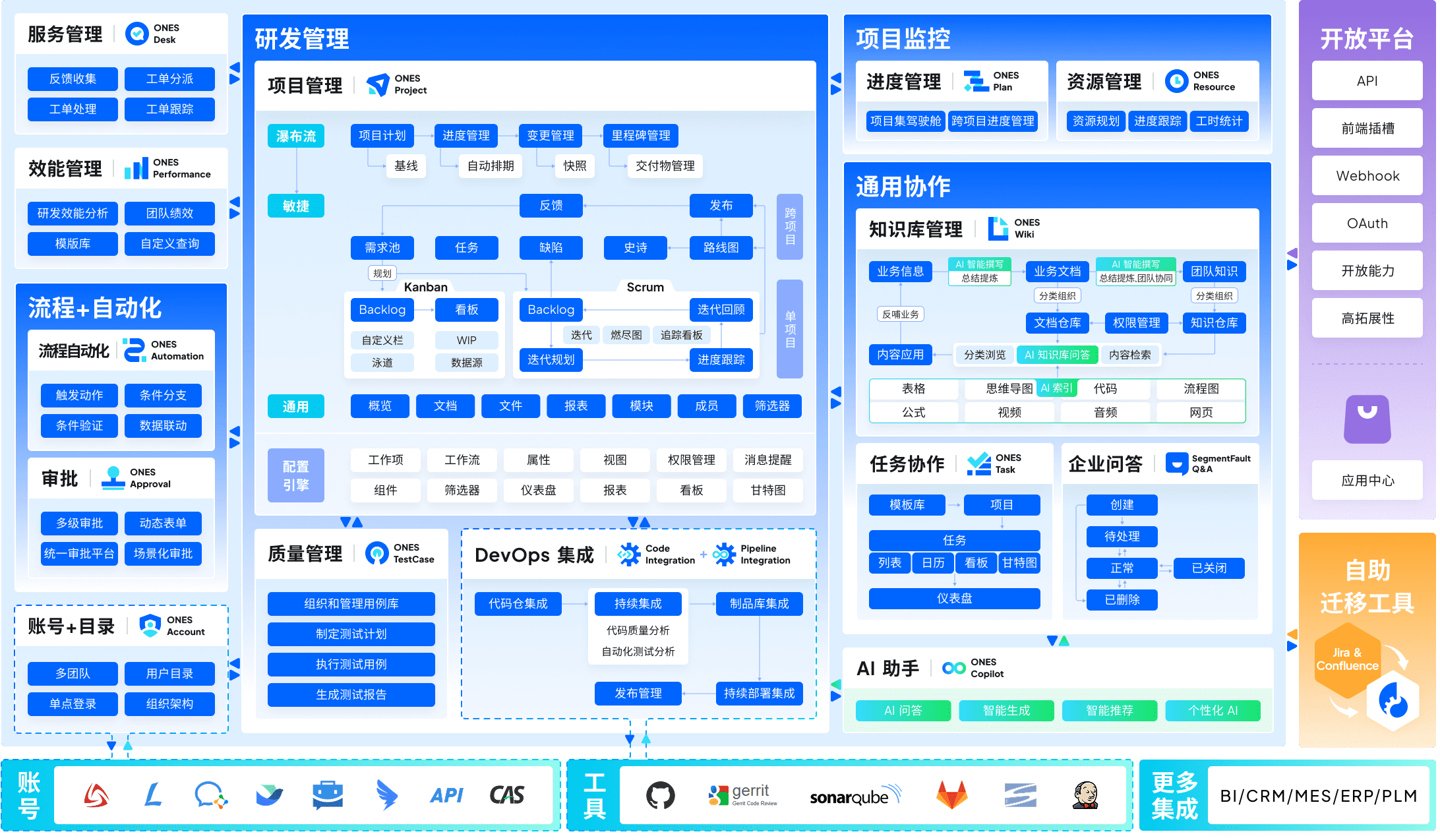
ONES is an enterprise-grade research and development management platform designed for organizations requiring unified control over complex product delivery pipelines. The platform integrates project management, requirements management, knowledge bases, test management, CI/CD pipelines, and code management within a single architecture—eliminating the fragmentation that occurs when teams stitch together multiple point solutions.
For mid-to-large organizations, ONES supports sophisticated process configuration, granular permission models, and cross-team collaboration governance. Its emphasis on engineering effectiveness measurement enables data-driven improvement of delivery quality and operational efficiency. Product leaders gain portfolio visibility while individual teams retain execution autonomy.
Strengths:
- Unified architecture reduces tool switching and data synchronization overhead
- Configurable workflows accommodate complex organizational structures without custom development
- Built-in metrics framework supports continuous improvement of R&D performance
Considerations:
- Implementation investment scales with organizational complexity; dedicated change management recommended
- Full capability utilization requires alignment between platform configuration and existing engineering practices
2. Airtable ProductCentral — Portfolio management
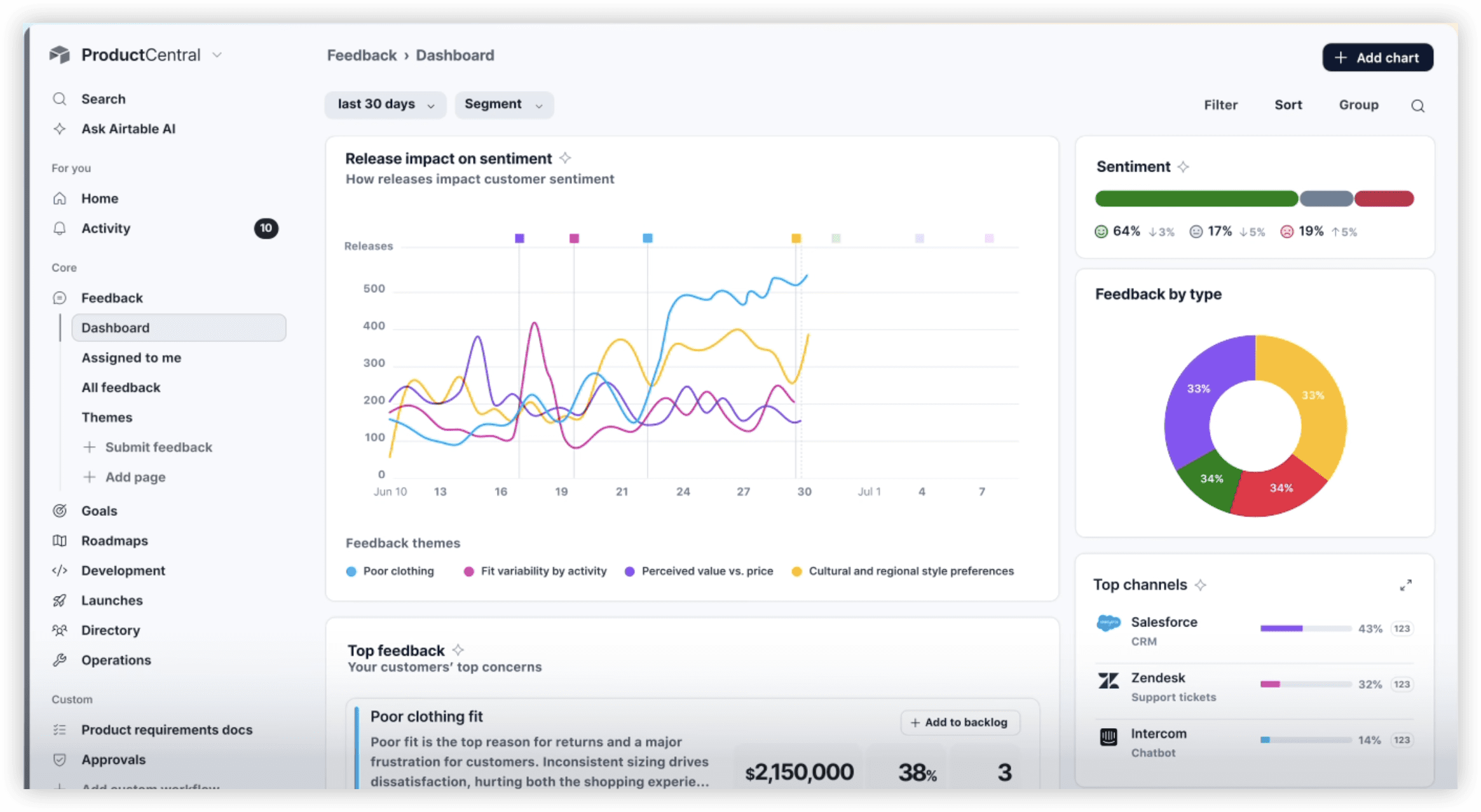
Airtable ProductCentral provides flexible product portfolio management through relational database architecture that propagates updates across connected workflows automatically. Product leaders centralize business requirements, optimize resource distribution across product lines, track objectives from company level to individual features, and maintain consolidated product health metrics.
The platform’s AI capabilities surface portfolio insights, identify cross-team dependencies, and automate coordination tasks. Its adaptable data model supports diverse product methodologies without enforcing rigid structures.
Strengths:
- Relational structure maintains data consistency across planning and execution layers
- AI-assisted analysis for roadmap summaries, OKR tracking, and resource optimization
- Enterprise governance with departmental autonomy
Considerations:
- Initial architecture design requires deliberate planning; templates accelerate but do not eliminate this need
- Teams transitioning from basic spreadsheets experience a brief adaptation period
3. Jira — Development tracking
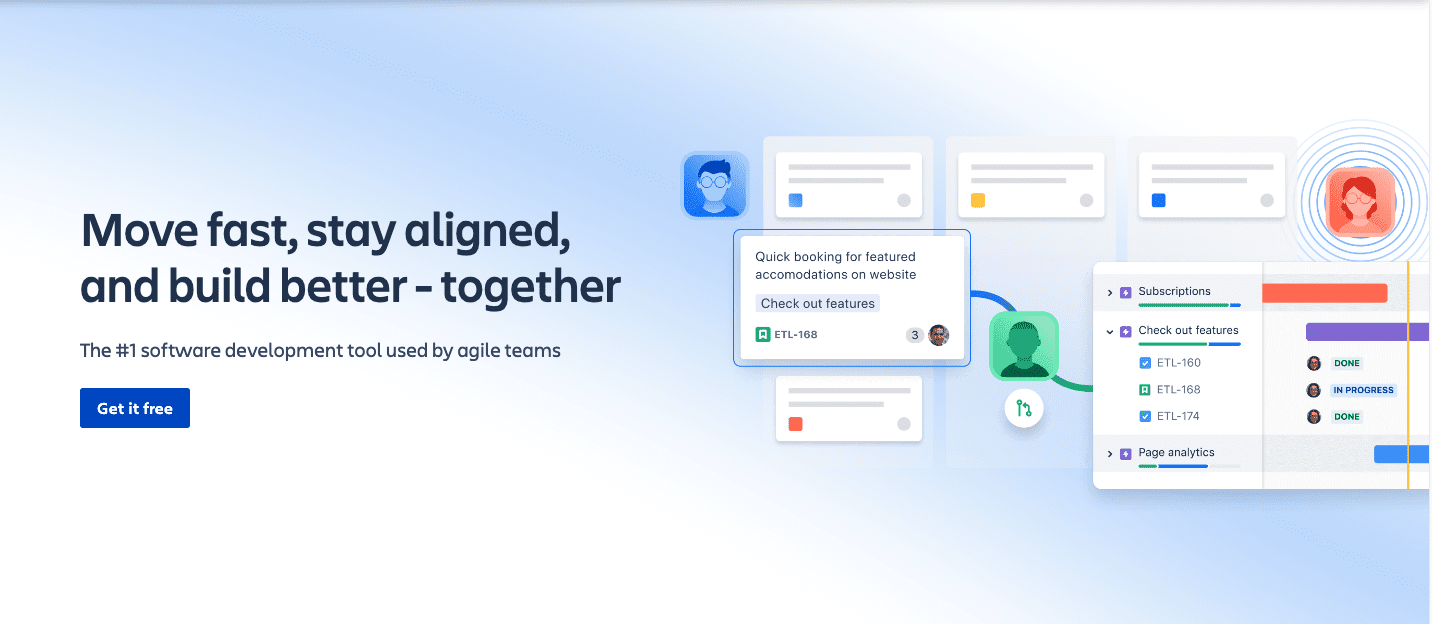
Jira remains widely adopted for engineering task management and agile project tracking. The platform offers sprint planning, backlog management, and issue tracking with customizable workflows. Development teams manage user stories, defects, and release cycles while engineering leaders monitor velocity, identify constraints, and forecast delivery timelines through reporting and analytics features.
Strengths:
- Extensive customization through custom fields, workflow automation, and permission controls
- Native agile and scrum framework support
- Established ecosystem of integrations and plugins
Considerations:
- Configuration complexity increases with organizational scale
- Interface density can overwhelm non-technical stakeholders
4. Slack — Team communication
Slack structures team communication through organized channels that reduce reliance on email and unnecessary meetings. Product teams coordinate across functions, share updates, and maintain project context. Integration capabilities deliver notifications from development, design, and planning tools directly into relevant channels, while searchable history creates a discoverable record of decisions and discussions.
Strengths:
- Channel organization maintains focus by project or topic
- Extensive integration ecosystem surfaces critical updates
- Searchable archive preserves institutional knowledge
Considerations:
- High-volume environments generate notification fatigue
- Decisions captured in chat require deliberate documentation in permanent systems
5. Miro — Visual collaboration
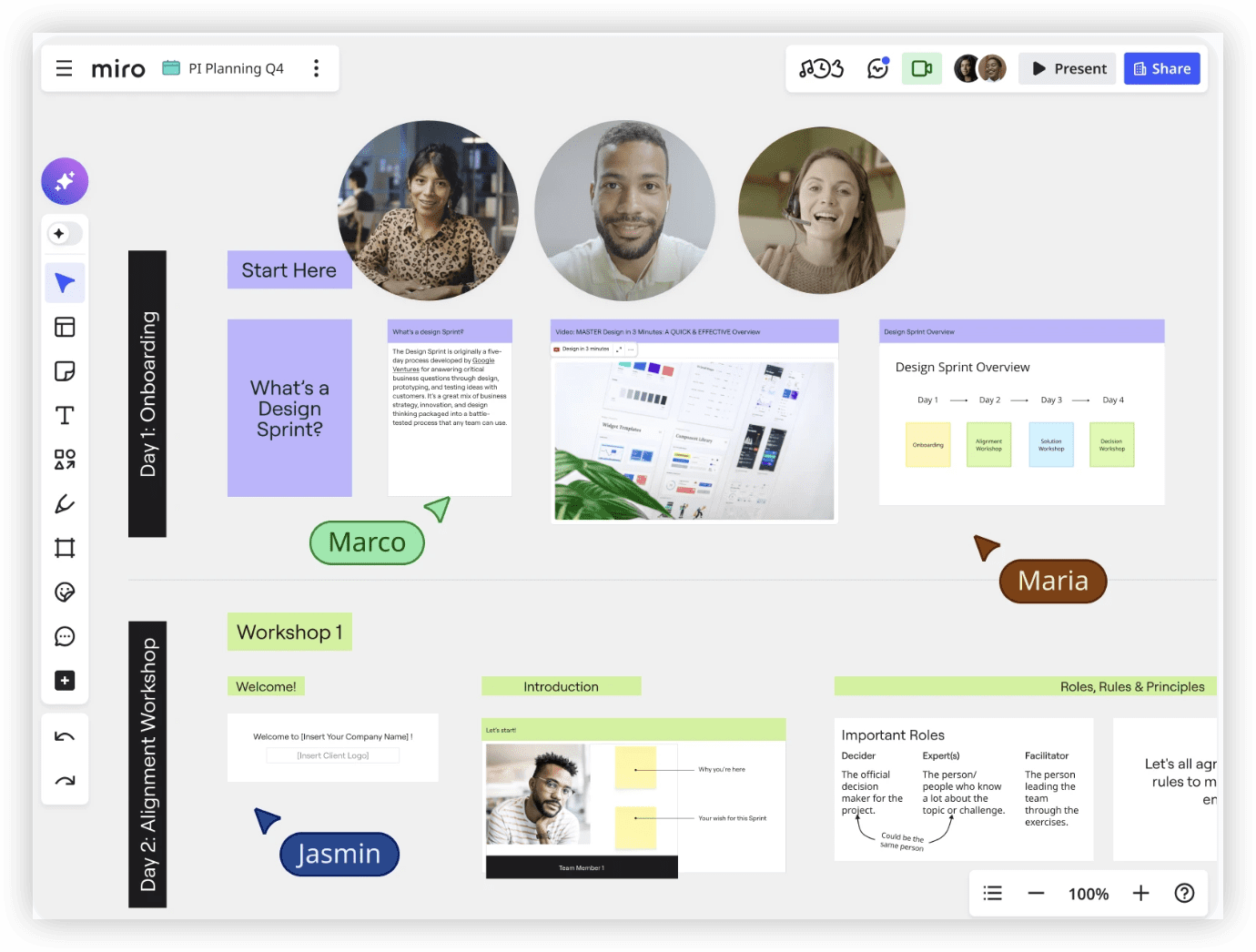
Miro enables digital whiteboarding for distributed product teams conducting ideation sessions, user story mapping, design sprints, and strategic workshops. The visual environment supports asynchronous and synchronous collaboration for teams that need to brainstorm features, map customer journeys, or align on strategic priorities without physical proximity.
Strengths:
- Intuitive visual interface reduces friction for non-designers
- Extensive template library accelerates common product activities
- Real-time and asynchronous collaboration modes
Considerations:
- Large boards become difficult to navigate without deliberate organization
- Outputs require translation into structured systems for execution tracking
6. Google Drive — Document management
Google Drive provides centralized document storage and collaborative editing for product specifications, research documentation, and cross-functional materials. Real-time co-editing and version history reduce coordination overhead for teams producing shared documents.
Strengths:
- Universal accessibility and familiar interface
- Real-time collaboration without file versioning conflicts
- Integration with broader Google Workspace ecosystem
Considerations:
- Document proliferation without governance creates findability challenges
- Limited structured data capabilities compared to database-oriented alternatives
7. Zendesk — Feedback collection
Zendesk consolidates customer inquiries and product feedback into structured tickets that product teams can analyze for pattern recognition. Support interactions become a systematic input source for identifying usability issues, feature requests, and satisfaction trends.
Strengths:
- Automated ticket routing and categorization
- Analytics for identifying recurring customer themes
- Established integration patterns with product planning tools
Considerations:
- Feedback volume requires disciplined prioritization processes
- Support ticket framing may not capture proactive product opportunities
8. Figma — Design and prototyping
Figma has become the standard for collaborative interface design, enabling product and design teams to create, iterate, and validate prototypes within a shared environment. Real-time editing, component libraries, and developer handoff features reduce friction between design and implementation phases.
Strengths:
- Browser-based accessibility eliminates file synchronization
- Design system maintenance through shared component libraries
- Developer inspection tools streamline implementation handoff
Considerations:
- Performance degrades with complex, multi-page prototypes
- Advanced prototyping requires learning curve investment
9. Optimizely — Experimentation
Optimizely supports controlled A/B testing and feature experimentation, enabling product teams to validate hypotheses with statistical rigor rather than intuition. The platform manages experiment design, traffic allocation, and result analysis for organizations committed to data-informed product decisions.
Strengths:
- Statistical engine supports valid inference
- Feature flag integration enables gradual rollout
- Program management for experiment portfolio coordination
Considerations:
- Meaningful experiments require adequate traffic volume
- Experimentation culture requires organizational buy-in beyond tool adoption
10. Typeform — Customer research
Typeform creates structured survey experiences for product teams conducting customer research, needs assessment, and satisfaction measurement. The conversational interface format typically achieves higher completion rates than conventional survey tools.
Strengths:
- Engaging interface improves response quality
- Logic branching enables personalized question paths
- Visual presentation of results for stakeholder communication
Considerations:
- Advanced analysis requires export to specialized tools
- Template dependency may limit customization for complex research designs
11. Snowflake — Data analytics
Snowflake provides cloud data infrastructure for product teams requiring unified analytics across multiple data sources. Product organizations consolidate behavioral data, transactional records, and operational metrics to build comprehensive understanding of product performance and user engagement.
Strengths:
- Elastic compute scaling for variable analytical workloads
- Separation of storage and compute enables cost optimization
- Secure data sharing for cross-organization collaboration
Considerations:
- Implementation requires data engineering expertise
- Cost structure rewards query optimization discipline
12. Azure DevOps — DevOps integration
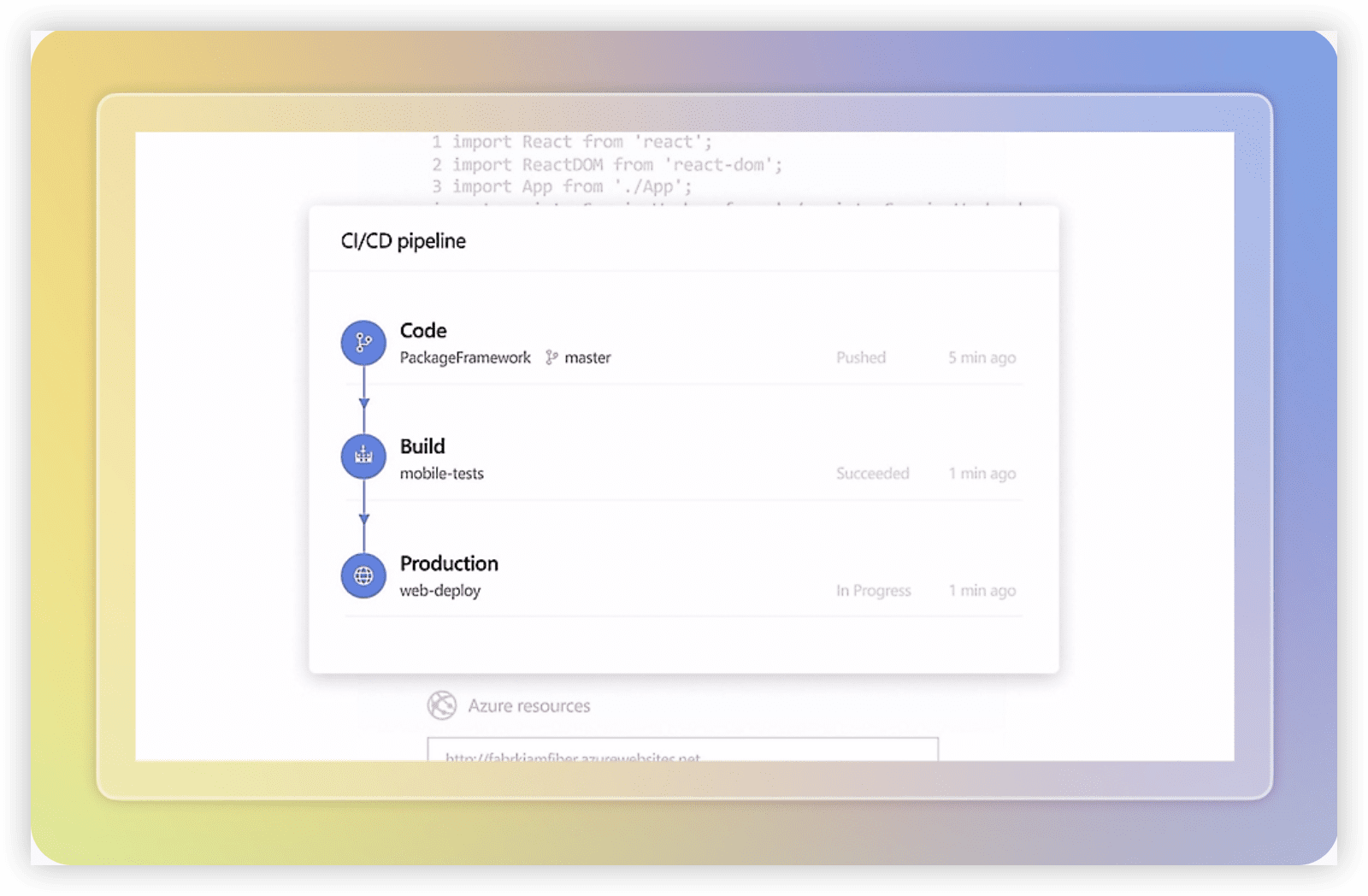
Azure DevOps connects development and operations functions through integrated version control, build automation, release management, and testing capabilities. Organizations within Microsoft ecosystems particularly benefit from native integration patterns.
Strengths:
- Integrated pipeline reduces toolchain fragmentation
- Customizable workflows for varied development methodologies
- Comprehensive traceability from requirement to deployment
Considerations:
- Microsoft-centric design creates friction for heterogeneous environments
- Interface complexity reflects capability breadth
13. Salesforce — CRM connectivity
Salesforce integrates customer relationship data into product decision-making by surfacing sales pipeline, customer health, and revenue metrics. Product teams gain visibility into how product changes affect commercial outcomes and customer retention.
Strengths:
- Comprehensive customer record for product context
- Forecasting and opportunity tracking for roadmap prioritization
- Extensive ecosystem of specialized applications
Considerations:
- Implementation scope often exceeds initial estimates
- Customization accumulation creates technical debt
14. Gong — Conversation intelligence
Gong captures and analyzes customer conversations to extract insights about product positioning, competitive dynamics, and unmet needs. Product teams access structured intelligence from sales calls without requiring direct participation in every interaction.
Strengths:
- Automated transcription and topic extraction
- Pattern identification across large conversation volumes
- Coaching applications extend beyond product use cases
Considerations:
- Insight quality depends on conversation recording coverage
- Pricing structure scales with user and call volume
15. GitHub — Development platform
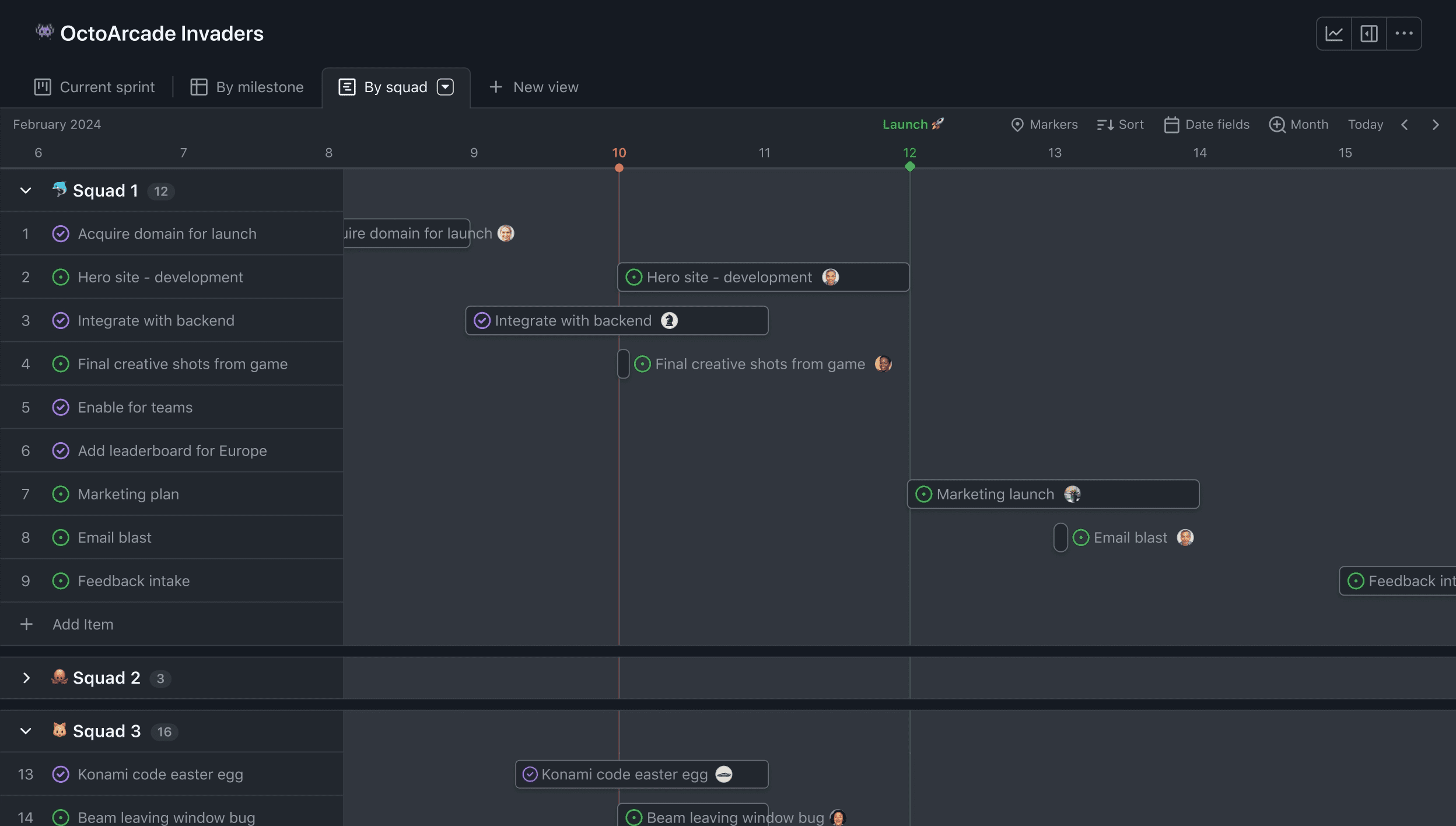
GitHub provides code repository management, collaborative development workflows, and increasingly, project management capabilities through Issues and Projects features. Development teams coordinate code changes, conduct peer review, and automate quality checks through integrated actions.
Strengths:
- Distributed version control with robust branching strategies
- Pull request workflow supports quality-focused development
- Actions platform enables extensive automation
Considerations:
- Project management features less mature than dedicated alternatives
- Enterprise governance requires administrative investment
Product management tools comparison
Tool selection should align with organizational maturity, team distribution, and integration requirements. The following framework supports evaluation:
| Capability Domain | Primary Tools | Selection Criteria |
|---|---|---|
| Portfolio & Strategy | ONES, Airtable ProductCentral | Scale of product lines, governance complexity, integration depth |
| Development Execution | Jira, Azure DevOps, GitHub | Methodology alignment, engineering team preferences, DevOps maturity |
| Collaboration | Slack, Miro, Google Drive | Team distribution, real-time needs, documentation practices |
| Customer Intelligence | Zendesk, Typeform, Gong, Salesforce | Feedback volume, research sophistication, sales process integration |
| Data & Experimentation | Snowflake, Optimizely | Analytical maturity, traffic scale, data infrastructure investment |
| Design & Validation | Figma | Design system complexity, developer collaboration needs |
Essential capabilities for product management tools
Effective product management platforms should demonstrate competence across several dimensions:
Integration architecture. Data must flow between planning, execution, and measurement systems without manual reconciliation. API availability, webhook support, and pre-built connectors determine integration feasibility.
Adaptability. Workflows evolve as organizations mature. Tools that enforce rigid methodologies create friction during growth transitions.
Visibility and reporting. Stakeholders require appropriate information access without overwhelming detail. Role-based views and configurable dashboards support this balance.
Collaboration support. Product development is inherently cross-functional. Commenting, notification, and real-time editing capabilities reduce coordination overhead.
Governance and security. Enterprise deployments require permission granularity, audit logging, and compliance certification appropriate to industry requirements.
Selection criteria for product management tools
Organizations should evaluate tools against specific operational requirements rather than generic feature checklists:
Team scale and distribution. Co-located teams have different needs than distributed organizations across time zones. Asynchronous capabilities become increasingly important with geographic dispersion.
Product complexity. Single-product startups require different capabilities than multi-product enterprises managing portfolio interdependencies and shared resource allocation.
Existing technology investments. Migration costs and integration effort often exceed licensing expenses. Compatibility with current systems reduces implementation risk.
Decision-making culture. Organizations emphasizing data-driven decisions require stronger analytics and experimentation capabilities than those operating on qualitative judgment.
Growth trajectory. Tools should accommodate projected scaling without requiring replacement during critical growth phases.
Additional product management tools
Beyond the core fifteen, organizations may consider specialized solutions for specific requirements: product analytics platforms like Amplitude or Mixpanel for behavioral understanding; roadmapping specialists like Productboard for focused planning; or documentation systems like Notion or Confluence for knowledge management. The optimal configuration balances capability depth with integration complexity.
Why ONES suits enterprise product organizations
ONES addresses a specific gap in the product management landscape: unified R&D management for organizations where tool fragmentation has created coordination overhead and visibility gaps. By integrating project management, requirements, testing, knowledge management, and DevOps pipelines within a single platform, ONES reduces the architectural complexity that otherwise consumes engineering management attention.
The platform’s emphasis on effectiveness measurement supports organizations transitioning from output-focused to outcome-focused management. For product leaders in mid-to-large enterprises seeking to consolidate their R&D toolchain while maintaining governance standards, ONES provides a structured alternative to multi-tool integration.
Frequently asked questions
How many product management tools does a typical team need?
Most effective product organizations operate with 5–8 core tools covering portfolio management, development tracking, communication, design, and customer feedback. Tool proliferation beyond this range typically indicates integration gaps rather than capability needs.
Should small teams use the same tools as enterprises?
Small teams benefit from simplicity and rapid onboarding; enterprise features like complex permission models and portfolio reporting add unnecessary overhead. However, selecting tools with growth paths avoids disruptive migrations.
What is the most common product management tool implementation failure?
Implementation failures most frequently result from process-tool mismatch—deploying sophisticated platforms without corresponding workflow discipline, or selecting simple tools that cannot accommodate organizational complexity. Successful adoption requires honest assessment of operational maturity alongside feature evaluation.
How important are AI capabilities in product management tools for 2026?
AI features currently augment rather than replace human judgment in product management. Their value lies in pattern recognition across large datasets, automated summarization, and routine task acceleration—not strategic decision-making. Organizations should evaluate AI capabilities against specific friction points rather than treating them as differentiating in themselves.
When should organizations consider consolidating their product tool stack?
Consolidation becomes appropriate when integration maintenance consumes disproportionate resources, data inconsistency creates decision uncertainty, or team onboarding complexity slows scaling. The threshold varies by organization, but symptoms typically emerge when product operations roles spend significant time on tool administration rather than product improvement.