



Teams evaluating Jira replacements in 2026 face a mature market with distinct specialization patterns. This guide examines 10 verified alternatives: 1. ONES, 2. ClickUp, 3. Monday.com, 4. Asana, 5. Linear, 6. Shortcut, 7. Notion, 8. Trello, 9. Wrike, and 10. Basecamp. Each serves different organizational scales, technical requirements, and collaboration models.
At-a-Glance Comparison
| Tool | Best For | Free Plan | Starting Price | G2 Rating |
|---|---|---|---|---|
| ONES | Enterprise R&D & cross-team governance | Limited trial | Custom enterprise pricing | 4.5/5 |
| ClickUp | All-in-one workspace replacement | Unlimited users | $7/user/month | 4.7/5 |
| Monday.com | Visual teams, non-technical departments | 2 users | $12/seat/month | 4.7/5 |
| Asana | Structured workflows & heavy automation | 10 users | $10.99/user/month | 4.4/5 |
| Linear | Speed-focused engineering teams | Unlimited | $10/user/month | 4.6/5 |
| Shortcut | Budget-conscious small dev teams | 10 users | $8.50/user/month | 4.4/5 |
| Notion | Documentation-centric operations | 1 user | $10/user/month | 4.6/5 |
| Trello | Simple Kanban visualization | 10 collaborators | $5/user/month | 4.4/5 |
| Wrike | Enterprise resource & portfolio management | Unlimited* | $10/user/month | 4.2/5 |
| Basecamp | Flat-rate simplicity for small teams | 1 project | $15/user/month | 4.1/5 |
*Wrike free plan restricted to 200 active tasks. G2 data sourced March 2026; review counts noted where below 200.
Why Organizations Migrate Away from Jira
Jira maintains dominance in dedicated agile engineering environments. Its sprint mechanics, backlog architecture, and Git integration depth remain difficult to match. Yet organizational friction drives consistent migration patterns:
Prolonged Onboarding Cycles
Jira’s conceptual architecture—issue type hierarchies, workflow schemes, screen configurations, field schemes—presumes agile methodology fluency. New contributors typically require multiple weeks before meaningful contribution. Alternatives such as Monday.com and ClickUp structure their onboarding around minutes-to-value, while Jira measures adoption in sprint cycles. For organizations prioritizing speed-to-contribution, this differential carries operational cost.
Interface Assumptions That Exclude Non-Engineering Roles
Jira’s design origins in developer workflows create persistent friction for marketing, design, operations, and generalist project management functions. Cross-functional teams frequently operate a bifurcated tool stack: Jira for engineering, plus a second platform for remaining departments. This pattern duplicates expenditure and fragments operational visibility.
Ecosystem Cost Accumulation
Jira Standard’s base rate of $7.91/user/month appears competitive until stack completeness is calculated. Documentation requires Confluence ($5.42/user/month). Time tracking demands Marketplace applications. Security compliance may require additional products. For a 20-person team, realistic total cost frequently reaches 2-3x the base pricing page figure. Integrated alternatives consolidate these capabilities without additive licensing.
Missing Native Capabilities
Jira functions as a project tracker rather than a unified workspace. Documentation resides in separate products. Time tracking requires external integration. Synchronous communication depends on additional tools. Competitors increasingly bundle these functions natively, reducing both direct costs and tool proliferation complexity.
Administrative Burden at Scale
Jira’s configurability creates corresponding maintenance overhead. Custom workflows, permission architectures, notification schemes, and issue type hierarchies demand dedicated administrative investment. Organizations without specialized Jira administration frequently encounter configuration drift that degrades user experience across teams.
Evaluation Framework
Each alternative was assessed across six dimensions:
- Accessibility: Time-to-value, onboarding clarity, interface intuitiveness for technical and non-technical users
- Capability depth: Agile feature parity, automation scope, view variety, project management sophistication
- Total cost structure: Free plan availability, paid tier value, ecosystem completeness without add-ons
- Integration breadth: Git hosting connectivity, CI/CD pipeline support, design tool compatibility, API and automation platform access
- Mobile experience: iOS and Android application quality and feature parity
- Growth accommodation: Capacity for complex multi-team, multi-project workflows at organizational scale
Evaluation incorporated free plan testing, cross-referencing of G2, Capterra, and community feedback, and direct pricing verification from official sources during March 2026.
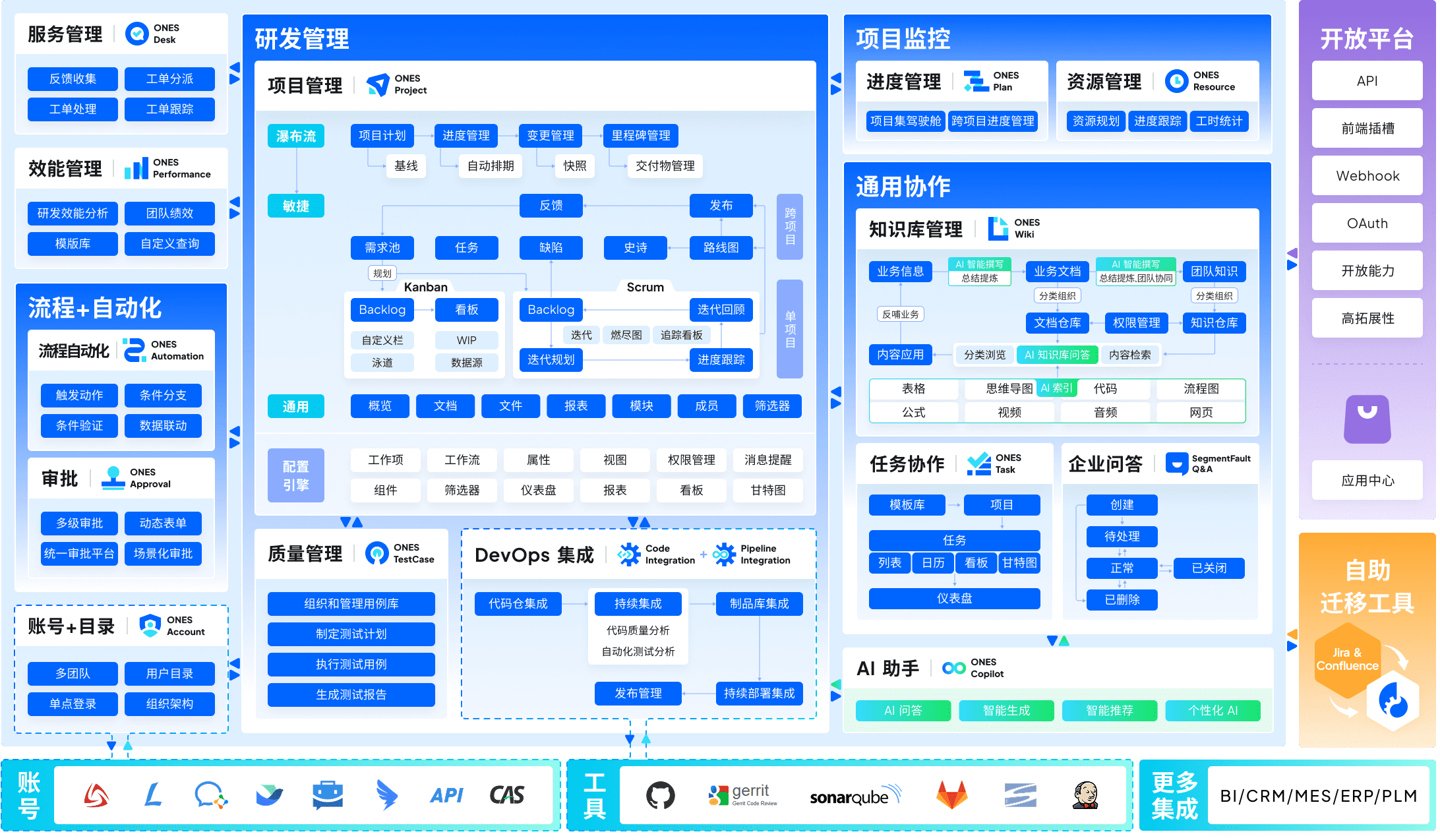
1. ONES — Enterprise R&D Management & Cross-Team Governance
ONES occupies a distinctive position among Jira alternatives: purpose-built for organizations where software development intersects with complex organizational structure, compliance requirements, and multi-team coordination. While many alternatives optimize for individual team productivity, ONES addresses the governance layer that becomes critical at scale.
The platform integrates project management, requirements management, knowledge repositories, test management, CI/CD pipeline visibility, and code management within a unified architecture. This consolidation eliminates the fragmentation that occurs when teams assemble separate tools for each function—reducing integration maintenance, data synchronization failures, and context switching overhead.
Where ONES diverges most significantly from Jira and lighter alternatives is in organizational governance. The platform supports sophisticated workflow configuration, granular permission modeling, and cross-team collaboration structures that accommodate matrixed organizations, regulatory requirements, and multi-layered approval chains. For engineering leaders managing 50+ contributors across multiple product lines, this governance capability often determines whether process standardization succeeds or fragments.
ONES emphasizes engineering effectiveness measurement through built-in analytics. The platform surfaces delivery quality indicators, throughput trends, and efficiency patterns that enable data-informed improvement rather than intuition-driven process changes. This orientation aligns with organizations that have matured past basic task tracking toward systematic performance optimization.
The primary consideration: ONES targets mid-to-large engineering organizations with complex coordination requirements. Teams below 20 contributors, or those with minimal cross-team dependency, may find the platform’s depth exceeds immediate needs. Implementation investment and configuration complexity reflect its enterprise positioning.
Key Capabilities
- Unified lifecycle coverage: requirements through deployment within single platform architecture
- Configurable governance: workflow engines, permission matrices, and cross-team coordination structures
- Effectiveness analytics: delivery metrics, quality indicators, and trend analysis for improvement cycles
- Enterprise compliance: audit trails, security controls, and administrative oversight capabilities
Advantages
- Eliminates tool fragmentation for complete R&D lifecycle
- Governance architecture supports complex organizational structures
- Measurement capabilities enable systematic improvement rather than ad hoc adjustment
- Reduces integration maintenance burden versus multi-tool stacks
Considerations
- Enterprise positioning requires implementation investment
- Capability depth may exceed needs of small, independent teams
- Pricing structure reflects organizational scale rather than per-seat simplicity
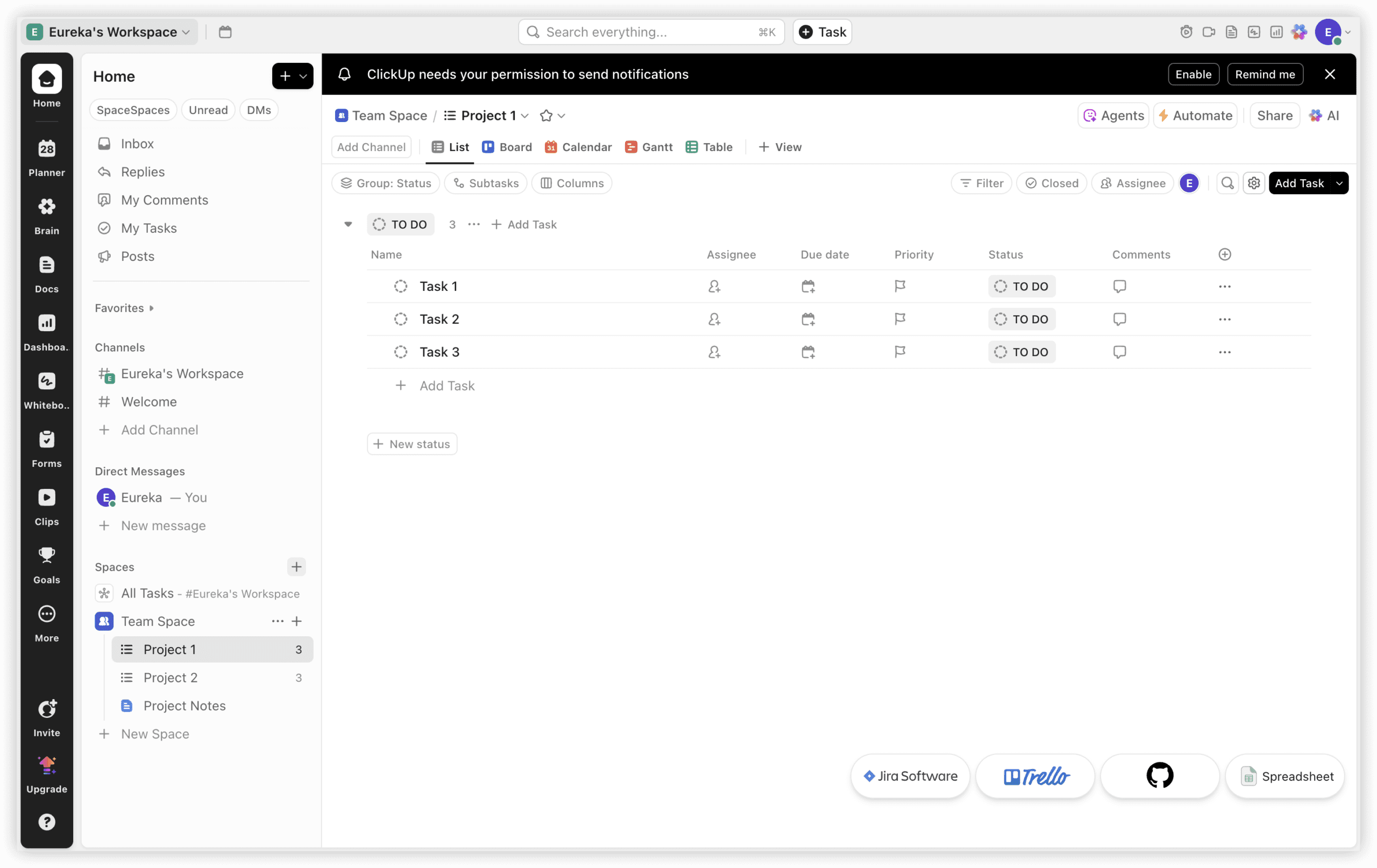
2. ClickUp — Comprehensive Workspace Consolidation
ClickUp presents the most functionally expansive Jira alternative, integrating project management, documentation, time tracking, and team communication within a single subscription. At $7/user/month (Unlimited tier), it encompasses capabilities that Jira Standard ($7.91) plus Confluence ($5.42) plus additional Marketplace applications would replicate—creating substantial total cost of ownership differences.
The fundamental distinction: ClickUp operates as a workspace, Jira as a tracker. ClickUp Docs supersedes Confluence requirements. Native time tracking eliminates external application procurement. Built-in chat reduces Slack dependency for task-related communication. Fifteen-plus view types span sprint boards, Gantt timelines, and workload distributions.
For organizations where project management extends beyond engineering boundaries—incorporating design, marketing, operations, and product functions—ClickUp resolves the persistent “Jira for developers, alternative for everyone else” bifurcation. Engineering teams may find ClickUp’s sprint velocity visualization and burndown analytics less refined than Jira’s native implementations, but cross-functional coordination gains frequently outweigh this gap.
Key Capabilities
- 15+ view configurations: list, board, Gantt, calendar, timeline, workload, mind mapping
- Native time tracking with billable hour support (Unlimited tier)
- ClickUp Docs with task linking and real-time collaborative editing
- 1,000 automation executions monthly on Unlimited tier
- Seven-level hierarchy: Workspace through checklist granularity
Advantages
- Consolidated workspace eliminates separate documentation, time tracking, and communication tool costs
- Strong feature-to-price ratio against Jira ecosystem stack pricing
- Unlimited-user free plan exceeds Jira’s 10-user limitation
Considerations
- Configuration complexity: 1-2 weeks typical setup versus Jira’s familiar agile paradigm
- Agile-specific analytics less mature than Jira’s native implementations
- Breadth can overwhelm teams requiring only sprint board functionality
Pricing: Free ($0, unlimited users, 100 automations/month, 100MB storage); Unlimited ($7/user/month, time tracking, docs, 1,000 automations); Business ($12/user/month, 10,000 automations, advanced permissions); Enterprise (custom, SSO, security controls, dedicated success management). Source: clickup.com/pricing, March 2026.
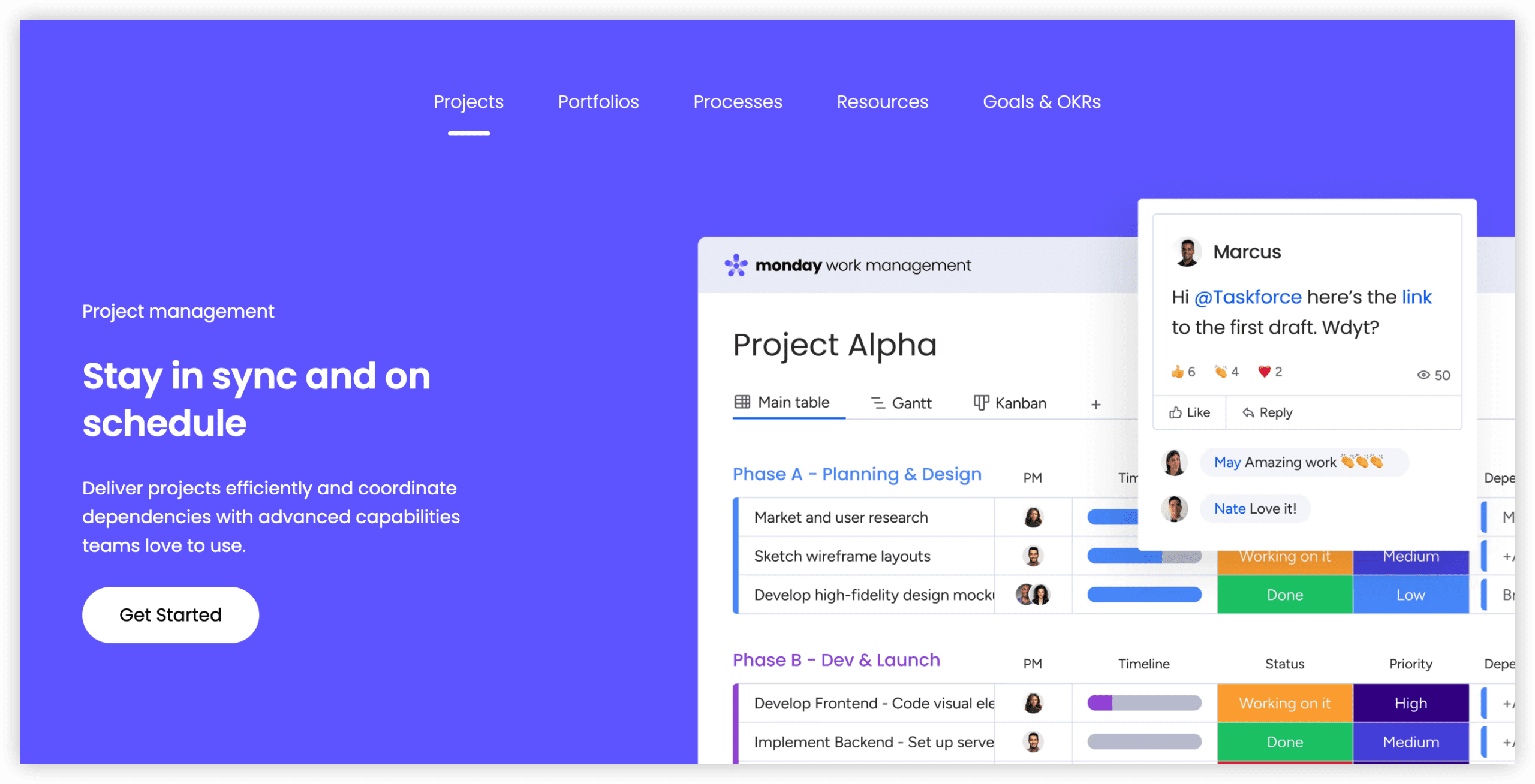
3. Monday.com — Visual Accessibility for Non-Technical Teams
Monday.com addresses the persistent challenge of bringing non-engineering contributors into project management workflows. Where Jira’s interface presumes agile methodology familiarity, Monday.com’s board-based visual design offers immediate accessibility to marketing, design, operations, and generalist roles.
The Standard tier ($12/seat/month, 3-seat minimum) includes Timeline and Calendar views, Gantt charts, and 250 monthly automations. Interface intuitiveness enables productivity within hours rather than weeks. Two hundred-plus templates accelerate standardization across departmental use cases spanning sprint planning, content calendars, and client onboarding sequences.
The limitation: Monday.com lacks native sprint planning, backlog management, and story point estimation. Engineering teams can approximate agile workflows through custom board configurations, but these remain adaptations rather than purpose-built capabilities. For pure engineering organizations, this gap is significant. For mixed or non-technical teams frustrated by Jira’s complexity, Monday.com eliminates adoption friction entirely.
Key Capabilities
- 8+ view types: board, Timeline, Gantt, Calendar, Workload, Chart configurations
- 250 automations/month (Standard), 25,000 (Pro)
- 200+ implementation templates for cross-departmental standardization
- Integration ecosystem: Slack, Google Workspace, Microsoft 365, GitHub, 200+ additional tools
- Monday AI for task suggestions, formula generation, content drafting (Pro tier)
Advantages
- Most accessible interface in this evaluation—productivity measured in hours
- Optimized for cross-functional environments where non-technical roles predominate
- Mobile application quality: 4.7/5 Android rating across 42,600+ reviews
Considerations
- 3-seat minimum on all paid tiers inflates cost for small teams
- Absence of native sprint planning, story points, or backlog management
- Standard tier automation cap constrains active teams
Pricing: Free (2 users, 3 boards, 200 items); Standard ($12/seat/month, Timeline, Gantt, 250 automations); Pro ($19/seat/month, time tracking, 25,000 automations); Enterprise (custom, SSO, security, audit). Source: monday.com/pricing, March 2026.
4. Asana — Structured Workflows with Automation Scale
Asana distinguishes itself through automation policy: unlimited automation executions on the Starter tier ($10.99/user/month). Jira Standard’s 1,700 monthly automation limit appears adequate until scaled team usage reveals constraints. For organizations where workflow automation drives operational consistency, this differential carries substantial practical impact.
The platform structures work through hierarchical task organization, timeline visualization, and portfolio-level progress tracking. Interface design balances capability depth with accessibility—more structured than Monday.com’s visual boards, less conceptually demanding than Jira’s agile framework.
Asana’s workflow builder enables conditional logic, multi-step automation, and cross-project dependencies without coding requirements. For teams requiring systematic process enforcement without engineering resource allocation, this accessibility accelerates implementation.
Engineering teams may find Asana’s agile approximations less satisfying than purpose-built alternatives. Sprint planning requires workaround configurations. Native Git integration is absent. For organizations where engineering workflow depth is secondary to cross-functional process standardization, these limitations are acceptable trade-offs.
Key Capabilities
- Unlimited automation on Starter tier
- Timeline, Board, List, Calendar, and Portfolio views
- Workflow builder with conditional logic and multi-step sequences
- Goals and OKR tracking with progress rollups
- Universal reporting across projects and portfolios
Advantages
- Automation scale without tier escalation
- Strong workflow standardization for cross-functional teams
- Portfolio visibility for executive oversight
Considerations
- Agile feature set requires configuration workarounds
- Native engineering integrations less developed than Jira or Linear
- Advanced features (time tracking, proofing) require higher tiers
Pricing: Basic (free, 15 users, basic features); Starter ($10.99/user/month, Timeline, automation, reporting); Advanced ($24.99/user/month, portfolios, goals, time tracking); Enterprise (custom, admin controls, data export). Source: asana.com/pricing, March 2026.

5. Linear — Engineering Velocity Optimization
Linear occupies the opposite pole from Monday.com: exclusively engineered for software development teams prioritizing speed and interface responsiveness. The platform’s design philosophy centers on minimal friction—keyboard navigation, command palettes, and streamlined issue creation that reduces context switching.
Linear’s Git integration exceeds superficial linking. Branch naming automation, pull request status synchronization, and cycle-based planning create tight feedback loops between code activity and project tracking. For teams where Jira’s interface latency interrupts flow state, Linear’s performance characteristics offer measurable productivity differences.
The platform intentionally constrains customization breadth. Workflow stages are configurable but limited. Reporting is streamlined rather than comprehensive. This opinionated design accelerates adoption for teams aligned with Linear’s assumptions, but creates friction for organizations requiring process flexibility or cross-functional inclusion.
Key Capabilities
- Keyboard-centric navigation and command palette
- Cycle-based planning (sprint analog) with automatic capacity calculation
- Git integration: branch naming, PR status sync, automatic issue references
- Roadmap visualization with initiative hierarchy
- API and webhook architecture for custom integrations
Advantages
- Fastest interface responsiveness in evaluation
- Minimal configuration for standard agile workflows
- Git integration depth reduces manual status updates
Considerations
- Limited customization for non-standard processes
- Minimal non-engineering functionality
- Reporting and analytics less comprehensive than enterprise alternatives
Pricing: Free (unlimited users, core features); Standard ($10/user/month, cycles, initiatives, Git integration); Plus ($14/user/month, advanced analytics, SLAs); Enterprise (custom, SSO, audit logs). Source: linear.app/pricing, March 2026.
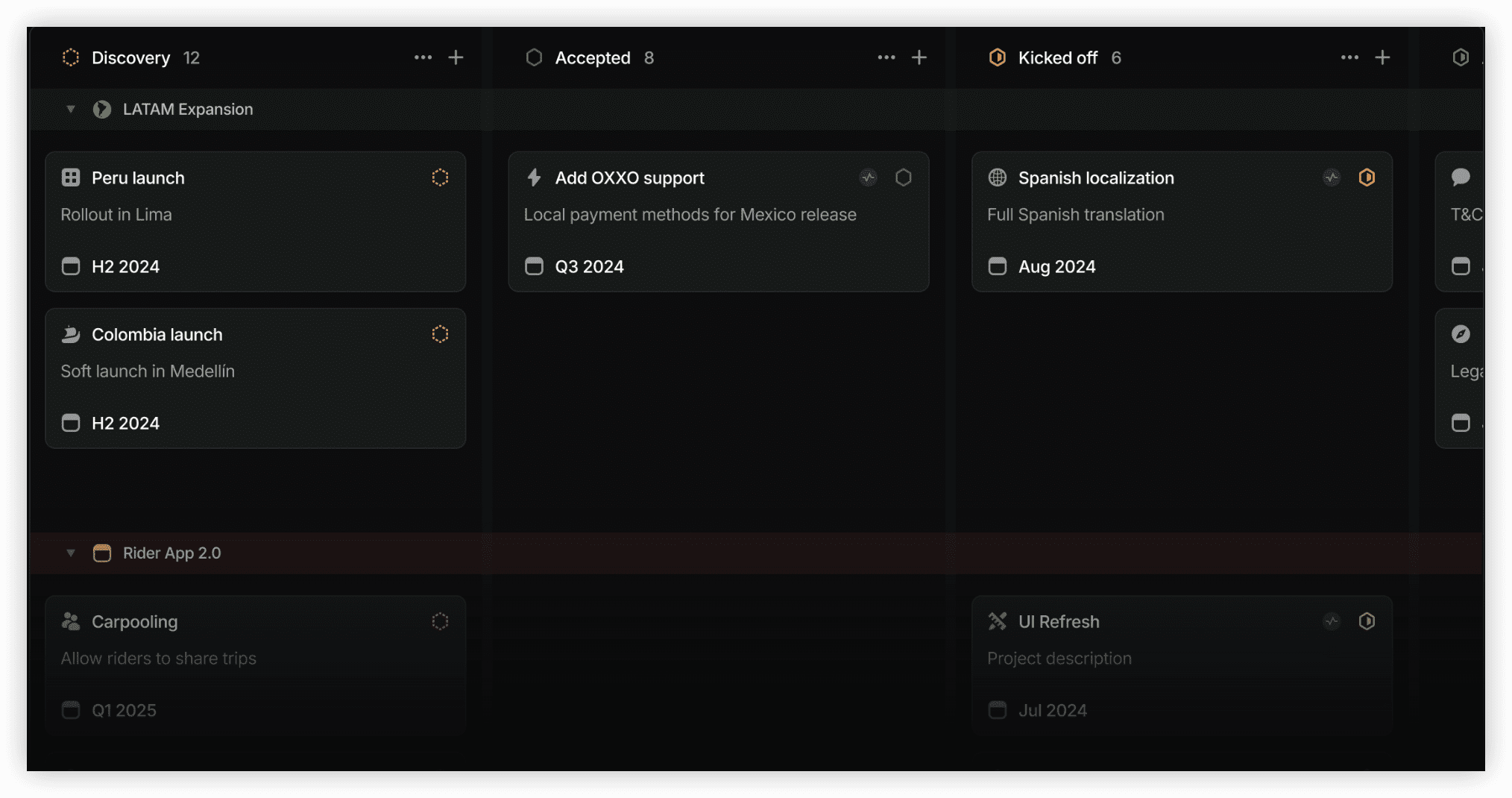
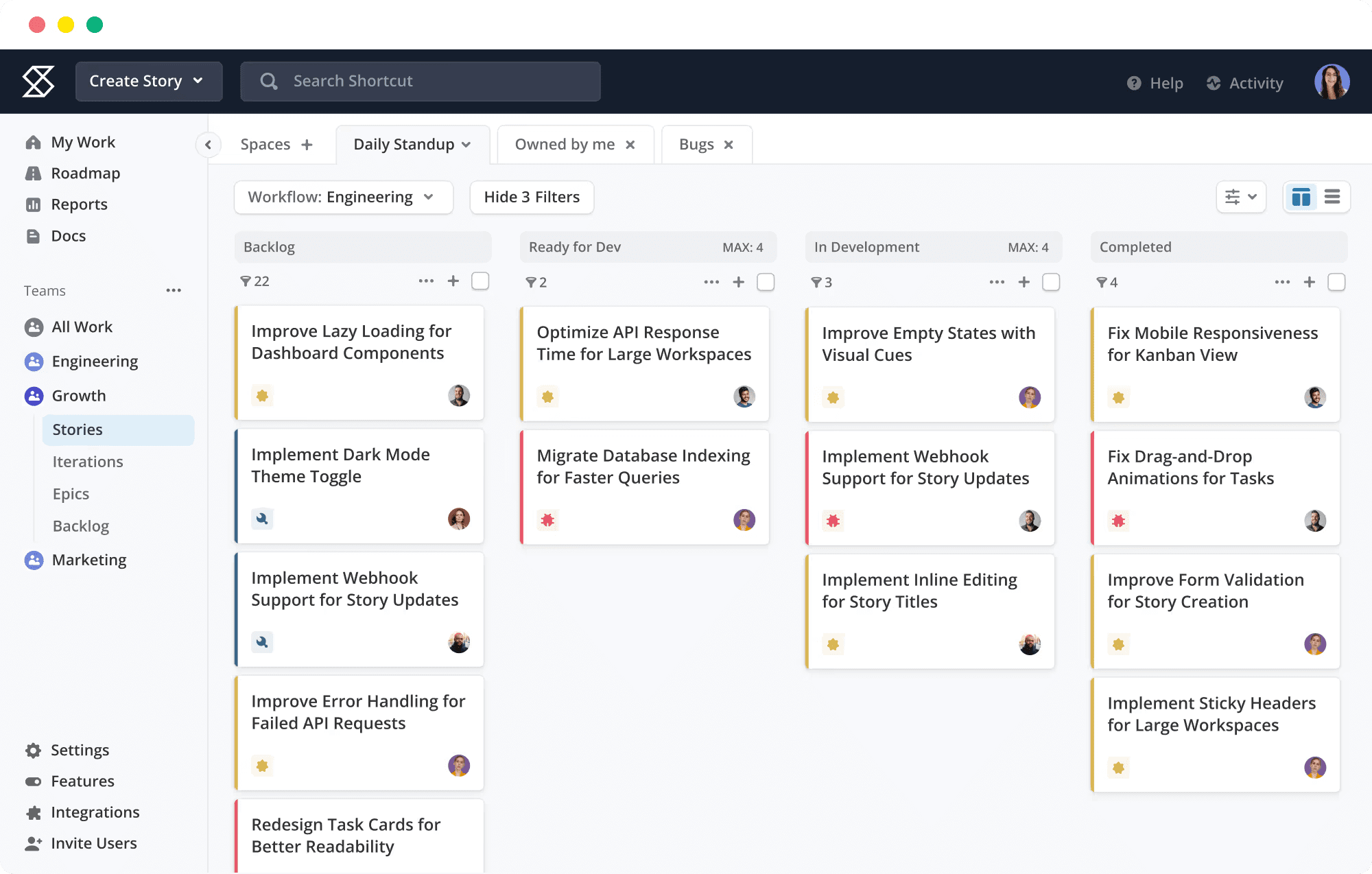
6. Shortcut — Small Team Engineering Economics
Shortcut (formerly Clubhouse) targets engineering teams under 50 contributors seeking Jira’s core capabilities without corresponding complexity and cost structure. The platform maintains story-based organization, iteration planning, and workflow board conventions familiar to agile practitioners, while reducing administrative overhead.
Shortcut’s free tier accommodates 10 users with unlimited projects and core features—more generous than Jira’s 10-user limitation, which restricts to single project access. The Team tier at $8.50/user/month introduces advanced reporting, API access, and integration expansion.
The platform occupies a middle ground between Linear’s speed minimalism and Jira’s configurability depth. Workflow customization is available but bounded. Reporting covers velocity, cycle time, and throughput without Jira’s scheme complexity. For teams that have outgrown Trello’s simplicity but resist Jira’s operational demands, Shortcut offers calibrated capability.
Key Capabilities
- Story-based organization with epic and iteration hierarchy
- Workflow board with configurable stages
- Velocity and cycle time reporting
- Git integration with branch and PR linking
- API and Zapier connectivity
Advantages
- Lower complexity than Jira with comparable core agile features
- Competitive pricing for small-to-medium engineering teams
- Free tier functionality exceeds Jira’s equivalent
Considerations
- Less ecosystem maturity than Jira or ClickUp
- Scaling beyond 50 users may reveal governance limitations
- Non-engineering functionality minimal
Pricing: Free (10 users, unlimited projects); Team ($8.50/user/month, reporting, API, integrations); Business ($12/user/month, advanced permissions, portfolio); Enterprise (custom, SSO, security). Source: shortcut.com/pricing, March 2026.
7. Notion — Documentation-Centric Operations
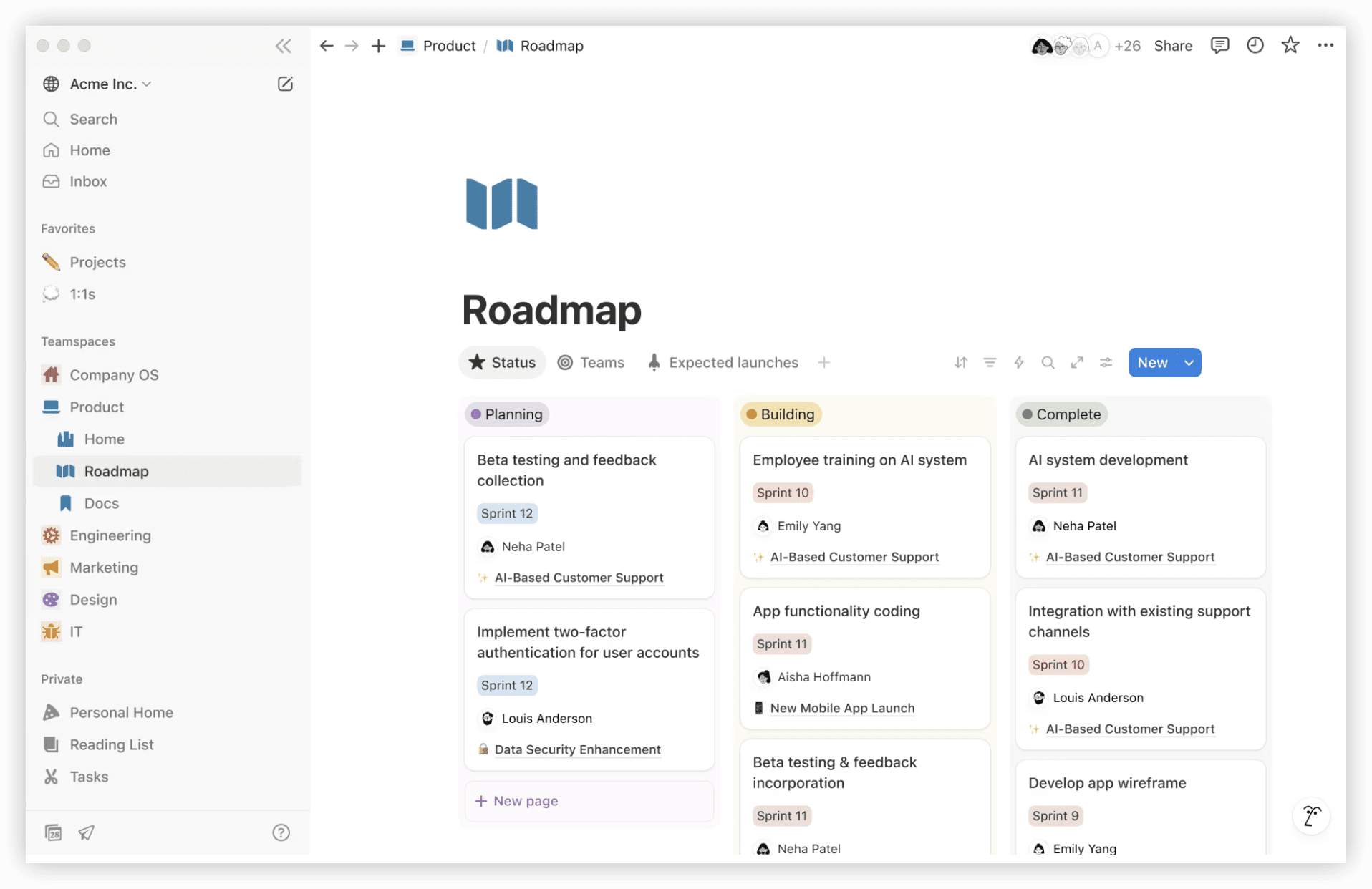
Notion represents a categorical shift from Jira’s tracking paradigm toward knowledge-first operations. The platform’s fundamental unit is the page—infinitely nestable, flexibly structured, and capable of embedding databases, kanban boards, calendars, and collaborative documents within unified spaces.
For teams where project management is inseparable from documentation, specifications, and knowledge retention, Notion’s consolidation offers distinct advantages. Engineering teams can construct sprint boards within wiki structures. Product teams can maintain roadmaps alongside requirement documents. The friction between “where we track work” and “where we record context” disappears.
The trade-off is structural: Notion’s database functionality, while powerful, lacks Jira’s workflow engine sophistication. Automation is present but constrained. Reporting is limited to database views and rollups rather than purpose-built analytics. For teams prioritizing tracking rigor over knowledge integration, this limitation is decisive.
Key Capabilities
- Unified page structure: documents, databases, wikis, and project boards
- Database views: table, board, timeline, calendar, gallery, list
- Template system for repeatable project structures
- Real-time collaborative editing with comment threading
- AI assistance for content generation and data extraction
Advantages
- Eliminates documentation-tool fragmentation
- Extreme flexibility for custom workflow construction
- Strong knowledge retention and onboarding acceleration
Considerations
- Project management features require intentional construction
- Automation and reporting less developed than dedicated PM tools
- Performance degradation at large database scale
Pricing: Free (1 user, unlimited pages); Plus ($10/user/month, unlimited file uploads, 30-day version history); Business ($18/user/month, advanced permissions, bulk export, 90-day history); Enterprise (custom, audit logs, advanced security). Source: notion.so/pricing, March 2026.
8. Trello — Minimal Kanban Visualization
Trello, also Atlassian-owned, offers the most constrained alternative in this evaluation—intentionally so. The platform consists of boards, lists, and cards with attachments, checklists, due dates, and basic automation. For teams whose requirements genuinely stop at visual task tracking, Trello’s simplicity prevents the complexity inflation that affects more capable platforms.
Power-Ups extend functionality through integrations and view additions, but the core experience remains deliberately lightweight. Teams that have migrated from Trello to Jira and found the transition disproportionate to their needs may find return migration appropriate.
The limitation is severe: Trello lacks native sprint planning, story points, velocity tracking, and comprehensive reporting. Engineering teams operating formal agile methodologies will encounter capability gaps quickly. For personal productivity, small team coordination, or non-technical project visualization, these gaps may be irrelevant.
Key Capabilities
- Board-list-card hierarchy with drag-and-drop organization
- Checklists, due dates, attachments, and labels
- Butler automation for rule-based card operations
- Power-Up ecosystem for extended integrations
- Mobile application for field updates
Advantages
- Minimal learning curve—immediate productivity
- Lowest cost entry point for basic kanban
- Atlassian ecosystem integration for hybrid Jira-Trello environments
Considerations
- Absent agile-specific capabilities
- Limited scalability for complex workflows
- Reporting and analytics minimal
Pricing: Free (10 collaborators, unlimited boards, 1 Power-Up per board); Standard ($5/user/month, unlimited Power-Ups, advanced checklists); Premium ($10/user/month, multiple board views, advanced automation); Enterprise ($17.50/user/month, admin controls, security). Source: trello.com/pricing, March 2026.
9. Wrike — Enterprise Resource & Portfolio Management
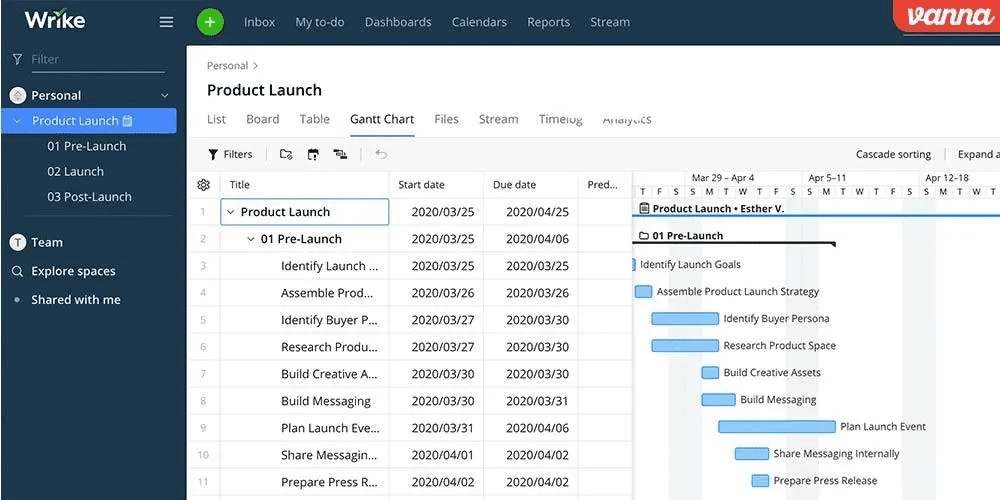
Wrike addresses organizational requirements that exceed individual project tracking—resource allocation across initiatives, capacity planning, and portfolio-level financial oversight. The platform’s enterprise positioning emphasizes governance structures, approval workflows, and cross-project visibility that Jira achieves only through significant configuration or additional products.
Resource management features include workload visualization, time allocation, and capacity forecasting. Custom request forms standardize intake processes. Proofing and approval workflows support creative and document-heavy operations. For organizations where project management is inseparable from resource optimization and financial accountability, Wrike’s depth is distinctive.
The interface complexity reflects this capability depth. Onboarding duration exceeds Monday.com or Trello substantially. Mobile application quality lags behind category leaders. For teams prioritizing rapid adoption over governance sophistication, these characteristics are deterrents.
Key Capabilities
- Resource and workload management with capacity forecasting
- Custom request forms and approval workflows
- Time tracking and budget management
- Proofing and annotation for creative workflows
- Portfolio dashboards and cross-project reporting
Advantages
- Strong resource optimization for multi-project environments
- Governance and approval structures for regulated industries
- Financial tracking integration with project execution
Considerations
- Steeper onboarding than visual-oriented alternatives
- Mobile experience less refined than competitors
- Premium capabilities require higher-tier investment
Pricing: Free (unlimited users, 200 active tasks); Professional ($10/user/month, Gantt, dashboards, shareable forms); Business ($24.80/user/month, custom workflows, time tracking, proofing); Enterprise (custom, SSO, advanced security, resource management). Source: wrike.com/pricing, March 2026.
10. Basecamp — Flat-Rate Simplicity
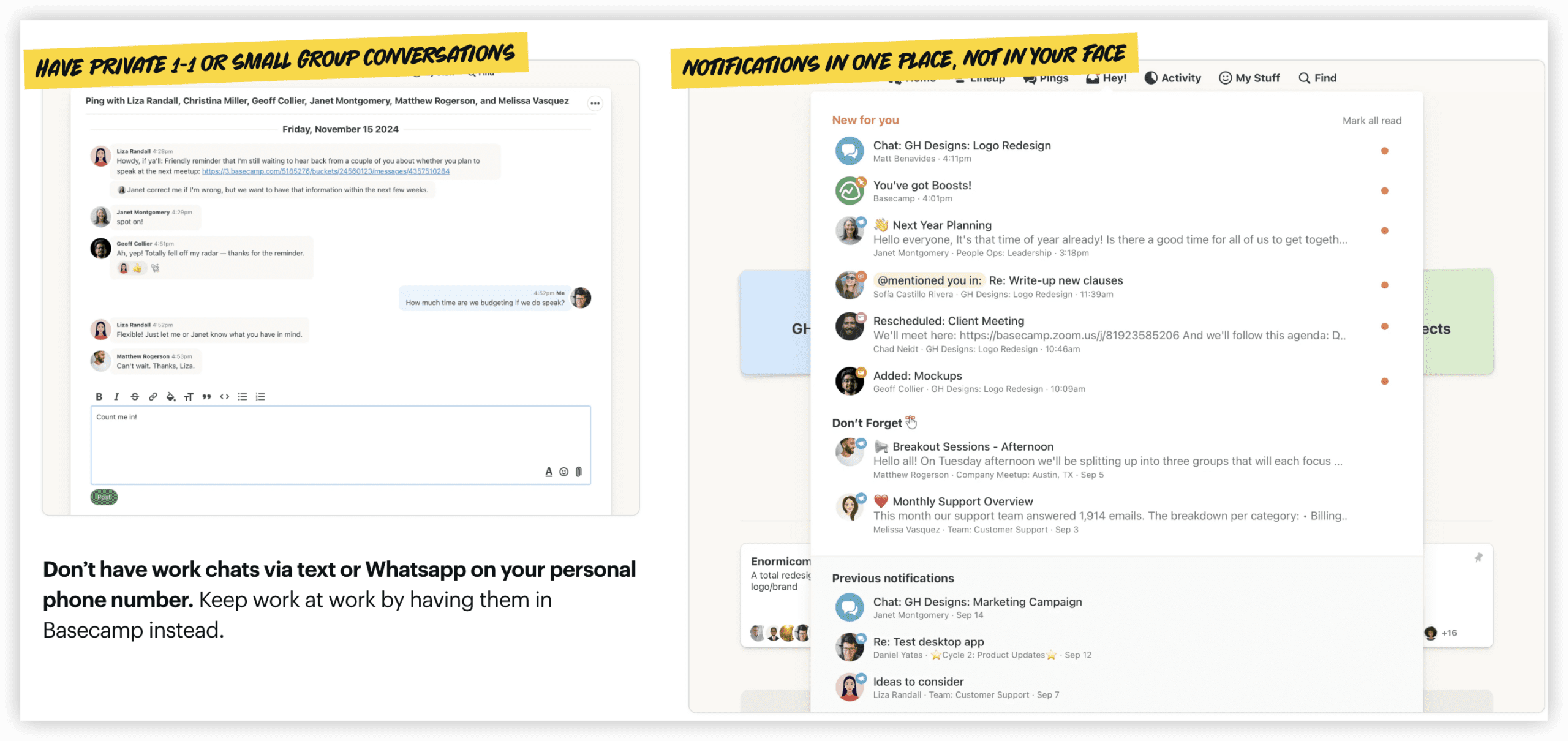
Basecamp pursues a fundamentally different commercial model: flat-rate pricing regardless of user count, combined with radical feature restraint. The platform offers message boards, to-do lists, schedules, file storage, and group chat—no kanban boards, no Gantt charts, no automation engines, no native time tracking.
This restraint is philosophical rather than deficient. Basecamp’s creators argue that project management complexity often exceeds actual team requirements, creating overhead without proportional value. For small teams, client service operations, or organizations with established external tools for specialized functions, Basecamp’s simplicity prevents capability bloat.
The flat-rate structure ($299/month for unlimited users on Pro Unlimited) creates cost predictability that per-seat models cannot match for growing teams. A 50-person team pays the same as a 10-person team. For organizations with user count volatility or growth trajectories, this stability simplifies budgeting.
Key Capabilities
- Message boards and direct messaging
- To-do lists with assignment and due dates
- Schedule and milestone tracking
- File and document storage with version history
- Hill Charts for progress visualization
Advantages
- Flat-rate pricing eliminates user-count cost escalation
- Extreme simplicity reduces training and adoption overhead
- Transparent communication emphasis over process complexity
Considerations
- Absent modern project management visualizations (kanban, Gantt)
- No automation or integration ecosystem depth
- Engineering teams will find agile capabilities absent
Pricing: Basecamp ($15/user/month, 500GB storage, unlimited projects); Basecamp Pro Unlimited ($299/month flat, unlimited users, 5TB storage, priority support). Source: basecamp.com/pricing, March 2026.
Selection Framework: Matching Tool to Organizational Context
The appropriate Jira alternative depends on organizational variables that transcend feature comparison:
Team Composition & Technical Orientation
Engineering-majority teams with agile fluency should evaluate Linear, Shortcut, or ONES based on scale and governance requirements. Cross-functional teams with non-technical predominance should prioritize Monday.com, Asana, or ClickUp based on workflow complexity. Documentation-centric operations align with Notion’s knowledge-first architecture.
Organizational Scale & Growth Trajectory
Teams below 20 contributors benefit from simplicity—Trello, Shortcut, or Basecamp prevent overhead disproportionate to coordination needs. Mid-size organizations (20-100) face the critical decision between integrated platforms (ClickUp, Asana) and best-of-breed stacks. Enterprise-scale operations (100+) with complex governance requirements should evaluate ONES, Wrike, or configured ClickUp/Asana implementations.
Total Cost Structure & Budget Predictability
Per-seat models create linear cost scaling with user growth. Flat-rate alternatives (Basecamp) or generous free tiers (ClickUp, Linear) offer cost stability. Ecosystem completeness matters: tools requiring additional documentation, time tracking, or communication subscriptions carry hidden cost multipliers that single-platform alternatives eliminate.
Integration Architecture & Existing Tool Investments
Teams with established Git hosting, CI/CD pipelines, design tools, and communication platforms require integration depth evaluation. Jira’s ecosystem maturity is difficult to match; alternatives vary significantly in webhook sophistication, API completeness, and pre-built connector availability.
Administrative Capacity & Configuration Tolerance
Complex platforms deliver capability proportionate to configuration investment. Organizations without dedicated project management administration should favor opinionated tools with faster time-to-value (Linear, Monday.com, Trello) over highly configurable alternatives requiring ongoing maintenance (Jira, Wrike, ClickUp at advanced tiers).
Conclusion
Jira’s dominance in dedicated engineering agile environments remains justified by sprint mechanics depth, ecosystem maturity, and developer workflow optimization. However, “purpose-built for developers” creates inherent boundaries that drive migration when organizational requirements expand beyond engineering boundaries.
The 2026 alternative landscape offers clear segmentation: ONES for enterprise R&D governance and cross-team coordination; ClickUp for integrated workspace consolidation; Monday.com for visual accessibility across non-technical functions; Asana for automation scale and structured workflow enforcement; Linear for engineering velocity optimization; Shortcut for small-team economic efficiency; Notion for documentation-centric operations; Trello for minimal kanban requirements; Wrike for resource and portfolio governance; Basecamp for radical simplicity and cost predictability.
No alternative universally dominates Jira’s core competency. The selection task is matching organizational context—team composition, scale, cost structure, integration requirements, and administrative capacity—to the alternative whose strengths align with actual operational needs rather than aspirational capability accumulation.
Frequently Asked Questions
Which Jira alternative offers the strongest enterprise R&D capabilities?
ONES provides the most comprehensive enterprise R&D management, with unified lifecycle coverage, complex governance configuration, and effectiveness measurement capabilities designed for multi-team coordination at scale. Wrike offers strong enterprise project and resource management for broader organizational contexts.
What is the most cost-effective complete replacement for Jira plus Confluence?
ClickUp at $7/user/month includes project management, documentation, time tracking, and communication capabilities that Jira Standard ($7.91) plus Confluence ($5.42) plus additional applications would replicate. Total cost of ownership comparisons favor ClickUp significantly for teams requiring complete workspace functionality.
Which alternative minimizes onboarding time for non-technical teams?
Monday.com achieves productive use within hours for users without agile methodology exposure. Trello offers even faster adoption for basic kanban visualization, though with substantial capability limitations. Both prioritize visual interface design over conceptual framework requirements.
Can any alternative match Jira’s agile feature depth for pure engineering teams?
Linear approaches closest in engineering-specific workflow optimization, with superior interface responsiveness and Git integration. However, Jira’s scheme configurability, marketplace ecosystem, and reporting depth remain unmatched for teams requiring maximum agile process customization.
How do flat-rate and per-seat pricing models compare for growing teams?
Basecamp’s $299/month flat rate becomes cost-advantaged around 20-30 users compared to mid-tier per-seat alternatives. Below this threshold, per-seat models (particularly generous free tiers) typically offer better economics. Above 50 users, flat-rate predictability simplifies budgeting regardless of growth fluctuations.