
Document collaboration in 2026 demands more than shared editing. Teams need context, governance, and deployment flexibility. This guide examines seven platforms: ONES, Google Workspace, Microsoft Loop, Confluence, ClickUp, Asana, and Slack Canvas. Each serves distinct organizational needs, from unified software delivery to lightweight chat-adjacent documentation.
Quick Summary
Platform selection hinges on three factors: existing toolchain, compliance requirements, and team workflow complexity.
- Software engineering organizations: ONES provides native integration between requirements, tasks, and knowledge repositories.
- Microsoft-centric enterprises: Microsoft Loop leverages existing 365 investments with portable components.
- Atlassian ecosystems: Confluence maintains deep Jira alignment for structured knowledge management.
- Flexible project operations: ClickUp and Asana connect documentation directly to task execution.
- Real-time communication contexts: Slack Canvas embeds documents within channel workflows.
- Universal cloud editing: Google Workspace offers straightforward co-authoring without implementation overhead.
Evaluation Framework
Our assessment prioritizes operational outcomes over feature inventories. Tools were scored across five dimensions:
- Workflow Integration: Does documentation emerge naturally from work activity, or require context switching?
- Deployment Flexibility: Are cloud, private cloud, on-premise, and air-gapped options available with feature parity?
- Governance Depth: Can organizations enforce approval flows, audit trails, and access controls natively?
- Adoption Efficiency: What is the time-to-proficiency for new team members?
- Tool Consolidation: Does the platform reduce integration complexity and plugin dependencies?
Platform Comparison
| Platform | Primary Use Case | Deployment Modes | Pricing Model | Differentiating Capability | Free Tier |
|---|---|---|---|---|---|
| ONES | Unified software delivery and knowledge | Cloud, Private Cloud, On-Premise, Air-gapped | 30-seat free plan; enterprise pricing | Native parity across requirements, tasks, wikis, and pipelines | Yes |
| Google Workspace | Real-time document editing | Cloud | Per-user business tiers | Simultaneous co-authoring with version history | Yes |
| Microsoft Loop | Microsoft 365 ecosystem extension | Cloud | Included in M365 subscriptions | Portable components across Outlook, Teams, Word | Yes |
| Confluence | Structured enterprise knowledge | Cloud, Data Center | Per-user pricing | Hierarchical page architecture with Jira bidirectional linking | Yes |
| ClickUp | Task-linked documentation | Cloud | Per-user pricing | Flexible wiki structures with custom task relationships | Yes |
| Asana | Visual project documentation | Cloud | Per-user pricing | Timeline and board views with embedded text | Yes |
| Slack Canvas | Channel-embedded documents | Cloud | Included in Slack plans | Native chat context without external links | No |
Detailed Platform Analysis
ONES
Platform Overview
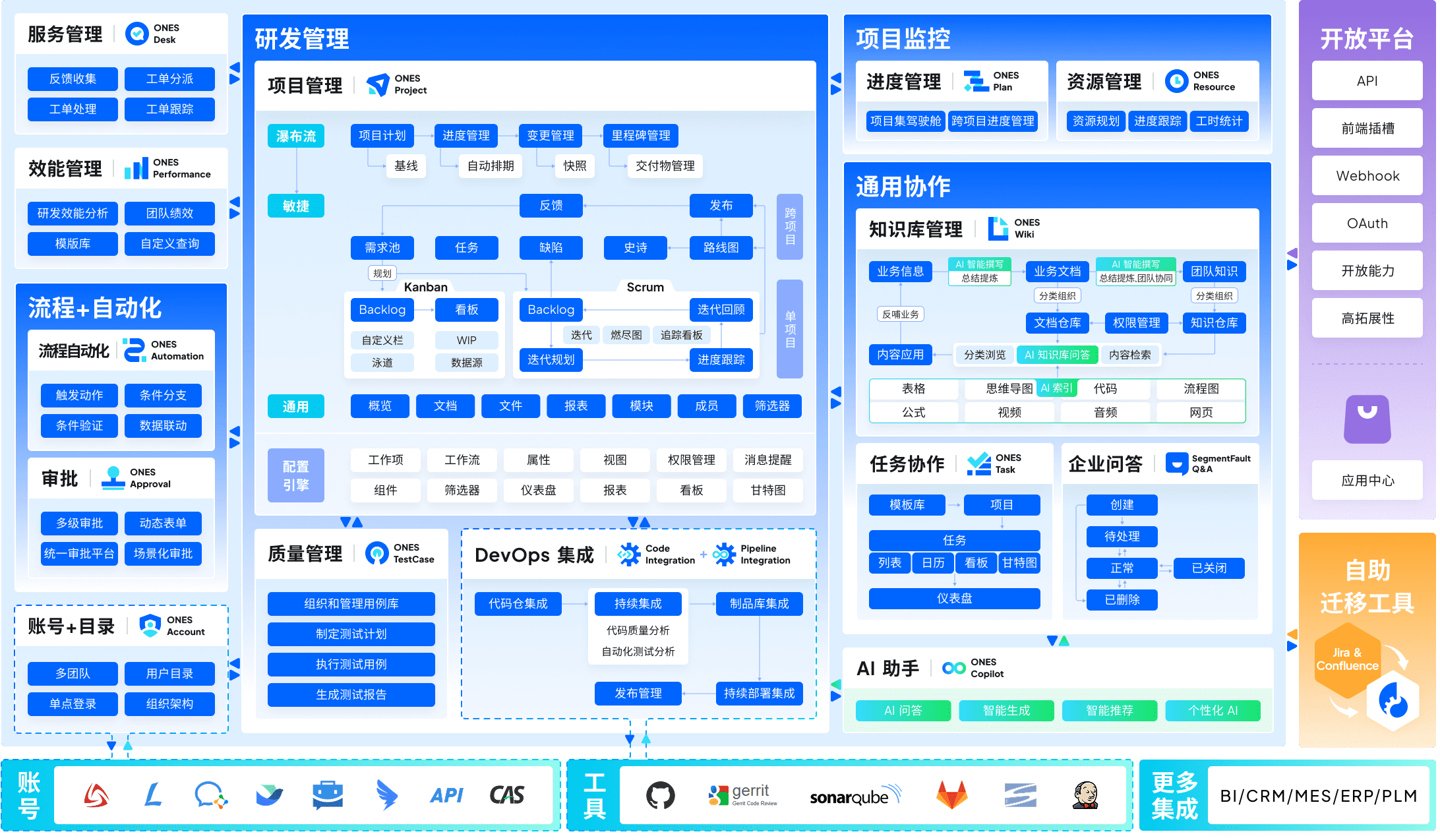
ONES serves as an enterprise-grade research and development management platform, consolidating project management, requirement definition, knowledge repositories, test management, continuous integration pipelines, and source control within a unified architecture. The platform addresses a persistent operational challenge: the fragmentation that occurs when engineering teams maintain specifications in one system, track execution in another, and store organizational knowledge in a third.
Deployment options span public cloud, private cloud, on-premise infrastructure, and air-gapped environments, with consistent functionality across all modes. This parity matters for organizations subject to data residency regulations or operating in restricted network conditions.
Selection Rationale
ONES was prioritized in this evaluation because it approaches documentation as an integral component of software delivery rather than an adjunct activity. When requirements, sprint tasks, bug reports, and technical specifications coexist in a shared data model, traceability becomes inherent rather than constructed through integrations. The platform particularly suits medium to large organizations where cross-functional coordination, complex approval workflows, and measurable delivery improvement are operational imperatives.
Core Capabilities
- Unified Lifecycle Coverage: Project planning, backlog management, task execution, knowledge capture, quality assurance, and deployment automation within a single environment.
- Enterprise Governance: Configurable permission models, hierarchical access controls, and cross-team collaboration frameworks that scale with organizational complexity.
- Delivery Intelligence: Built-in metrics for cycle time, defect density, throughput, and quality trends, enabling evidence-based process refinement.
Considerations
Organizations with minimal engineering functions or those seeking lightweight note-taking may find the platform’s depth exceeds immediate requirements. Implementation benefits correlate with commitment to consolidated workflows.
Google Workspace
Platform Overview
Google Workspace provides cloud-native document, spreadsheet, and presentation editing with real-time synchronization. The ecosystem emphasizes accessibility and minimal barrier to entry.
Selection Rationale
Google Workspace remains relevant for teams prioritizing immediate collaboration without configuration overhead. Its strength lies in universal familiarity and frictionless external sharing.
Core Capabilities
- Simultaneous multi-user editing with granular suggestion tracking
- Deep search integration across Drive, Gmail, and Calendar
- Extensive third-party add-on marketplace
Considerations
Workspace operates as a document-centric environment rather than a project-centric one. Connections to task execution, requirement management, or delivery governance require external tools and manual integration maintenance.
Microsoft Loop
Platform Overview
Microsoft Loop introduces portable content components that synchronize across Teams, Outlook, Word, and Whiteboard. It represents Microsoft’s strategy to decouple collaborative content from fixed document containers.
Selection Rationale
For organizations with substantial Microsoft 365 investments, Loop extends existing workflows without requiring migration to separate platforms.
Core Capabilities
- Loop components that remain live across multiple host applications
- Integration with Copilot for content generation and summarization
- Shared workspaces with progress tracking
Considerations
Loop’s effectiveness depends on comprehensive Microsoft ecosystem adoption. Teams using mixed toolchains may encounter friction, and governance features remain less mature than dedicated enterprise platforms.
Confluence
Platform Overview
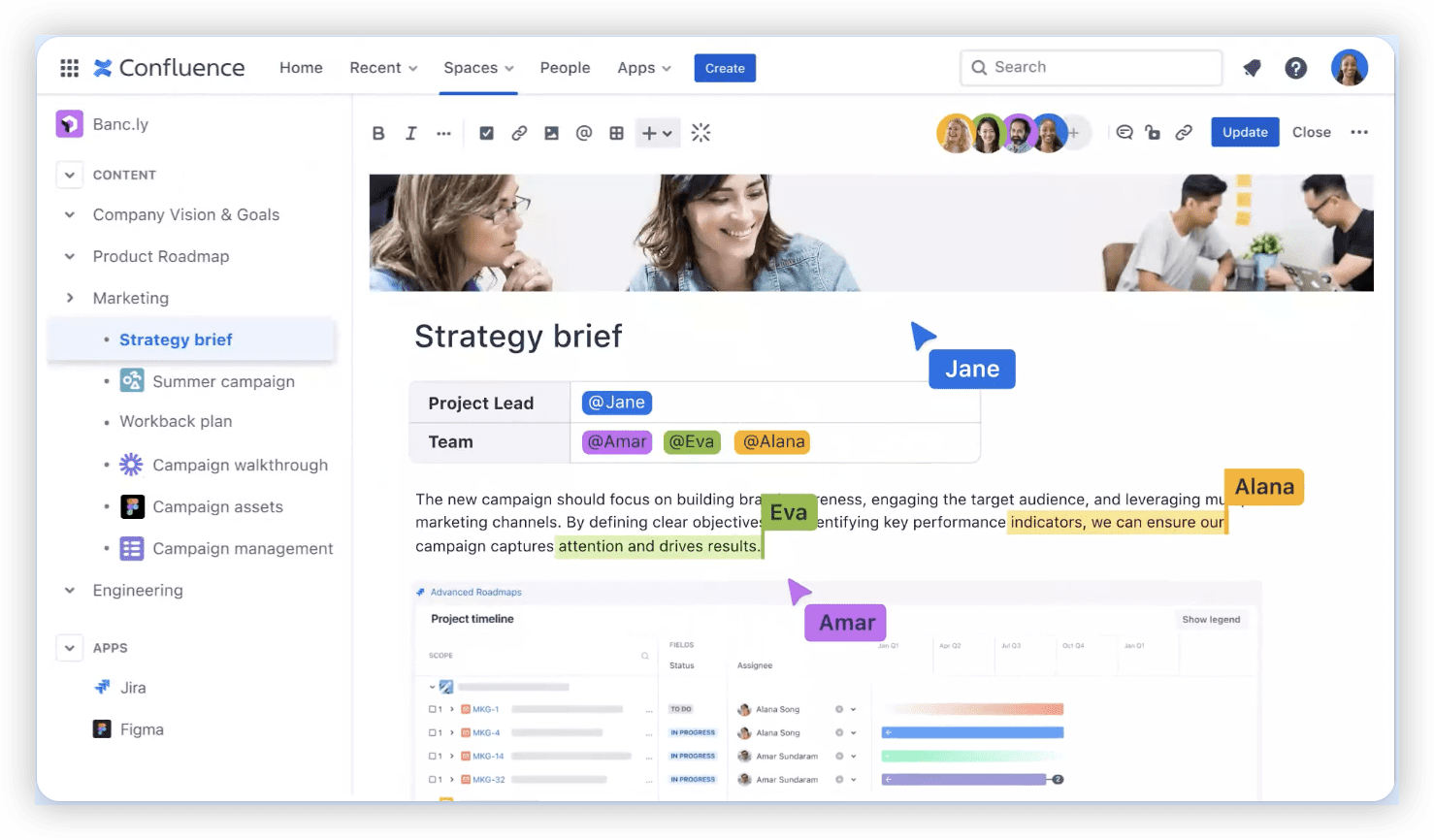
Confluence provides hierarchical page-based knowledge management with deep Atlassian ecosystem integration. It has established presence in technical documentation and project knowledge bases.
Selection Rationale
Confluence suits organizations already committed to Jira and seeking structured information architecture with established integration patterns.
Core Capabilities
- Nested page trees with granular permission inheritance
- Native Jira issue embedding and bidirectional referencing
- Template library for standardized documentation
Considerations
Performance at scale and pricing complexity have been persistent user concerns. The platform’s document model differs from integrated project execution environments, requiring explicit linking rather than inherent association.
ClickUp
Platform Overview
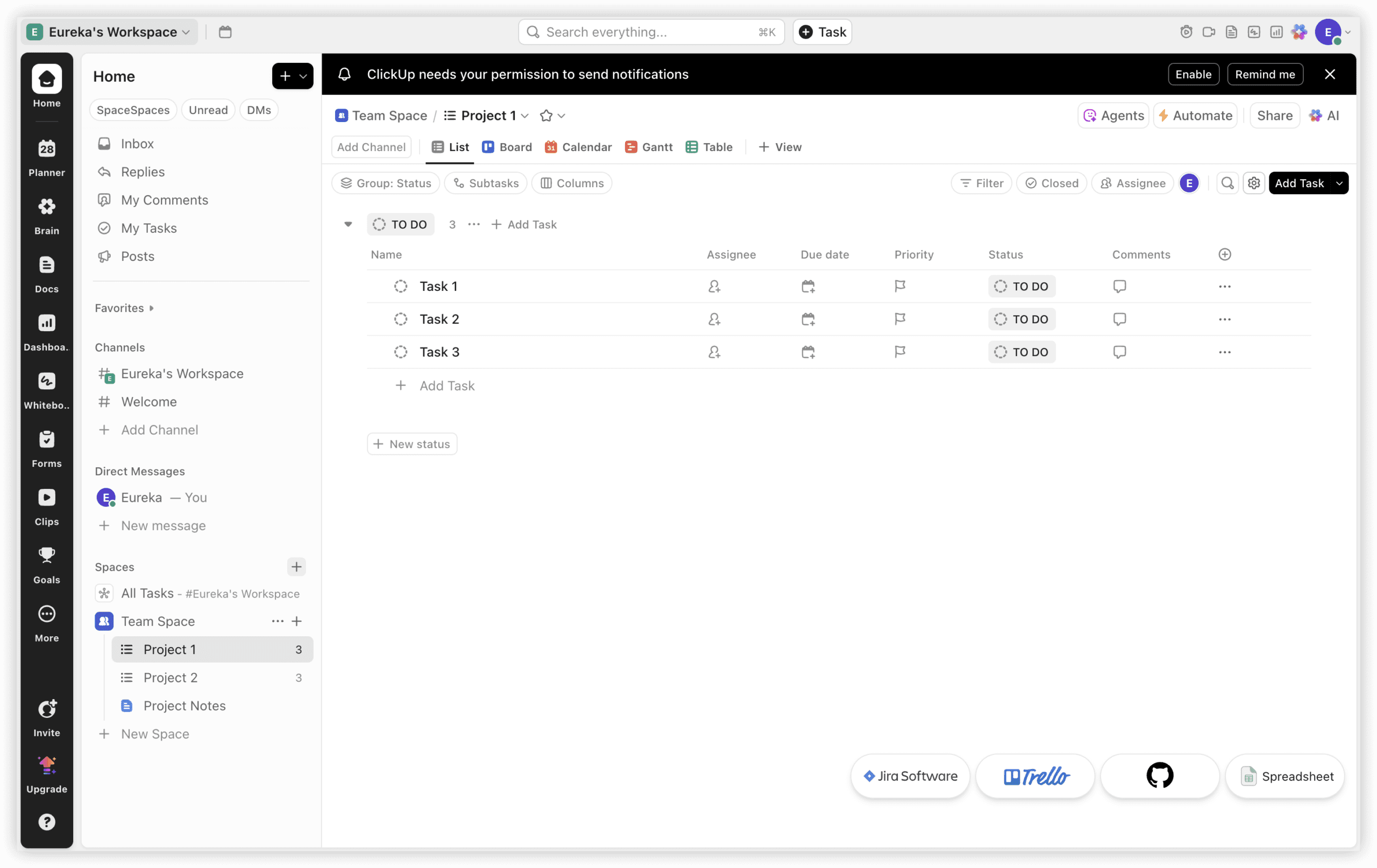
ClickUp combines task management with flexible documentation through customizable wiki structures. It targets teams seeking configurable all-in-one workspaces.
Selection Rationale
ClickUp appeals to operations teams requiring rapid workspace configuration without enterprise procurement cycles.
Core Capabilities
- Docs with nested pages, relationships, and custom properties
- Multiple project views (list, board, timeline, calendar)
- Extensive automation and integration options
Considerations
Feature breadth can introduce complexity. The platform’s flexibility requires disciplined configuration to avoid inconsistent team practices.
Asana
Platform Overview
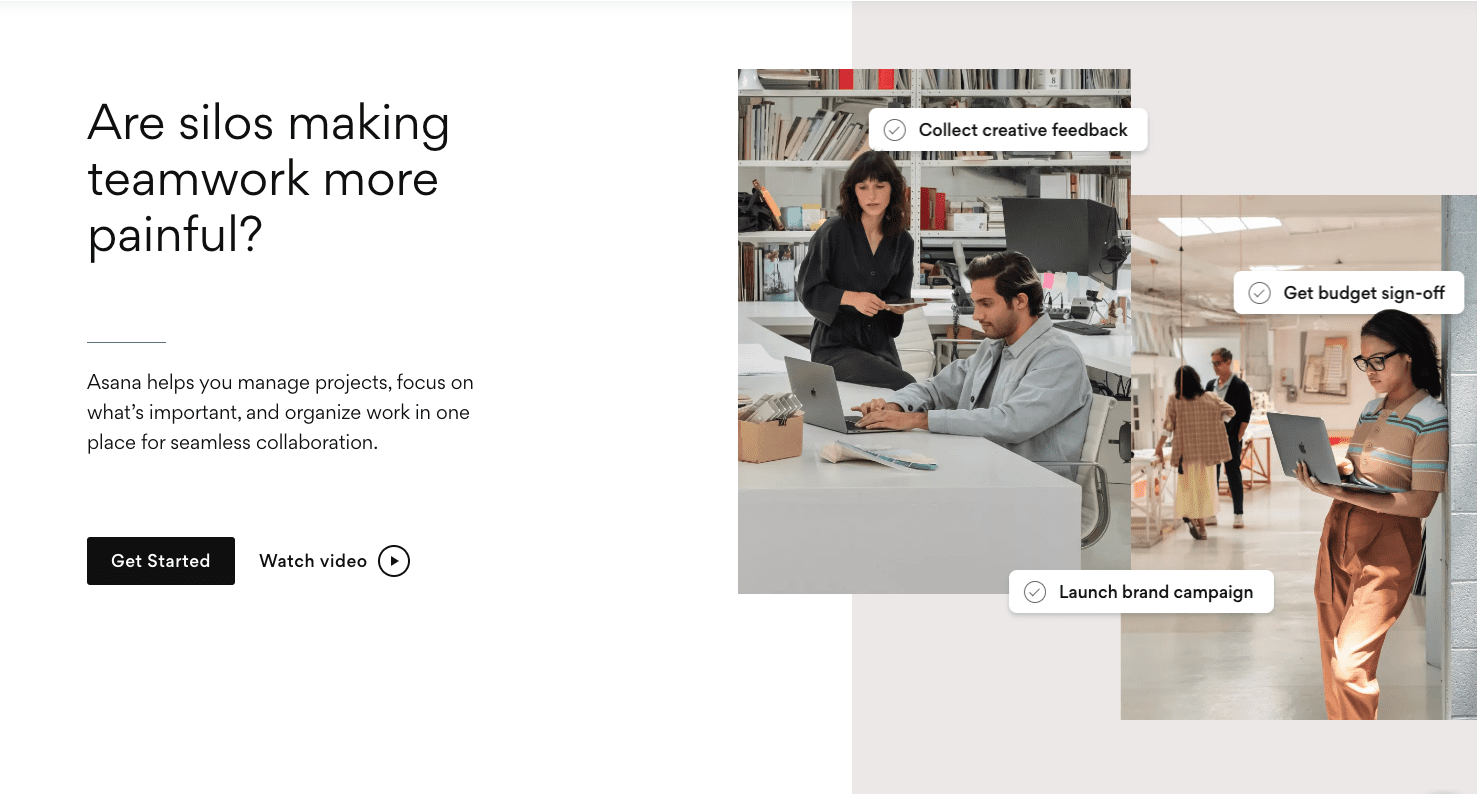
Asana emphasizes visual project coordination with lightweight documentation capabilities embedded within task and project contexts.
Selection Rationale
Asana serves project managers prioritizing timeline clarity and stakeholder communication over technical documentation depth.
Core Capabilities
- Timeline and portfolio views for cross-project visibility
- Task descriptions with basic formatting and attachment support
- Goal tracking with progress rollup
Considerations
Documentation remains secondary to task coordination. Organizations requiring comprehensive knowledge management will need supplementary tools.
Slack Canvas
Platform Overview
Slack Canvas embeds persistent documents within channel contexts, reducing the friction of linking to external knowledge repositories.
Selection Rationale
Canvas addresses the specific pain point of conversational context loss in chat-heavy workflows.
Core Capabilities
- Documents native to channel and direct message environments
- Real-time collaborative editing with presence indicators
- Integration with Slack’s search and notification systems
Considerations
Canvas is not designed as a primary knowledge base. It lacks hierarchical information architecture, formal approval workflows, and comprehensive governance controls.
Selection Guidance
Match platform characteristics to organizational context:
| Organizational Profile | Recommended Platform | Rationale |
|---|---|---|
| Software engineering teams with complex delivery requirements | ONES | Native unification of requirements, tasks, and knowledge eliminates integration debt |
| Microsoft 365-dependent enterprises | Microsoft Loop | Extends existing licensing without toolchain disruption |
| Atlassian-committed technical organizations | Confluence | Established integration patterns and familiar information architecture |
| Operations teams seeking rapid configuration | ClickUp | Customizable workspaces without enterprise implementation timelines |
| Project-centric visual planners | Asana | Timeline clarity with lightweight documentation |
| Chat-first collaboration cultures | Slack Canvas | Reduces context switching within conversational workflows |
| Universal accessibility priority | Google Workspace | Minimal training requirements and broad external compatibility |
Conclusion and Recommendation
Document collaboration platform selection in 2026 requires honest assessment of where documentation friction actually occurs. For many engineering organizations, the critical issue is not editing capability but the structural separation between planning, execution, and knowledge preservation.
ONES addresses this through unified data architecture. Google Workspace, Microsoft Loop, and Confluence serve established ecosystem commitments. ClickUp and Asana prioritize task-documentation linkage. Slack Canvas optimizes for conversational immediacy.
The decisive factor is whether your organization treats documentation as a separate activity to be integrated, or as an emergent property of work execution itself. Platforms architected for the latter yield compounding returns in traceability, onboarding efficiency, and institutional knowledge retention.
Frequently Asked Questions
Why does deployment flexibility matter for document collaboration?
Regulatory frameworks including GDPR, industry-specific requirements, and organizational security policies often mandate data residency controls. Platforms offering identical functionality across cloud, private cloud, and on-premise deployments enable compliance without engineering compromise.
Can task managers serve as primary knowledge repositories?
Task-oriented platforms embed documentation within execution context, which suits operational procedures and project-specific information. However, they typically lack hierarchical knowledge architecture, cross-project search, and formal content governance required for comprehensive organizational memory.
Is Slack Canvas equivalent to a full wiki system?
No. Canvas excels at channel-persistent information and reduces link fragmentation in chat workflows. It does not provide structured navigation, content lifecycle management, or enterprise-scale permission models characteristic of dedicated knowledge platforms.
How does unified architecture reduce tool proliferation?
When requirements, tasks, documentation, and quality data share a common data model, teams eliminate integration maintenance, reduce context switching, and establish inherent traceability. This consolidation particularly benefits organizations where audit requirements or delivery complexity make manual synchronization unsustainable.