
Choosing the right bug tracking solution directly impacts how quickly your team identifies, prioritizes, and resolves software defects. After evaluating dozens of platforms across usability, integration depth, scalability, and pricing, we’ve identified ten tools that stand out for 2026.
Here are the 10 bug tracking tools covered in this guide:
- ONES — Best for enterprise-grade integrated R&D management
- ClickUp — Best for all-in-one project and bug management
- Jira — Best for agile software development teams
- Bugzilla — Best for advanced open-source bug search
- YouTrack — Best for small teams using JetBrains ecosystem
- MantisBT — Best for lightweight open-source issue tracking
- Redmine — Best for self-hosted project and bug tracking
- Kualitee — Best for test case-centric quality assurance
- BugHerd — Best for visual website feedback collection
- Linear — Best for fast-paced startup issue management
Why Bug Tracking Software Matters More in 2026
Software complexity continues to escalate. Microservices architectures, multi-environment deployments, and accelerated release cycles mean defects surface faster and carry greater business risk. Manual tracking through spreadsheets or fragmented communication channels no longer sustains quality at velocity.
Modern bug tracking platforms address these pressures through several core capabilities:
- Accessible reporting interfaces — Enable technical and non-technical stakeholders alike to submit defects without extensive training
- Operational analytics — Surface trends in defect density, resolution velocity, and team capacity to guide process refinement
- Structured triage workflows — Route issues by severity, component ownership, and business impact to ensure critical problems receive immediate attention
- Tool ecosystem connectivity — Synchronize with version control, CI/CD pipelines, and collaboration platforms to maintain contextual continuity
- Configurable process models — Adapt to organization-specific statuses, fields, and automation rules rather than forcing conformance to rigid templates
- Proactive notification systems — Alert assignees, watchers, and stakeholders when conditions change, reducing response latency
- Centralized knowledge repositories — Preserve reproduction steps, discussion threads, and resolution records for future reference and compliance
Quick Comparison: 10 Bug Tracking Tools
| Tool | Core Strengths | Ideal For | Starting Price |
|---|---|---|---|
| ONES | Unified R&D pipeline, enterprise governance, delivery metrics | Mid-to-large engineering organizations | Contact for pricing |
| ClickUp | All-in-one workspace, AI assistance, extensive customization | Teams consolidating multiple tools | $7/user/month |
| Jira | Agile boards, deep dev tool integrations, advanced reporting | Software development, DevOps, QA | $7.53/user/month |
| Bugzilla | Advanced search, email integration, open-source flexibility | Self-hosted QA operations | Free |
| YouTrack | Query-based navigation, JetBrains synergy, knowledge base | Small teams, IT support | $5.40/user/month |
| MantisBT | Lightweight deployment, plugin architecture, role controls | Basic open-source tracking needs | Free |
| Redmine | Gantt visualization, wiki integration, multi-database support | Adaptable self-hosted environments | Free (plugins may vary) |
| Kualitee | Test case management, AI test generation, traceability | QA-centric organizations | $15/user/month |
| BugHerd | Visual pin feedback, video capture, client-friendly interface | Web agencies, client services | $49/month |
| Linear | Keyboard-driven speed, real-time sync, GitHub/GitLab native | Agile startups, fast-moving teams | $10/user/month |
Pricing reflects publicly listed rates as of early 2026; verify current figures directly with vendors.
Detailed Evaluation of Each Platform
1. ONES — Best for Enterprise-Grade Integrated R&D Management
For organizations where software delivery spans multiple business units, geographic regions, or compliance regimes, tool fragmentation becomes a strategic liability. ONES addresses this by providing a unified environment that encompasses project planning, requirements engineering, knowledge management, test operations, release pipelines, and code repositories within a single architectural layer.
The platform’s governance capabilities distinguish it for larger enterprises. Complex approval chains, granular permission matrices, and cross-functional portfolio visibility allow engineering leadership to maintain oversight without constraining team autonomy. Workflow configurations accommodate varying maturity levels across departments—some operating with lightweight Kanban, others with formal stage-gate processes.
Where ONES particularly differentiates is in its emphasis on quantitative delivery improvement. Built-in measurement frameworks track cycle time, defect escape rates, deployment frequency, and related indicators, presenting these through executive dashboards rather than requiring manual spreadsheet compilation. This data orientation supports evidence-based retrospectives and investment decisions.
Notable capabilities:
- End-to-end traceability from requirements through test execution to production deployment
- Configurable process engines supporting SAFe, LeSS, or custom scaled frameworks
- Role-based access control extending to field-level visibility restrictions
- Native integration with mainstream version control systems and CI/CD orchestrators
- Program-level reporting aggregating across dozens of component teams
Consider when: Your organization exceeds several hundred engineers, operates across multiple product lines, or requires unified metrics for board-level reporting on technology investment returns.
2. ClickUp — Best for All-in-One Project and Bug Management
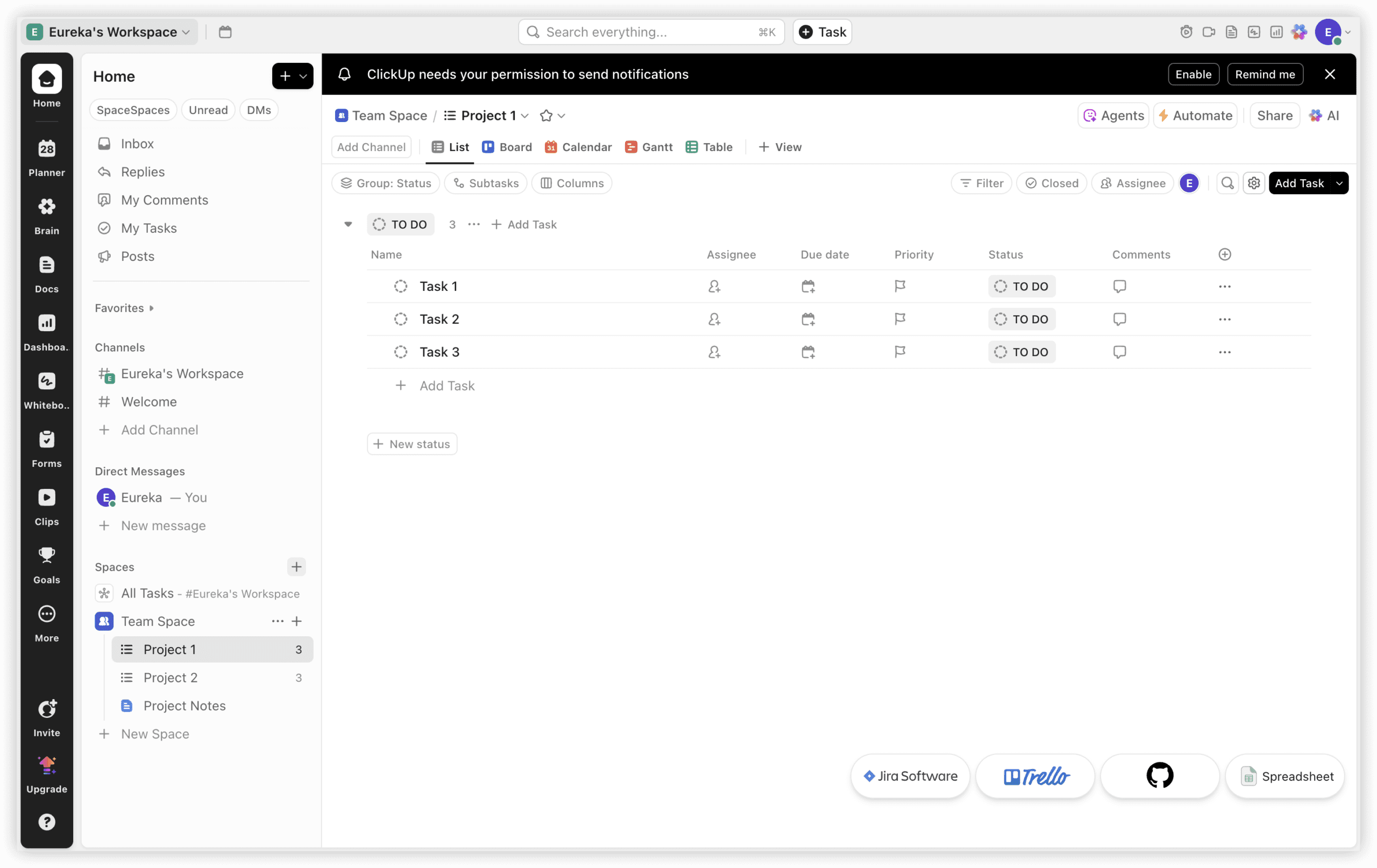
Teams frequently discover that defect management cannot operate in isolation from broader project coordination. ClickUp approaches this by embedding bug tracking within a comprehensive work management fabric, reducing the context switching that degrades productivity when issues live in separate systems from tasks, documents, and goals.
The platform’s form functionality enables structured defect intake: submissions automatically generate tasks with standardized fields for environment, severity, and reproduction steps. Custom tags and statuses allow classification schemes tailored to specific product domains—whether distinguishing security vulnerabilities from performance regressions or marking items for hotfix versus scheduled release.
Automation capabilities extend beyond simple status transitions. Rules can trigger notifications, reassign ownership based on component tags, or populate dashboard widgets without manual intervention. The native AI assistant summarizes lengthy discussion threads, identifies potential duplicate reports, and suggests resolution pathways based on historical patterns.
Notable capabilities:
- Multiple project visualization modes including Gantt, timeline, and workload views
- Dependency mapping to identify critical path blockers
- Document repositories linked directly to associated defects
- Extensive third-party connector library spanning development and communication tools
- Template library accelerating setup for recurring bug management patterns
Consider when: Your team seeks to consolidate disparate tools into a unified environment and values extensive configurability over prescriptive process enforcement.
3. Jira — Best for Agile Software Development Teams
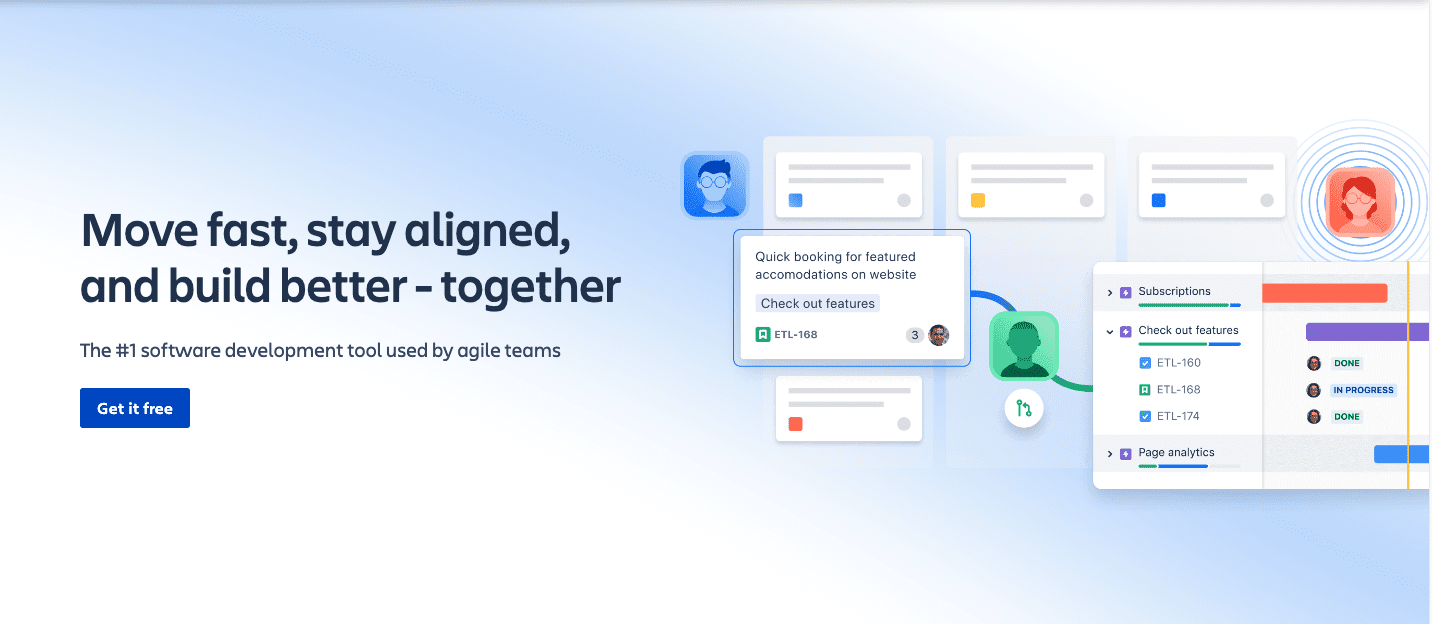
Atlassian’s longstanding presence in development toolchains makes Jira a default consideration for teams practicing agile methodologies. Its board-centric interface maps naturally to sprint-based workflows, while workflow engines accommodate sophisticated state transition rules including conditional validators and post-functions.
The platform’s integration depth remains a primary attraction. Bi-directional synchronization with Bitbucket, GitHub, GitLab, and numerous CI/CD platforms means code commits, pull requests, and build outcomes surface within issue contexts. This connectivity reduces the detective work required to understand whether a reported defect has corresponding code changes in progress.
Reporting capabilities serve both operational and strategic needs. Sprint burndowns, velocity trends, and cumulative flow diagrams support iteration retrospectives, while portfolio-level roadmaps and capacity planning tools extend visibility to program management functions.
Notable capabilities:
- Customizable agile boards supporting Scrum, Kanban, and hybrid approaches
- Advanced query language (JQL) for complex issue segmentation
- Marketplace ecosystem with thousands of specialized extensions
- Automation rules with branching logic and smart value manipulation
- Enterprise-grade security certifications and data residency options
Consider when: Your organization already standardizes on Atlassian products or requires mature agile tooling with extensive customization potential.
4. Bugzilla — Best for Advanced Open-Source Bug Search
Originally developed for Mozilla’s browser project, Bugzilla represents a mature, battle-tested approach to defect tracking that prioritizes information retrieval and process transparency over visual polish. Its search capabilities remain among the most sophisticated available, supporting full-text indexing, Boolean combinations, saved queries, and email-based result subscriptions.
The platform operates entirely without licensing costs, with source code availability enabling organizations to modify behavior, extend functionality, or integrate with internal systems without vendor dependency. This self-sovereignty appeals particularly to security-conscious environments or those with specific data residency requirements that commercial cloud offerings cannot satisfy.
While the interface reflects its origins in earlier web paradigms, the underlying data model proves robust for high-volume operations. Installations handling hundreds of thousands of issues across decades of development history remain performant, with established migration paths for data preservation.
Notable capabilities:
- Granular email notification controls with templated message formats
- Time tracking integration for effort accounting
- Custom field and workflow extensions through documented APIs
- Cross-installation bug referencing for distributed collaboration
- Attachment management with versioning and access controls
Consider when: Budget constraints are absolute, technical staff can manage self-hosted infrastructure, or search precision outweighs interface modernity in priority.
5. YouTrack — Best for Small Teams in the JetBrains Ecosystem
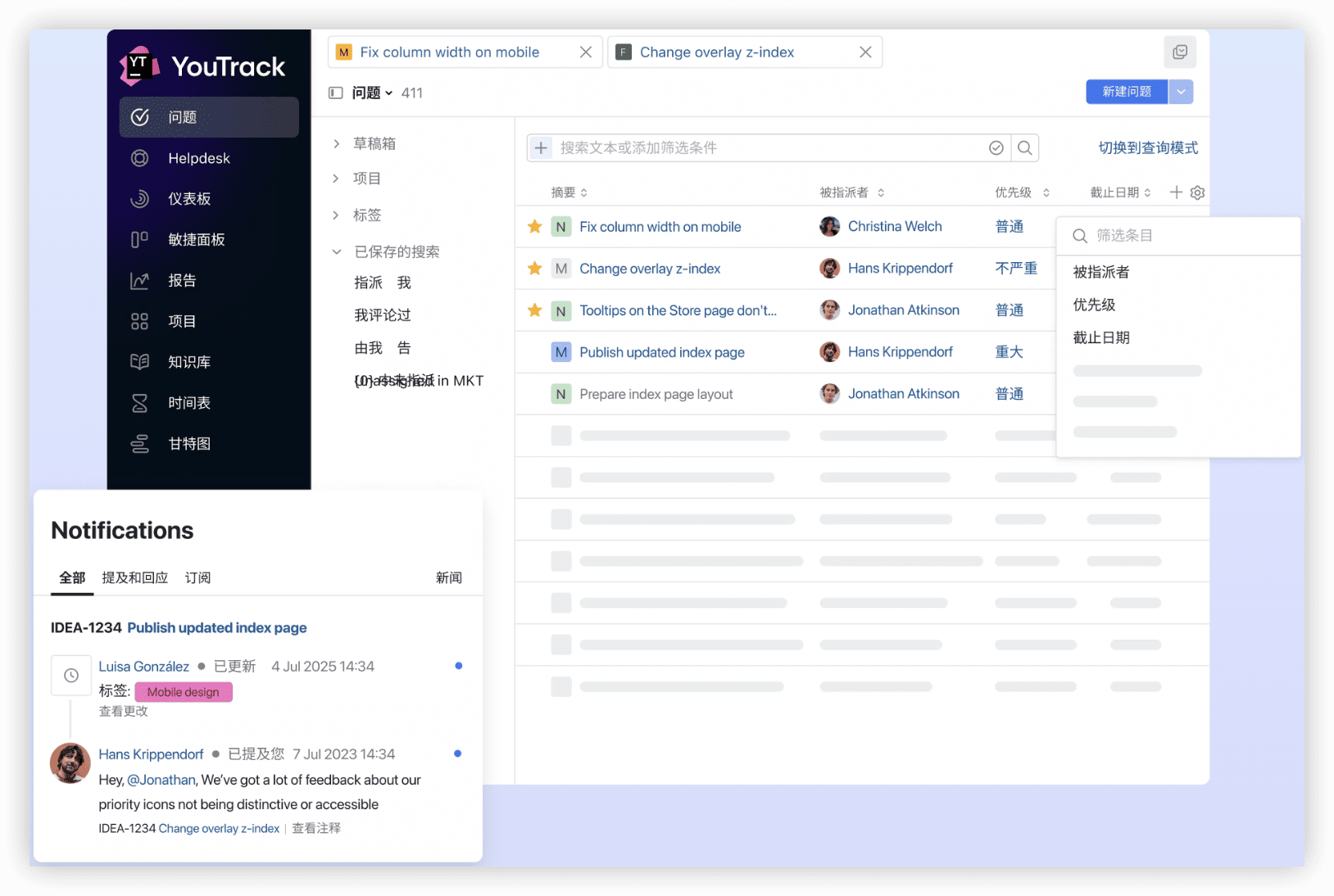
JetBrains’ project management offering leverages the same design philosophy evident in their integrated development environments: keyboard-centric efficiency, query-driven navigation, and minimal friction for power users. Teams already using IntelliJ IDEA, PyCharm, or related tools experience familiar interaction patterns.
The query language enables rapid issue filtering without navigating multiple menu layers. Expressions combining project, assignee, date range, and custom field criteria execute instantly, with results available in list, board, or Gantt presentations. Saved searches and personal dashboards allow individuals to construct persistent views aligned with their responsibilities.
Knowledge base functionality provides lightweight documentation alongside tracked issues, reducing the need for separate wiki systems. Time tracking, agile boards, and reporting round out the feature set for teams that do not require enterprise-scale complexity.
Notable capabilities:
- Issue tracking with Markdown support and code syntax highlighting
- Agile boards with swimlane configuration and WIP limits
- Knowledge base articles linked to related issues
- IDE plugin integration for context-aware issue updates
- Free tier for teams of ten or fewer users
Consider when: Team size remains modest, JetBrains tools dominate the development workflow, and query-based interaction appeals to technically proficient users.
6. MantisBT — Best for Lightweight Open-Source Issue Tracking
MantisBT occupies a middle ground between Bugzilla’s comprehensiveness and minimalistic alternatives. The PHP-based architecture deploys readily on standard web hosting infrastructure, with modest resource requirements suitable for smaller organizations or individual projects.
The plugin architecture permits functional extension without core modification, with community contributions addressing integration with version control, time tracking, and notification services. Role-based access controls support basic segregation between reporters, developers, and managers.
While lacking the visual refinement and advanced analytics of commercial alternatives, MantisBT delivers dependable issue recording, status progression, and notification delivery for teams where simplicity and cost elimination take precedence.
Notable capabilities:
- Customizable issue fields and enumeration values
- Email notification with configurable triggers
- Roadmap and changelog generation from resolved issues
- CSV and Excel export for external analysis
- Multi-project support with shared user base
Consider when: Requirements are straightforward, technical resources exist for self-management, and total cost of ownership must approach zero.
7. Redmine — Best for Self-Hosted Project and Bug Tracking
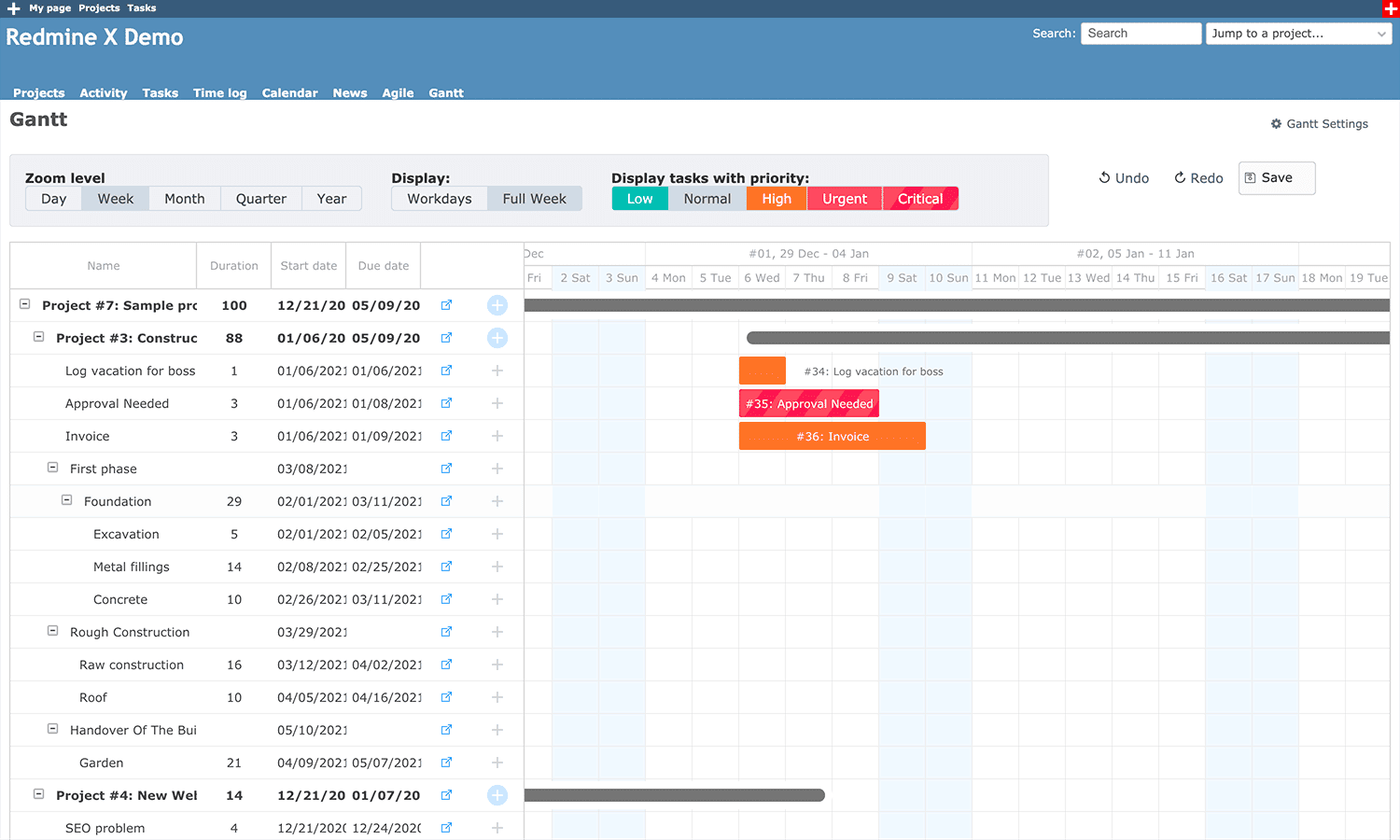
Built on Ruby on Rails, Redmine extends beyond pure issue tracking to encompass project-wide coordination. Gantt chart visualization, wiki pages, file repositories, and forum discussions create a centralized project hub that reduces tool proliferation for teams preferring consolidated information architecture.
The platform’s flexibility manifests in its support for multiple database backends, numerous authentication schemes including LDAP and CAS, and extensive plugin marketplace. Issue tracking forms one module among several, with cross-module referencing maintaining relationships between defects, documentation versions, and milestone schedules.
Self-hosting provides complete data control and customization freedom, though this autonomy carries corresponding operational responsibility for security patching, backup procedures, and performance optimization.
Notable capabilities:
- Project hierarchy supporting programs and portfolios
- Issue relations including duplicates, blocks, and precedes
- Time logging with hourly rate and billing integration
- News and document publishing with version history
- REST API for external system integration
Consider when: Project management and bug tracking require unified treatment, self-hosting is non-negotiable, and Ruby-based tooling aligns with internal technical capabilities.
8. Kualitee — Best for Test Case-Centric Quality Assurance
Organizations with formal quality engineering functions often require explicit linkage between test design, execution, and defect discovery. Kualitee structures its workflow around test artifacts, with defect records emerging naturally from failed test runs rather than existing as independent entities.
The platform’s AI-assisted test generation accelerates coverage expansion by analyzing requirements and suggesting test scenarios that might otherwise escape manual consideration. Traceability matrices demonstrate coverage completeness and impact scope when requirements change.
Dashboards oriented toward quality metrics—defect density by module, test execution progress, escape rate to production—serve QA leadership reporting needs more directly than general-purpose project management tools.
Notable capabilities:
- Test case design with step-level detail and expected results
- Test cycle planning and execution with environment allocation
- Defect logging with automatic capture of failed test context
- Requirements traceability and coverage analysis
- Integration with Jira, Azure DevOps, and Selenium
Consider when: Quality assurance operates as a distinct function with dedicated personnel, test coverage measurement is essential, and defect discovery primarily occurs through structured testing rather than ad hoc reporting.
9. BugHerd — Best for Visual Website Feedback Collection
Web development projects involve stakeholders—clients, marketers, designers—who lack technical vocabulary for precise defect description. BugHerd addresses this by overlaying feedback collection directly onto rendered web pages, with annotations pinned to specific DOM elements and technical metadata captured automatically.
When a reviewer clicks to comment, the system records browser, viewport dimensions, operating system, and URL without requiring manual entry. Screenshots and screen recordings supplement textual description, reducing the “works on my machine” reconciliation cycles that consume development time.
The Kanban-style task board organizes feedback into actionable workflow states, with guest access enabling client participation without full system licensing. This accessibility model suits agency engagements where external stakeholder inclusion determines project success.
Notable capabilities:
- Browser extension and JavaScript snippet deployment options
- Automatic technical context capture with each annotation
- Video feedback recording for complex interaction descriptions
- Client portal with limited visibility to relevant project elements
- Integration with project management tools for developer handoff
Consider when: Your work involves external website review cycles, visual precision is paramount, and non-technical participants must contribute feedback without training overhead.
10. Linear — Best for Fast-Paced Startup Issue Management
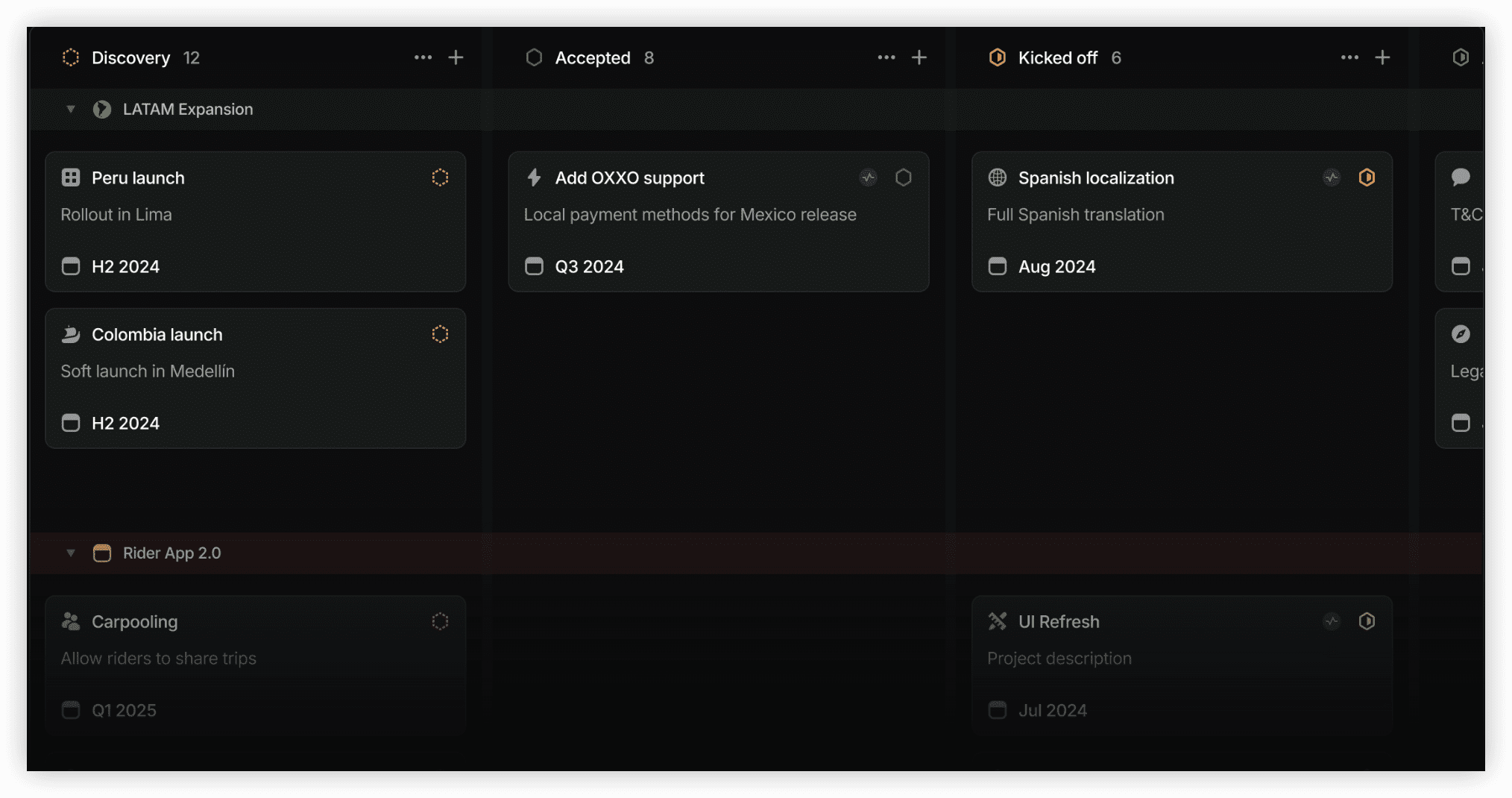
Linear has cultivated a devoted following among technology startups by optimizing for speed and aesthetic refinement. The interface responds instantaneously to keyboard commands, with command palettes and shortcuts that minimize pointer-dependent interaction.
The design philosophy assumes that issue tracking should fade into the background of productive work rather than becoming a destination requiring dedicated attention. Issue creation, assignment, and status updates occur with minimal friction, encouraging consistent use rather than batch accumulation of untracked work.
Real-time synchronization across clients ensures all participants view current state without manual refresh. GitHub and GitLab integrations automatically update issue status when associated pull requests merge, maintaining workflow momentum without explicit status transitions.
Notable capabilities:
- Keyboard-first navigation with comprehensive shortcut coverage
- Cycles and roadmaps for iteration and long-term planning
- Automated workflow state updates from code repository events
- Clean, distraction-free interface design
- Fast search with instant result presentation
Consider when: Team velocity and user experience quality rank highest among selection criteria, engineering culture values tool minimalism, and issue volume remains manageable without enterprise-scale categorization requirements.
Selection Guidance: Matching Tool to Context
No single platform serves all circumstances optimally. The appropriate choice depends on organizational scale, technical maturity, existing toolchain investments, and the relative importance of factors like cost, customization, and administrative overhead.
For large enterprises with complex governance requirements, ONES provides the unified R&D management infrastructure that reduces tool fragmentation while supporting quantitative improvement measurement. Its enterprise orientation addresses the coordination challenges that emerge when hundreds of engineers collaborate across multiple product domains.
For teams seeking workspace consolidation, ClickUp offers breadth that encompasses bug tracking within broader operational management, particularly valuable when SaaS proliferation has created integration debt.
For established agile practitioners, Jira remains the reference implementation with unmatched ecosystem depth, though this maturity carries corresponding complexity.
For cost-constrained or sovereignty-prioritizing organizations, Bugzilla, MantisBT, and Redmine provide capable open-source alternatives with varying architectural philosophies and functional emphases.
For specialized contexts—JetBrains-centric development, formal quality engineering, client-facing web work, or velocity-obsessed startups—YouTrack, Kualitee, BugHerd, and Linear respectively align with distinctive workflow patterns.
Frequently Asked Questions
What distinguishes bug tracking from general task management?
Bug tracking incorporates domain-specific conventions: severity and priority classification, environment reproduction, version regression identification, and resolution verification workflows. While general task tools can be adapted, purpose-built platforms encode these patterns natively, reducing configuration effort and improving information quality.
How should teams evaluate migration effort when switching platforms?
Assess data volume and complexity, custom field mapping requirements, historical attachment preservation needs, and integration reconstruction scope. Request trial imports from candidate vendors and validate that critical query patterns and reporting outputs remain achievable in the new environment.
What integration patterns matter most for development teams?
Version control connectivity ensures code changes remain visible within issue context. CI/CD integration surfaces build and deployment status. Communication platform links reduce notification fragmentation. Consider which systems currently generate the most context-switching overhead and prioritize those connections.
When does open-source self-hosting become preferable to SaaS?
Consider self-hosting when data residency requirements exceed vendor offerings, customization needs exceed platform extensibility models, operational budgets are severely constrained, or organizational policy prohibits third-party data processing. Recognize that self-hosting transfers operational responsibility—including security maintenance and availability management—to internal teams.
How can teams measure bug tracking tool effectiveness?
Leading indicators include time from report to assignment, resolution velocity by severity class, reopen rate, and participant satisfaction with information accessibility. Lagging indicators encompass escape rate to production, customer-reported defect ratio, and mean time to recovery for production incidents. Establish baseline measurements before tool transitions to enable comparative evaluation.
Conclusion
Effective defect management requires more than issue logging—it demands workflow alignment, stakeholder accessibility, analytical visibility, and ecosystem integration. The ten platforms evaluated here represent diverse approaches to these requirements, from enterprise-scale unified R&D management to lightweight specialized tools.
Begin selection by clarifying your organization’s scale, governance complexity, existing technical investments, and the specific friction points in current processes. Prioritize tools that address these constraints directly rather than accumulating features that create additional administrative burden. The optimal platform is the one your team consistently uses to capture, communicate, and resolve the defects that otherwise erode software quality and delivery confidence.