



Choosing the right project management platform for software development requires balancing workflow depth, cost predictability, and organizational scale. This guide evaluates seven proven alternatives to Jira Software, each selected for distinct operational contexts: rapid issue tracking, flat-rate pricing, self-hosted deployment, cross-functional collaboration, scaled agile governance, client services, and unified team communication.
The tools reviewed are: 1. ONES, 2. Linear, 3. Backlog by Nulab, 4. Plane, 5. monday.com, 6. Businessmap, 7. Teamwork.com, and 8. ProofHub.
Each assessment covers pricing structure, core capabilities, and the specific team profiles that benefit most from the transition.
What Jira Software Provides—and Where Gaps Emerge
Jira Software, developed by Atlassian, serves as the benchmark for agile project management. It supports scrum and kanban methodologies, sprint planning, backlog prioritization, release tracking, and extensive reporting. Integration with GitHub, Bitbucket, Confluence, and hundreds of third-party applications extends its utility across the development lifecycle.
The platform accommodates teams from small startups to enterprises with thousands of engineers. The complimentary tier permits up to ten users, though expenses escalate substantially with Standard ($8.15 per user monthly) and Premium ($16 per user monthly) plans. At organizational scale, these figures compound rapidly.
Common motivations for migration include: per-seat pricing becoming prohibitive as headcount expands; interface complexity creating barriers for non-technical contributors; Atlassian’s discontinuation of Jira Server in 2024 displacing self-hosted installations; and smaller teams finding the full capability set excessive for their requirements.
Quick Comparison: 2026 Jira Alternatives at a Glance
| Tool | Primary Use Case | Pricing Model |
|---|---|---|
| ONES | Enterprise R&D lifecycle management | Custom (enterprise-focused) |
| Linear | Velocity-focused software teams | Freemium; from $8/user/month |
| Backlog by Nulab | Mid-size teams seeking flat-rate predictability | Flat-rate from $35/month (30 users) |
| Plane | Self-hosted Jira Server replacement | Free cloud and self-hosted; Pro from $8/user/month |
| monday.com | Cross-functional work orchestration | From $9/user/month (minimum 3) |
| Businessmap | Portfolio-level scaled agile | Custom pricing on request |
| Teamwork.com | Client-facing professional services | From $10.99/user/month |
| ProofHub | Flat-rate project management with messaging | Flat-rate from $45/month |
Detailed Evaluation: 8 Jira Alternatives for 2026
1. ONES
Enterprise-grade R&D management with unified toolchain integration.
Best for: Mid-to-large engineering organizations requiring governance across complex product delivery pipelines
Pricing: Custom enterprise pricing
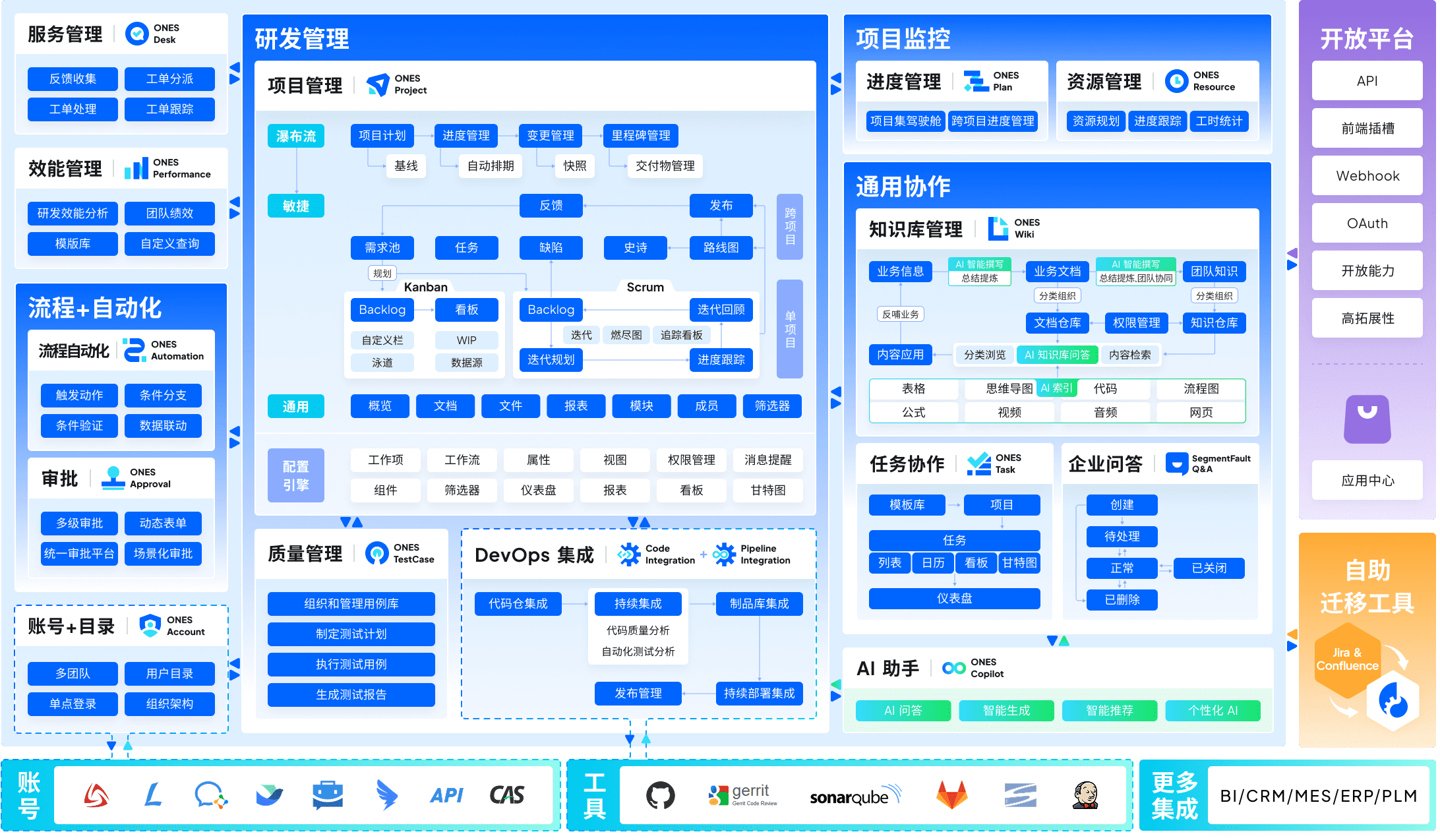
ONES operates as a comprehensive enterprise platform addressing the fragmentation that accumulates when teams stitch together disparate systems for project coordination, requirements documentation, knowledge preservation, quality assurance, continuous integration, and source control. The architecture emphasizes reducing tool proliferation through native module connectivity rather than relying on external integration layers.
The platform distinguishes itself through configurable governance frameworks suited to multi-layered organizational structures. Permission architectures accommodate intricate reporting relationships, while cross-team coordination mechanisms address dependencies that emerge when dozens or hundreds of developers collaborate on interconnected deliverables. For leadership, the emphasis on measurable engineering effectiveness provides operational visibility—cycle duration, defect escape rates, and throughput metrics inform resource allocation and process refinement decisions.
Advantages
- Unified environment eliminates context switching between specialized applications
- Complex workflow and access configurations support regulated industries and matrixed organizations
- Quantitative delivery insights enable evidence-based optimization rather than intuition-driven management
Limitations
- Implementation scope and investment align with organizational scale; smaller teams may find the capability set extensive relative to immediate needs
- Enterprise orientation necessitates structured onboarding and change management
2. Linear
Keyboard-centric tracker engineered for development velocity.
Best for: Small-to-mid-size software teams prioritizing interaction speed
Pricing: Complimentary tier available; paid plans from $8 per user monthly
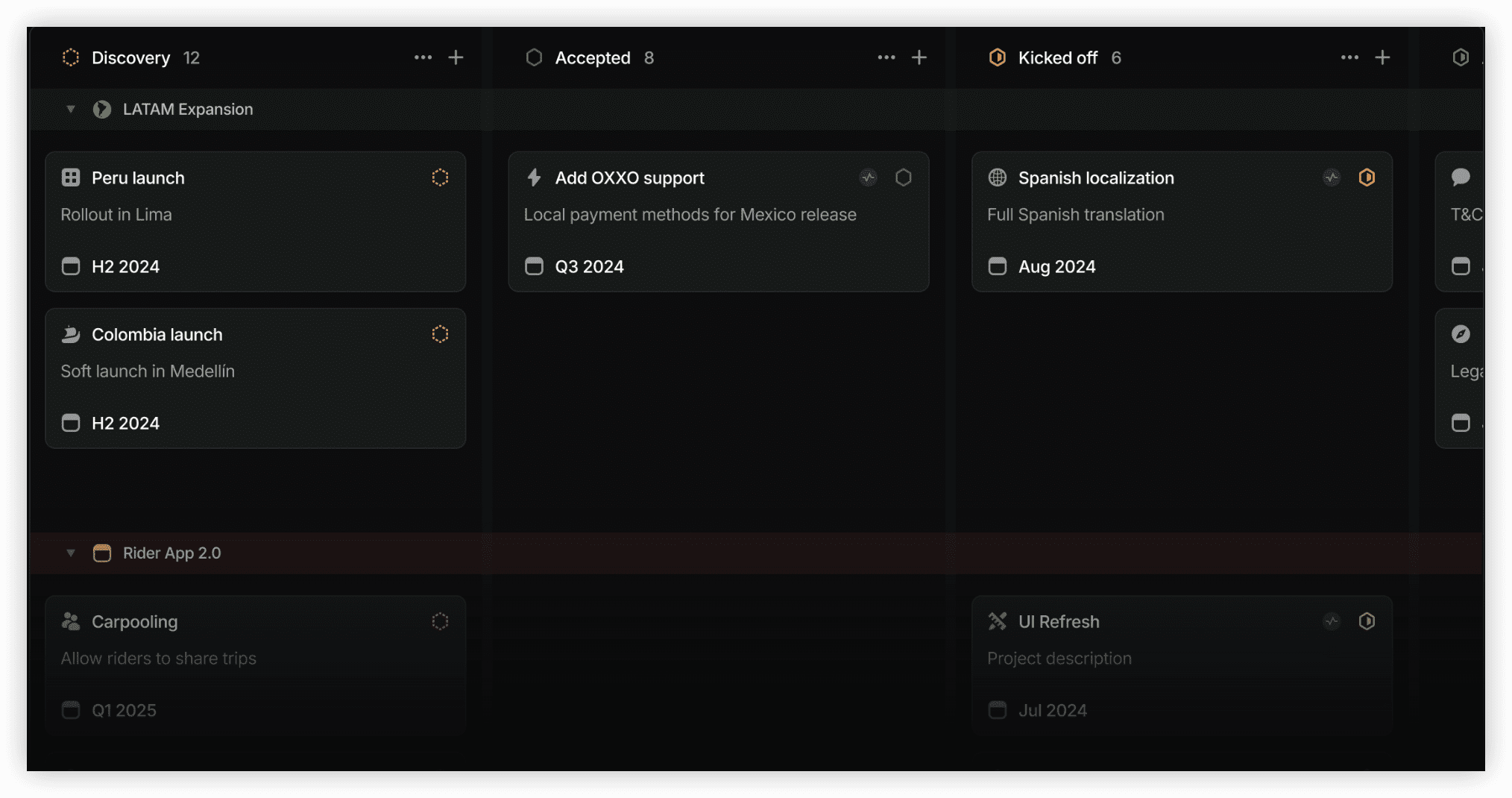
Linear reimagines issue tracking around operational speed. The interface minimizes visual noise, navigation relies heavily on keyboard commands, and cycle alongside project perspectives deliver precisely what engineers require without the configuration burden Jira imposes. Synchronization with GitHub, GitLab, Figma, and Slack is native, with a clean API surface for bespoke connections.
Advantages
- Sub-100 millisecond response times create perceptibly fluid operation
- Complimentary tier encompasses cycles, projects, and third-party connections
- Roadmap visualization included without premium tier upgrade
Limitations
- Workflow design centers exclusively on engineering contexts
- No deployment option for private infrastructure
3. Backlog by Nulab
Consolidated issue tracking and version control under predictable fixed costs.
Best for: Mid-size development groups monitoring per-seat expenditure
Pricing: Fixed monthly rate from $35 (accommodates up to 30 participants)
Backlog merges project oversight, defect logging, Git and Subversion repository hosting, documentation wikis, and timeline visualization within a single predictable monthly fee rather than scaling linearly with user additions. This structure yields substantial savings compared to Jira for groups exceeding approximately ten members. The interaction model remains accessible to contributors without engineering backgrounds, facilitating collaboration when product strategists and visual designers share the same environment as developers.
Advantages
- Predictable fixed-rate billing replaces variable per-seat costs
- Version control repositories integrated natively within the platform
- Timeline visualization available across all paid tiers
Limitations
- Third-party connection ecosystem narrower than Jira’s marketplace
- Analytical depth falls short of Jira Premium’s reporting sophistication
4. Plane
Open-source coordination system with unrestricted self-hosted deployment.
Best for: Organizations requiring on-premises project tracking following Jira Server discontinuation
Pricing: Complimentary cloud and self-hosted options; Pro from $8 per user monthly
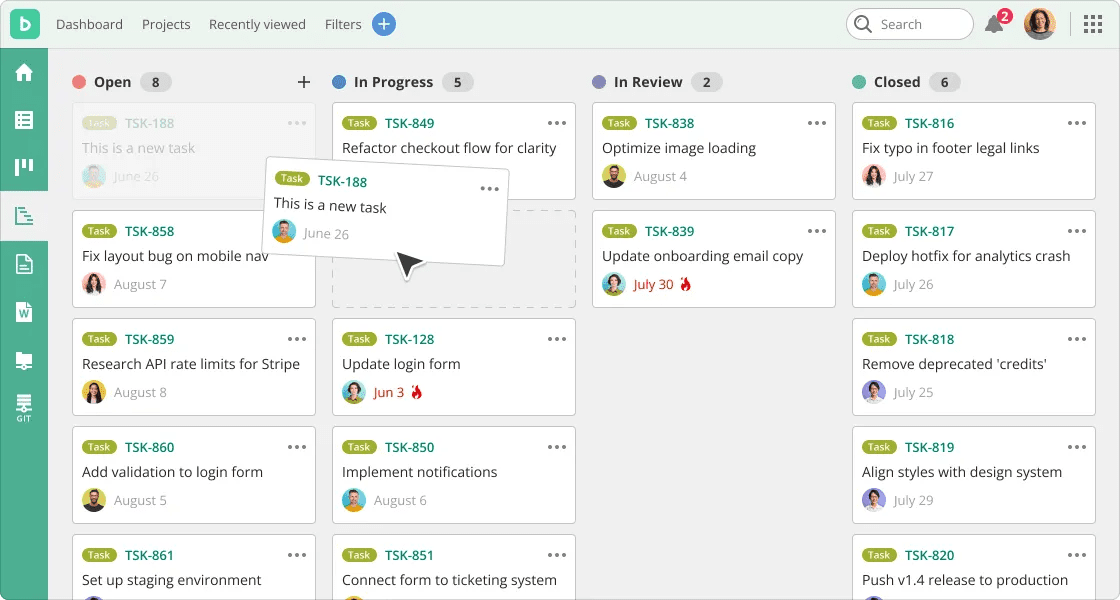
Plane represents an open-source substitute addressing issues, iterative cycles, functional modules, and strategic roadmaps. The cloud offering carries no membership restrictions at no cost. The self-managed variant maintains this complimentary status, positioning it as the most direct successor for installations previously dependent on Jira Server and requiring data retention within owned infrastructure. Development momentum has accelerated notably since 2023.
Advantages
- Complete self-hosting capability without licensing expenditure
- Unrestricted cloud tier without membership ceilings
- Active maintenance schedule with expanding connection library
Limitations
- Organizational reporting maturity trails Jira’s enterprise offerings
- Extension ecosystem substantially more constrained than Atlassian’s marketplace
5. monday.com
Adaptable work coordination spanning technical and non-technical functions.
Best for: Groups simultaneously managing development and business operations initiatives
Pricing: From $9 per user monthly (minimum three participants)
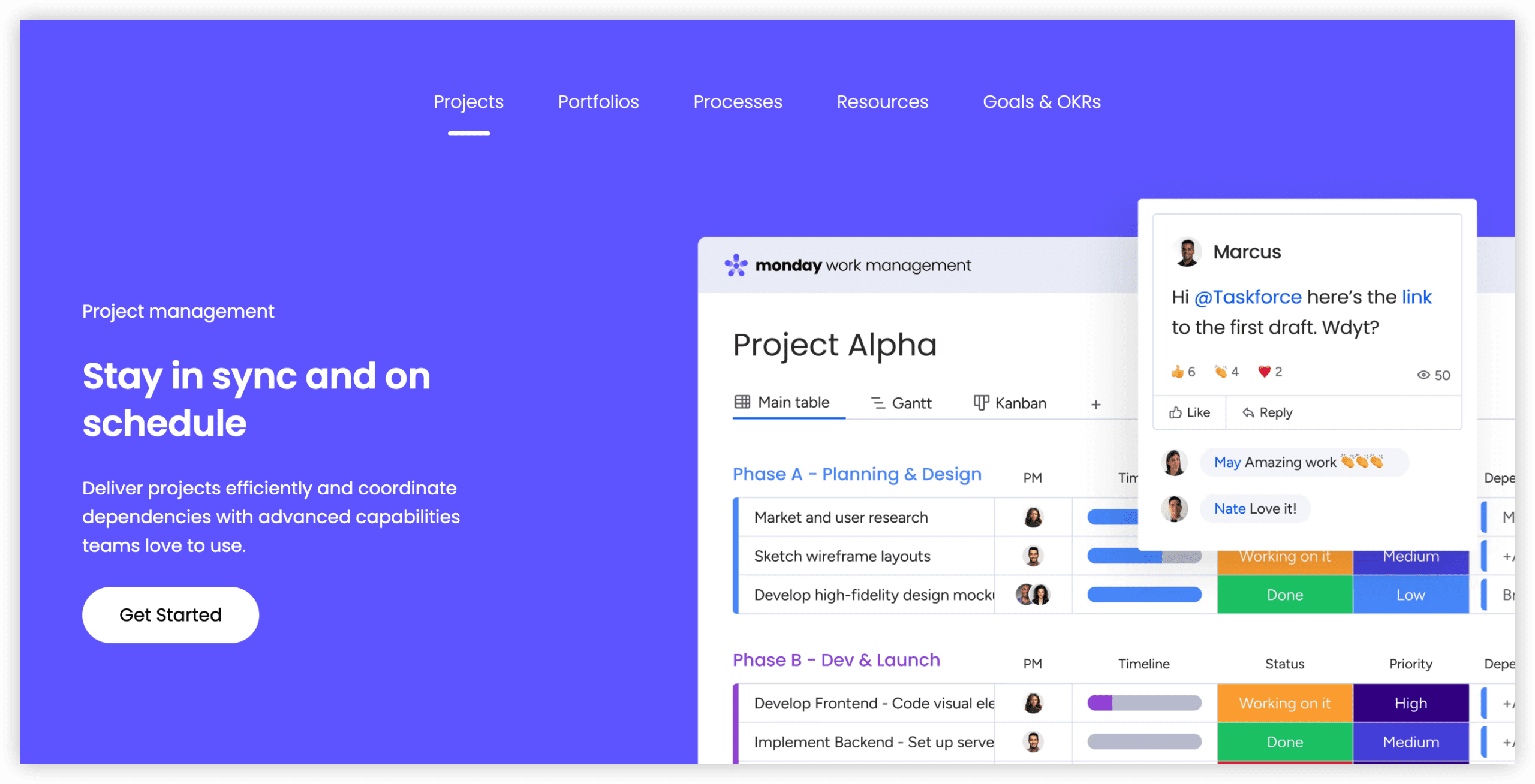
monday.com functions as a visual work management environment traversing engineering, marketing, human resources, and operational domains. Configuration demands substantially less technical expertise than Jira for non-specialist users, featuring drag-and-drop automation construction, multiple perspective modes (kanban, timeline, Gantt, calendar), and robust dashboard analytics. While not purpose-built for agile software delivery, its handling of mixed-team workflows exceeds Jira’s flexibility in heterogeneous environments.
Advantages
- Automation construction requires no programming knowledge
- Effective adoption across non-technical participant profiles
- Comprehensive dashboard and analytical capabilities on Pro tiers and above
Limitations
- Absence of native sprint velocity or release milestone tracking
- Cost escalation without meaningful complimentary tier
6. Businessmap
Portfolio kanban with integrated objective alignment for scaled implementations.
Best for: Enterprise organizations extending agile practices across multiple departments
Pricing: Custom quotation basis
Businessmap (previously Kanbanize) targets environments executing portfolio-level kanban and objective tracking across numerous teams or functional divisions. It incorporates granular flow analytics, work-in-progress constraints, dependency visualization, and native objective linking that bridges team output to strategic business results. This specialization exceeds Jira’s general project management orientation, precisely addressing large-scale agile transformation requirements.
Advantages
- Portfolio kanban with cross-team dependency mapping
- Native objective tracking connected to operational deliverables
- Flow analytics measuring cycle duration and throughput
Limitations
- Absence of transparent public pricing information
- Excessive capability for groups without portfolio-scale coordination needs
7. Teamwork.com
Project delivery designed around client engagement and revenue recognition.
Best for: Agencies and professional services organizations
Pricing: From $10.99 per user monthly
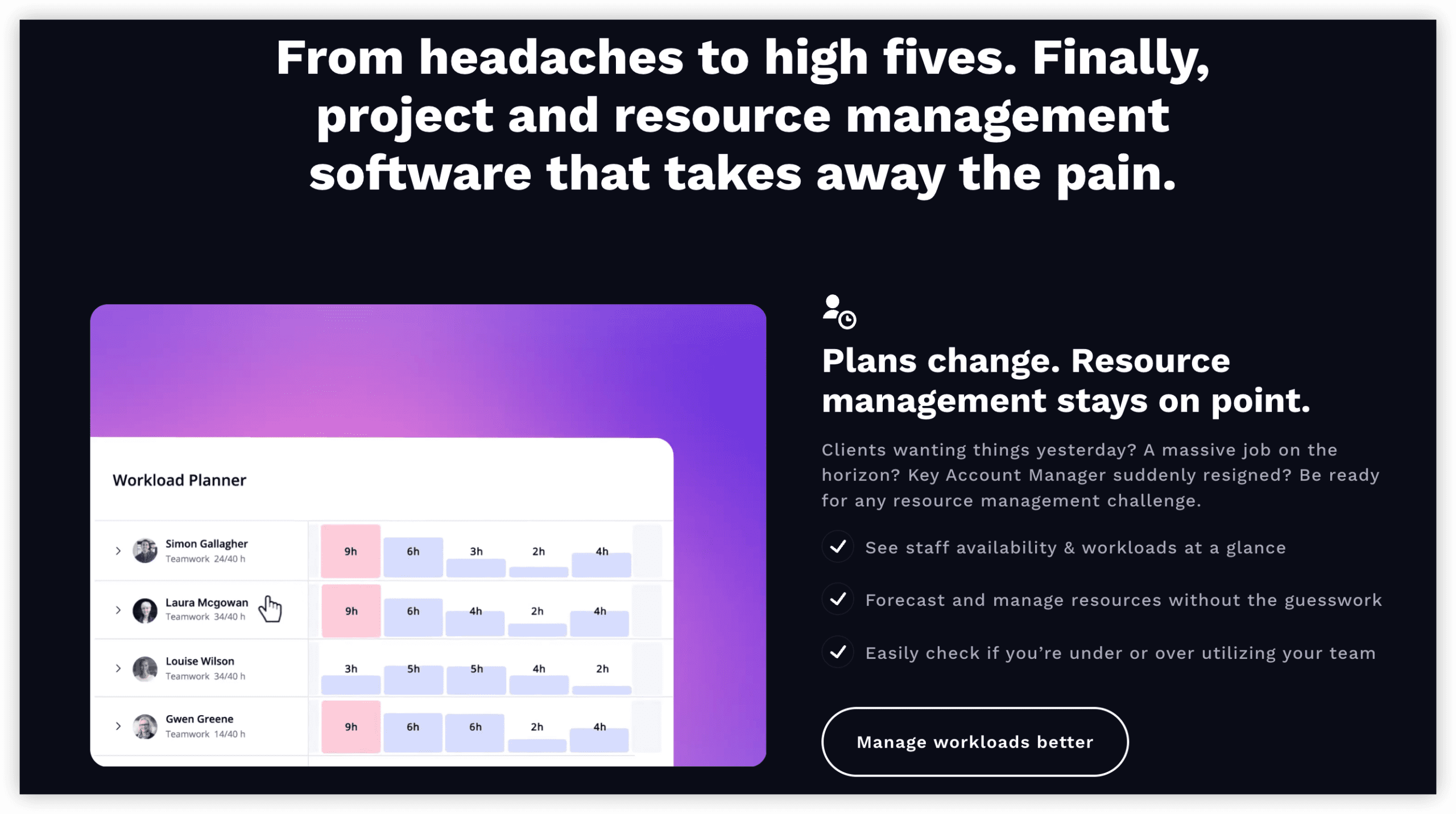
Teamwork.com addresses agencies and professional services entities billing by time increments. Native capabilities encompass time logging, client access portals, retainer administration, and per-project profitability analysis—functionality absent from Jira’s core offering. For development agencies executing client engagements, this eliminates separate time-tracking applications and spreadsheet-dependent invoicing processes.
Advantages
- Integrated billable time logging and invoice generation
- External stakeholder access through dedicated client portals
- Retainer and budget monitoring per engagement
Limitations
- Agile and sprint capabilities less developed than Jira’s
- Per-seat pricing accumulates for larger internal groups
8. ProofHub
Fixed-cost coordination with embedded team communication.
Best for: Small businesses seeking Jira’s scope without per-seat pricing
Pricing: Fixed monthly rate from $45
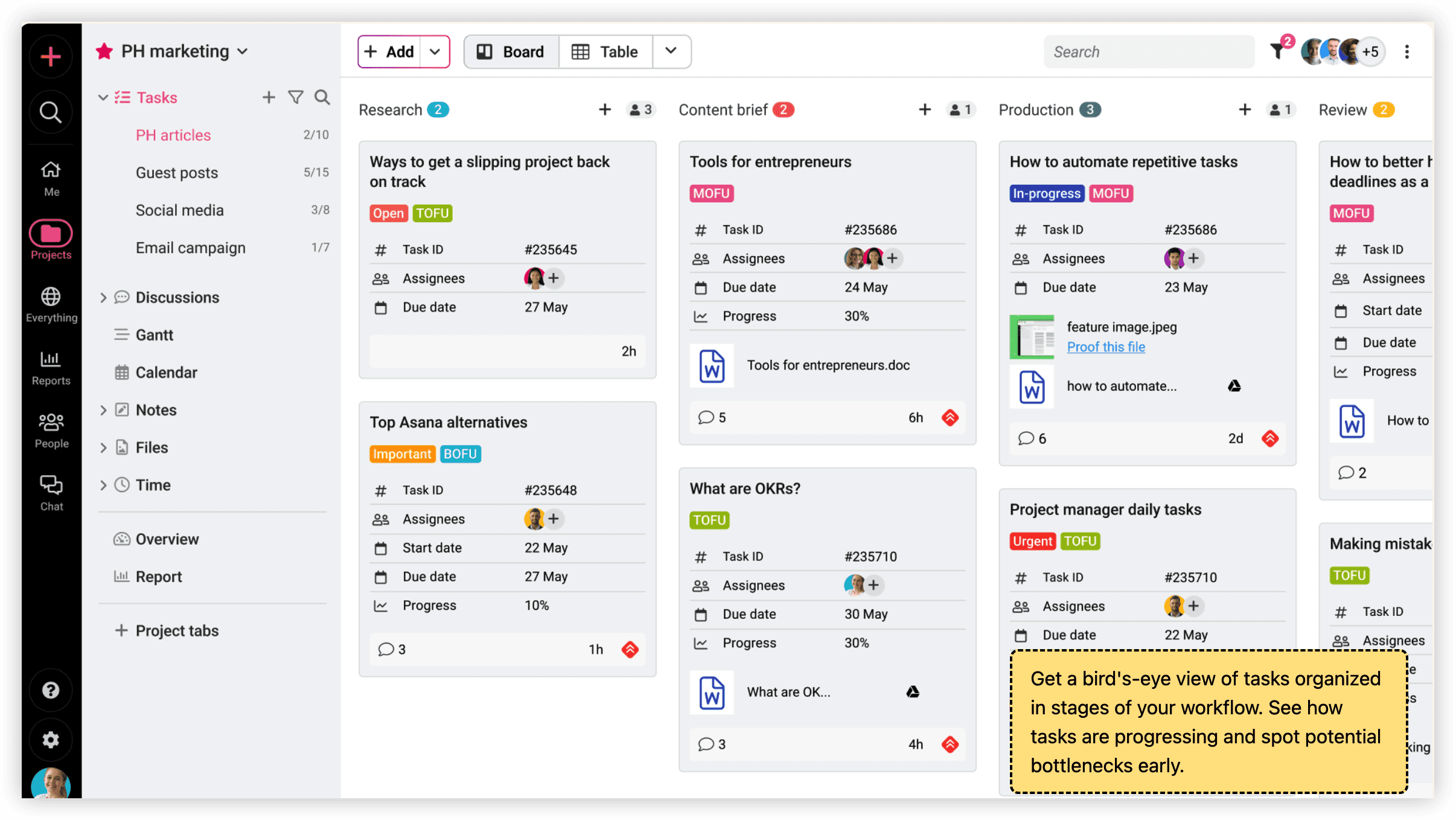
ProofHub employs a uniform monthly charge irrespective of participant count, creating unusual affordability for expanding teams. Coverage extends to task coordination, Gantt timelines, kanban boards, time logging, document review and approval, and integrated messaging. While less developer-specialized than Jira, organizations overspending on infrequently used Jira seats often discover better economic alignment here.
Advantages
- Fixed fee encompasses unlimited participants
- Document review and approval workflows included natively
- Team messaging integrated, eliminating separate communication subscriptions
Limitations
- Absence of developer-specific metrics like sprint velocity
- Integration library significantly more limited than Jira’s
Decision Framework: Selecting Your Jira Successor
Evaluate methodology specificity versus general tracking requirements. Jira’s architecture centers on scrum and kanban execution. If sprint velocity visualization and release burndown analysis remain essential, prioritize alternatives replicating these capabilities. For straightforward task progression and delivery, lighter platforms reduce friction without functional sacrifice.
Calculate total expenditure at actual projected scale. Per-seat models appear economical for minimal teams but become burdensome at thirty or fifty participants. Fixed-rate alternatives like Backlog fundamentally alter cost dynamics for mid-size groups through pricing decoupled from headcount growth.
Determine infrastructure sovereignty requirements. With Jira Server discontinued and Data Center support concluding in 2029, regulated sectors require deployable alternatives. Self-hosting capability should serve as the initial filter when data residency and compliance governance apply.
Assess non-development workflow integration. Many organizations extend Jira beyond engineering: marketing iterations, human resources requests, operational tickets. Certain alternatives accommodate these use cases more naturally, while others narrow focus further toward technical teams. Candid evaluation of daily active user profiles prevents capability misalignment.
Validate migration fidelity before full commitment. Most alternatives support CSV import, though data integrity varies. Custom field mappings, file attachments, and discussion histories frequently degrade during transfer. Execute trial migration with representative projects before committing complete backlog relocation.
Frequently Asked Questions
Which complimentary alternative best replaces Jira for small technical teams?
Linear offers the most substantial complimentary tier for compact software groups, with cycles, projects, and integrations included without charge. Plane provides unlimited cloud participants at no cost, though with a younger feature set.
What option serves organizations that must retain on-premises deployment?
Plane delivers fully self-hostable open-source functionality without licensing fees. For enterprise contexts requiring commercial support alongside private infrastructure, ONES provides deployable instances with professional service backing.
How do fixed-rate and per-seat pricing models compare at scale?
At twenty to thirty participants, fixed-rate platforms like Backlog and ProofHub typically undercut per-seat equivalents by 40-60%. The crossover point varies by specific tool and feature tier, but generally emerges between ten and fifteen users.
Which alternative accommodates both engineering and business teams most effectively?
monday.com and ONES both address cross-functional requirements, with ONES emphasizing deeper R&D lifecycle integration and monday.com prioritizing accessibility for non-technical contributors. Selection depends on whether the primary friction lies in technical workflow depth or broad organizational adoption.
Are these platforms suitable for agencies managing external client engagements?
Teamwork.com specifically architects for this context with native time billing, client portals, and profitability tracking. ProofHub and monday.com accommodate client visibility through alternative mechanisms, though without equivalent financial operations integration.