



Looking for a Jira alternative? This guide examines 10 platforms suited for different team structures, budgets, and workflows in 2026: ONES, ClickUp, Monday.com, Asana, Linear, Shortcut, Notion, Trello, Wrike, and Basecamp.
Jira remains the benchmark for agile software development. Its sprint planning, backlog management, and Git integrations are engineered for dev teams, and its 4.3/5 G2 rating from over 7,500 reviews confirms its standing among technical users. For engineering teams committed to Scrum or Kanban, few tools match its depth.
Yet that specialization creates friction. Teams frequently encounter barriers with Jira’s learning curve, struggle to onboard non-technical colleagues, watch expenses accumulate through Confluence and Marketplace dependencies, or discover that basic needs like documentation and time tracking require additional purchases. The following analysis evaluates alternatives across distinct use cases—so you can identify software aligned with your team’s actual operational patterns, rather than engineering-centric defaults.
Quick Comparison
| Tool | Best For | Free Plan | Starting Price | G2 Rating |
|---|---|---|---|---|
| ONES | Enterprise R&D management | Limited | Custom | 4.5/5 |
| ClickUp | All-in-one replacement | Unlimited users | $7/user/month | 4.7/5 |
| Monday.com | Visual non-dev teams | 2 users | $12/seat/month | 4.7/5 |
| Asana | Structured workflows | 10 users | $10.99/user/month | 4.4/5 |
| Linear | Developer speed | Unlimited | $10/user/month | 4.6/5 |
| Shortcut | Budget-conscious dev teams | 10 users | $8.50/user/month | 4.4/5 |
| Notion | Documentation-first teams | 1 user | $10/user/month | 4.6/5 |
| Trello | Simple kanban | 10 collaborators | $5/user/month | 4.4/5 |
| Wrike | Enterprise resource management | Unlimited* | $10/user/month | 4.2/5 |
| Basecamp | Simplicity & flat-rate pricing | 1 project | $15/user/month | 4.1/5 |
*Wrike’s free plan limits active tasks to 200. G2 ratings sourced March 2026; review counts below 200 noted in source data.
Why Teams Move Away From Jira
The decision to replace Jira typically stems from specific, recurring constraints:
Extended onboarding demands. Jira’s interface presumes agile methodology fluency—issue types, workflows, screens, schemes, and field configurations. New users often require multiple weeks before achieving productivity. Competitors like ClickUp and Monday.com prioritize minutes-to-value rather than sprint-based ramp-up periods.
Developer-oriented design excludes other functions. Built by engineers for engineers, Jira’s interface can confuse marketers, designers, operations staff, and product managers without technical backgrounds. Cross-functional teams frequently maintain Jira for engineering while adopting separate platforms for other departments—increasing costs and fragmenting visibility.
Ecosystem expenses accumulate. Jira Standard lists at $7.91/user/month, yet most teams require Confluence for documentation ($5.42/user/month), Marketplace applications for time tracking and advanced reporting, and potentially additional security solutions. A realistic Atlassian stack for a 20-person team often costs two to three times the base pricing suggests.
Missing native workspace capabilities. Jira functions as a project tracker, not an integrated workspace. Documentation resides in Confluence (separate product, separate cost). Time tracking depends on Marketplace apps like Tempo ($10/user/month). Team communication requires Slack or Microsoft Teams. Alternatives such as ClickUp, Notion, and Monday.com bundle these capabilities natively, reducing tool proliferation and total expenditure.
Administrative burden at scale. Large Jira deployments demand dedicated administrators to manage custom workflows, permission schemes, notification configurations, and issue type hierarchies. The flexibility enabling Jira’s power simultaneously makes it expensive to maintain. Teams without specialized administrators often develop misconfigured instances that frustrate users.
Evaluation Framework
Each alternative was assessed against six dimensions:
- Ease of use: Time-to-value, onboarding experience, interface clarity for technical and non-technical users
- Features: Agile capabilities, automation depth, view variety, and project management breadth relative to Jira
- Pricing: Free plan generosity, paid plan value, total cost including ecosystem additions
- Integrations: Git hosting, CI/CD pipelines, design tools, API access, and automation platform compatibility
- Mobile: iOS and Android application quality
- Scalability: Capacity for complex, multi-team workflows as organizations expand
Free plans were tested where available. Feedback was cross-referenced across G2, Capterra, and Reddit. Pricing was verified from official sources in March 2026.
Detailed Platform Analysis
1. ONES — Best for Enterprise R&D Management
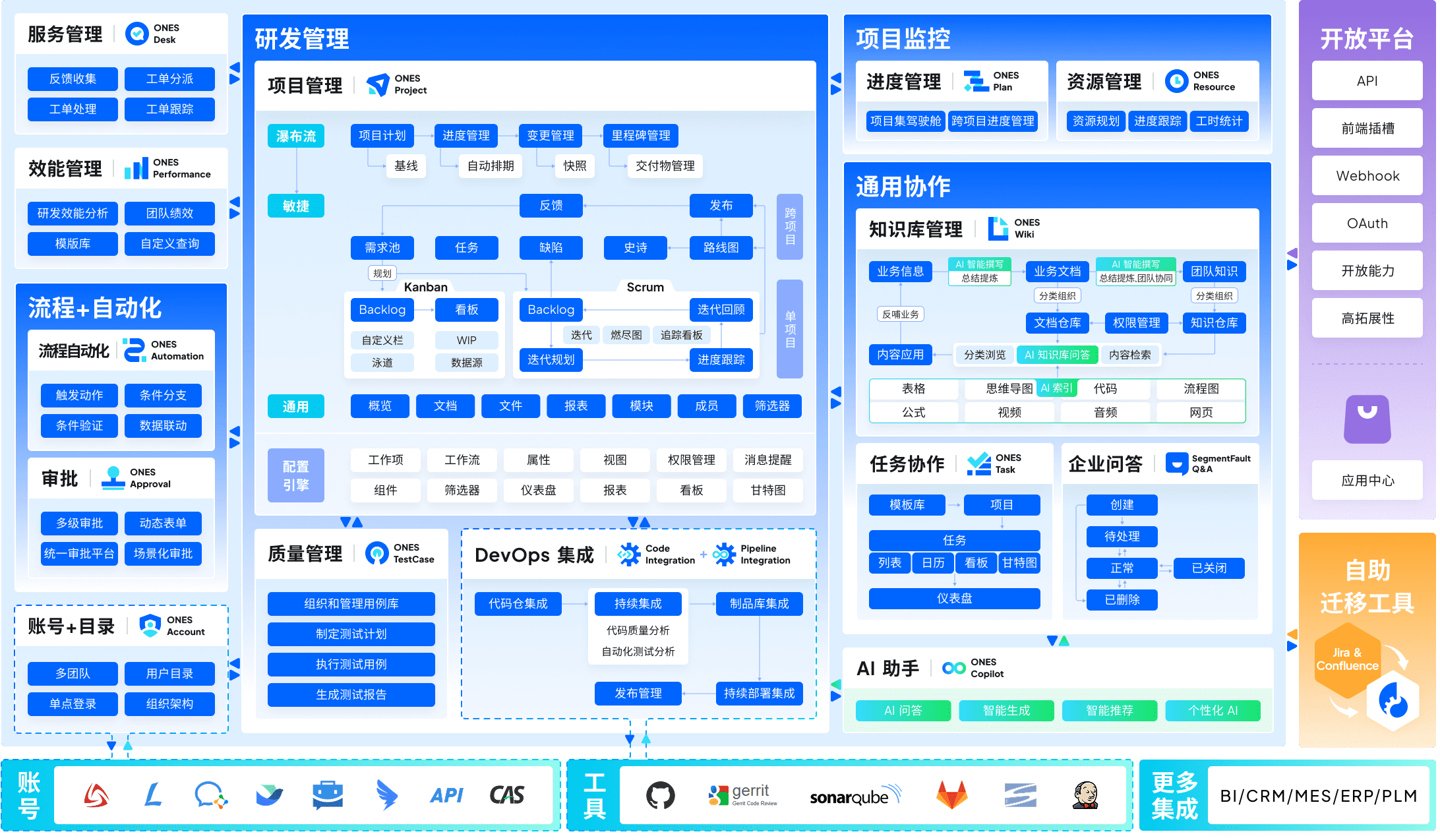
ONES occupies a distinct position among Jira alternatives: built specifically for enterprise-scale research and development operations rather than general project management. Where Jira offers configurable agile tools, ONES delivers an integrated R&D operating system spanning project management, requirements management, knowledge repositories, test management, and pipeline orchestration with code management.
The platform’s architecture addresses a critical pain point for growing technical organizations—tool fragmentation. Rather than connecting Jira with Confluence, test management solutions, and CI/CD dashboards through integrations, ONES unifies these functions within a single data model. This consolidation enables cross-functional traceability from product requirements through deployment, with governance controls suited to complex organizational structures.
ONES emphasizes measurable engineering outcomes. Its analytics layer supports DORA metrics, cycle time analysis, and custom efficiency indicators that inform iterative improvement. For organizations where software delivery performance directly impacts business results, this measurement orientation differentiates ONES from tools treating metrics as secondary features.
The platform targets medium to large enterprises with sophisticated process requirements. Customizable workflow engines, granular permission architectures, and cross-departmental collaboration frameworks accommodate regulated industries and multi-layered reporting structures. Implementation typically involves professional services engagement rather than self-serve onboarding.
Key capabilities:
- Unified project, requirements, test, and release management within single platform
- Integrated knowledge management replacing separate documentation tools
- Pipeline and code repository integration reducing toolchain complexity
- Advanced analytics for delivery quality and velocity measurement
- Enterprise-grade permission models and workflow governance
Strengths:
- Eliminates data silos between product, engineering, and quality functions
- Supports complex organizational hierarchies and compliance requirements
- Native metrics reduce dependency on external analytics platforms
Limitations:
- Requires dedicated implementation investment
- Not optimized for small teams or non-technical departments
- Pricing model suited to enterprise procurement cycles
Pricing: Custom enterprise pricing based on scale and module selection. Contact sales for detailed quotation.
2. ClickUp — Best All-in-One Alternative
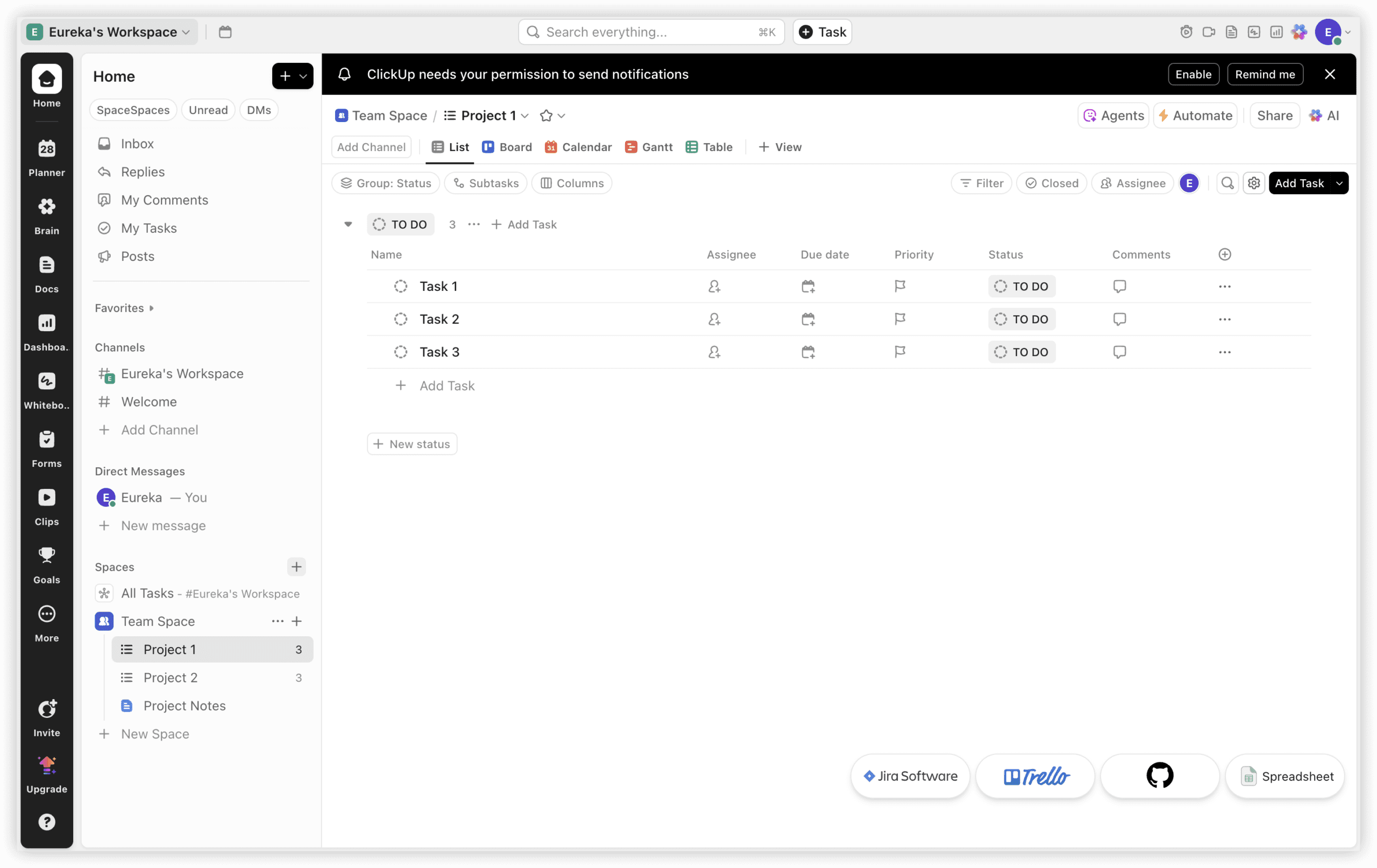
ClickUp presents the most comprehensive Jira replacement for teams seeking consolidated project management, documentation, time tracking, and communication. At $7/user/month (Unlimited plan), it includes capabilities requiring Jira Standard ($7.91) plus Confluence ($5.42/user/month) plus Marketplace apps to replicate—substantially reducing total ownership cost.
The fundamental distinction: ClickUp operates as a workspace, Jira as a tracker. ClickUp Docs replaces Confluence, built-in time tracking supersedes Tempo, ClickUp Chat eliminates Slack threads about tasks, and 15+ view types encompass sprint boards, Gantt charts, and workload visualizations. For cross-functional teams with engineers, designers, and product managers collaborating closely, ClickUp resolves the “Jira for developers, alternative for others” dilemma.
The compromise mirrors Jira’s but inverted: ClickUp emphasizes breadth over depth. Jira’s sprint velocity charts, burndown reports, and native Git integrations demonstrate more refinement than ClickUp’s equivalents. Pure engineering teams immersed in sprints and story point measurement may find ClickUp’s agile features sufficient yet not exceptional. Where project management extends beyond engineering, ClickUp’s comprehensiveness prevails.
Key capabilities:
- 15+ view types: list, board, Gantt, calendar, timeline, workload, mind map
- Built-in time tracking with billable time support (Unlimited plan)
- ClickUp Docs with task linking and real-time collaboration
- 1,000 automations/month on Unlimited (compared to Jira Standard’s 1,700)
- Seven-level hierarchy for complex project organization
Strengths:
- All-in-one workspace eliminates Confluence, time tracking, and chat tool expenses
- Superior feature-to-price ratio: $7/user/month versus Jira Standard plus ecosystem additions
- Free plan supports unlimited users—more generous than Jira’s 10-user limit
Limitations:
- Steeper learning curve than anticipated—1-2 weeks configuration versus Jira’s familiar agile structure
- Agile-specific features (burndown, velocity) less polished than Jira’s native implementation
- Interface complexity for teams requiring only sprint boards
Pricing:
| Plan | Annual Cost | Notes |
|---|---|---|
| Free | $0 (unlimited users) | 100 automations/month, 100MB storage |
| Unlimited | $7/user/month | Time tracking, docs, 1,000 automations |
| Business | $12/user/month | 10,000 automations, advanced permissions |
| Enterprise | Custom | SSO, advanced security, dedicated CSM |
3. Monday.com — Best for Visual Non-Technical Teams
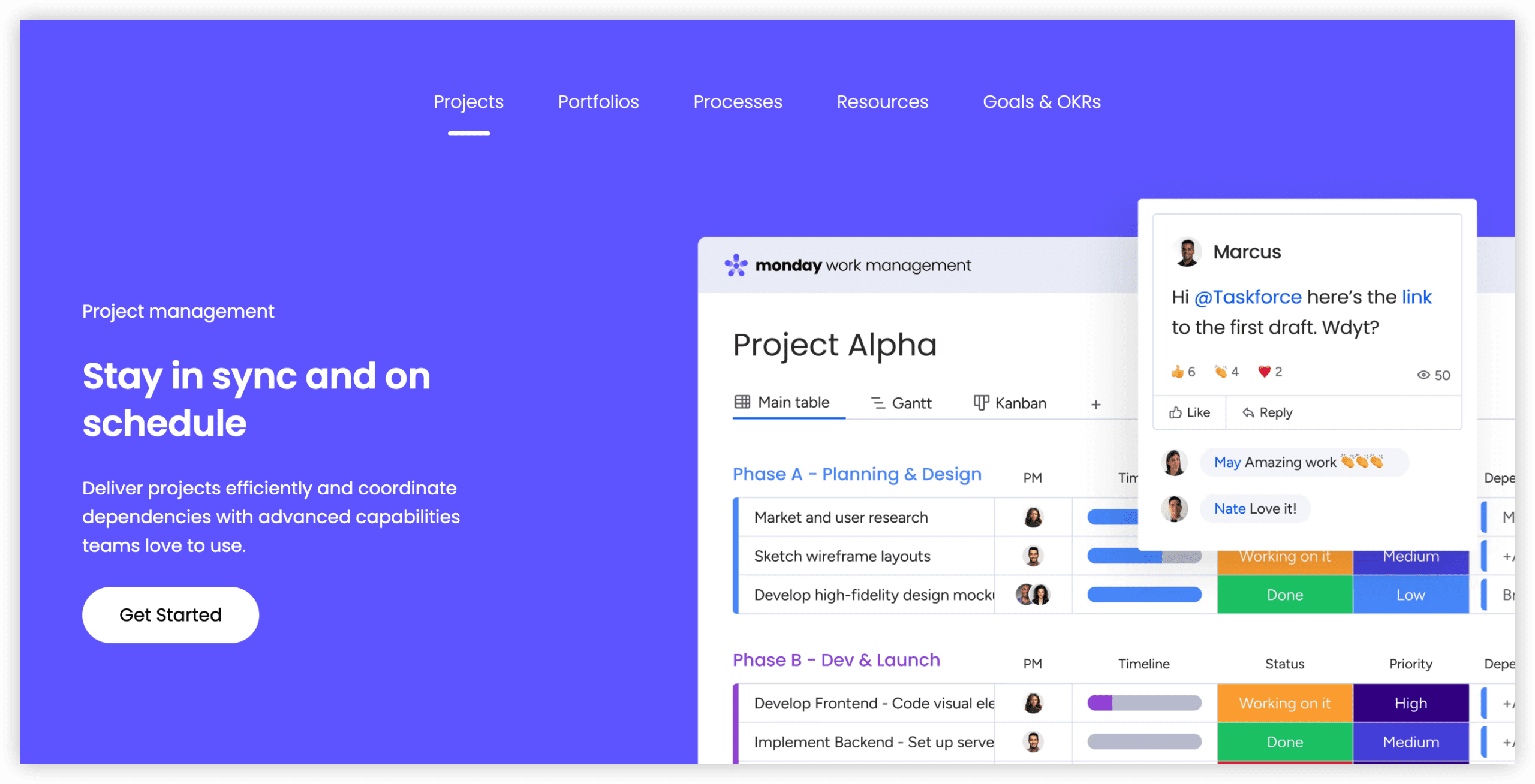
Monday.com serves teams where most users lack development backgrounds. Where Jira’s interface assumes agile proficiency, Monday.com’s colorful board interface immediately accommodates marketers, designers, operations managers, and spreadsheet-comfortable professionals. For organizations where Jira functions for engineering yet alienates other functions, Monday.com bridges that divide.
Monday.com’s Standard plan ($12/seat/month, 3-seat minimum) includes Timeline and Calendar views, Gantt charts, and 250 automations/month. The visual interface proves genuinely intuitive—most teams achieve productivity within hours rather than weeks. 200+ templates cover use cases from sprint planning to content calendars to client onboarding, standardizing workflows across departments.
The compromise: Monday.com lacks native sprint planning, backlog management, or story point tracking. Development teams can approximate agile workflows through custom boards and automations, though this constitutes workaround rather than native functionality. For pure engineering teams, this gap proves significant. For mixed or non-technical teams frustrated by Jira’s complexity, Monday.com eliminates friction entirely.
Key capabilities:
- 8+ view types: board, Timeline, Gantt, Calendar, Workload, Chart
- 250 automations/month on Standard, 25,000 on Pro
- 200+ templates for rapid project setup
- Integrations with Slack, Google Workspace, Microsoft 365, GitHub, and 200+ tools
- Monday AI for task suggestions, formula generation, and content drafting
Strengths:
- Most intuitive interface in this analysis—productive in hours versus Jira’s weeks
- Excellent for cross-functional teams where non-developers outnumber engineers
- Strong mobile application quality (4.7/5 Android, 42,600+ reviews)
Limitations:
- 3-seat minimum on all paid plans inflates costs for small teams
- No native sprint planning, story points, or backlog management
- Standard plan’s 250 automations/month cap constrains active teams
Pricing:
| Plan | Annual Cost | Notes |
|---|---|---|
| Free | $0 (up to 2 users) | 3 boards, 200 items |
| Standard | $12/seat/month | Timeline, Gantt, 250 automations/month |
| Pro | $19/seat/month | Time tracking, 25,000 automations |
| Enterprise | Custom | SSO, advanced security, audit logs |
4. Asana — Best for Structured Workflows and Unlimited Automations
Asana suits teams requiring structured work management with powerful automation—without Jira’s developer-centric complexity. Asana’s standout advantage: unlimited automations on the Starter plan ($10.99/user/month). Jira Standard’s 1,700 automations/month appears generous until a 20-person team exhausts this limit through routine workflow triggers.
The platform excels at cross-functional coordination. Portfolio views provide executives with program-level visibility without requiring Jira’s scheme configuration. Timeline and workload views support resource planning that Jira achieves only through plugins. For product teams coordinating design, marketing, and engineering efforts, Asana’s structure reduces coordination overhead.
Engineering teams find Asana’s agile support adequate rather than exceptional. Sprint planning exists through custom fields and rules, though burndown charts and velocity tracking require third-party integrations or manual construction. Teams prioritizing development-specific metrics typically prefer Linear or Shortcut.
Key capabilities:
- Unlimited automations on Starter plan and above
- Portfolio and workload views for cross-project visibility
- Timeline view with dependency tracking
- Forms, proofing, and approval workflows
- 100+ integrations including GitHub, GitLab, Slack, and Figma
Strengths:
- Unlimited automations eliminate usage anxiety
- Superior executive visibility through portfolios and dashboards
- Mature ecosystem with extensive integration options
Limitations:
- Agile features require customization rather than native support
- Per-user pricing escalates for large organizations
- Advanced features (workload, portfolios) require higher-tier plans
Pricing: Starter at $10.99/user/month; Advanced at $24.99/user/month; Enterprise and Enterprise+ at custom rates.

5. Linear — Best for Developer Velocity
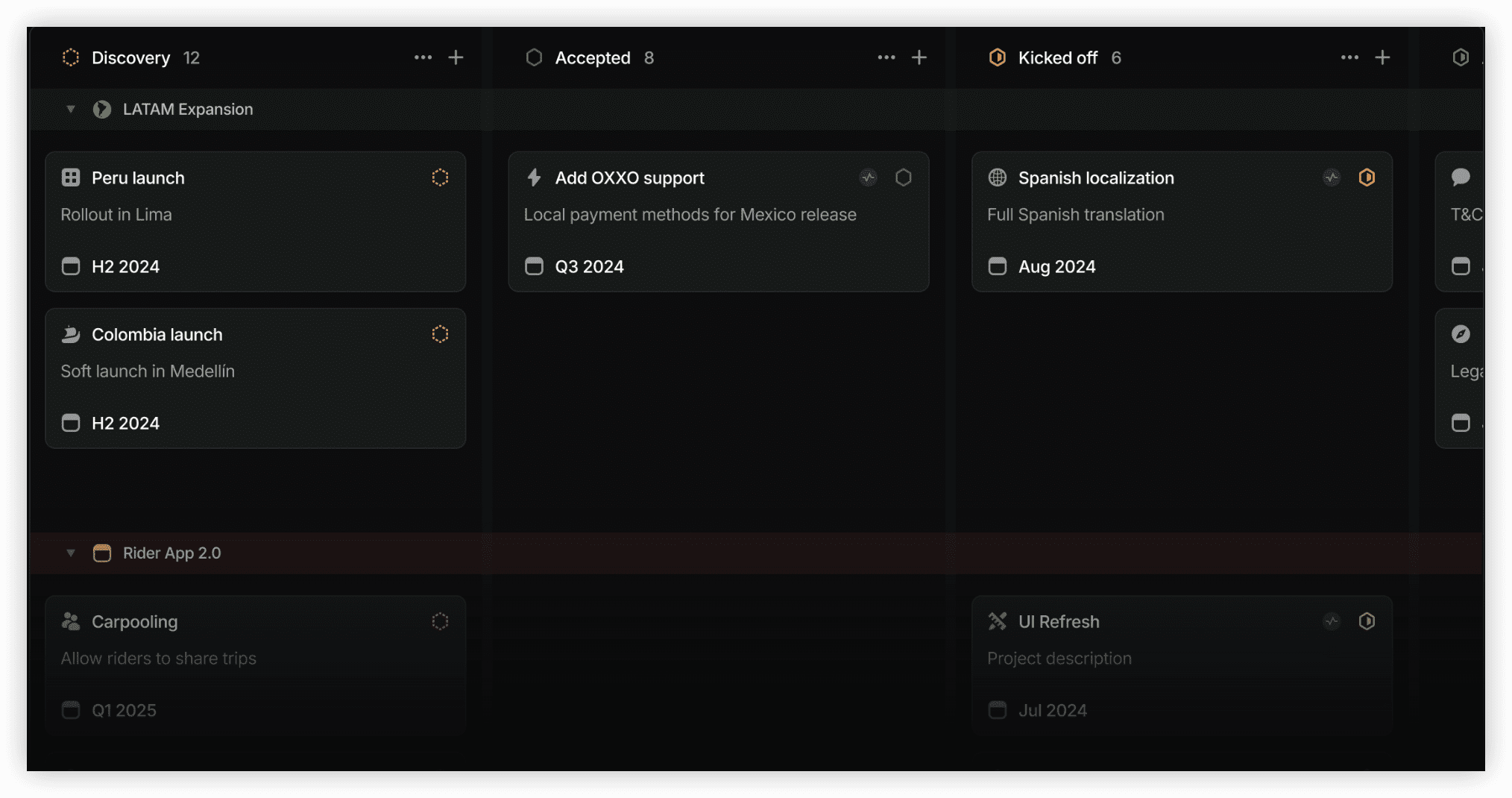
Linear occupies the opposite end of the spectrum from Monday.com—designed exclusively for software teams prioritizing speed and minimal friction. Its keyboard-centric interface, instant search, and zero-config sprint planning appeal to developers who find Jira sluggish and over-engineered.
The platform’s philosophy centers on opinionated simplicity. Workflows follow conventional agile patterns without requiring customization. Cycles (Linear’s term for sprints) auto-configure based on team preferences. Issue creation through command-line tools and GitHub integration reduces context switching. For teams where developer experience directly impacts product velocity, these optimizations matter.
Linear’s limitations emerge outside pure development contexts. Non-technical stakeholders find fewer entry points than in Jira or ClickUp. Documentation, roadmapping, and cross-functional project management require companion tools. The platform deliberately sacrifices flexibility for speed—appropriate for some teams, constraining for others.
Key capabilities:
- Keyboard-first interface with command palette navigation
- Automatic cycle (sprint) management with velocity tracking
- GitHub, GitLab, and Sentry integrations with bidirectional sync
- Custom views and filtered collections
- Linear Insights for delivery analytics
Strengths:
- Fastest issue creation and navigation among development tools
- Zero-configuration sprint management
- Refined user experience reduces cognitive overhead
Limitations:
- Limited utility for non-technical teams
- Restricted customization compared to Jira
- Roadmapping and documentation require additional platforms
Pricing: Free for unlimited users (limited features); Standard at $10/user/month; Plus at $15/user/month; Enterprise at custom rates.
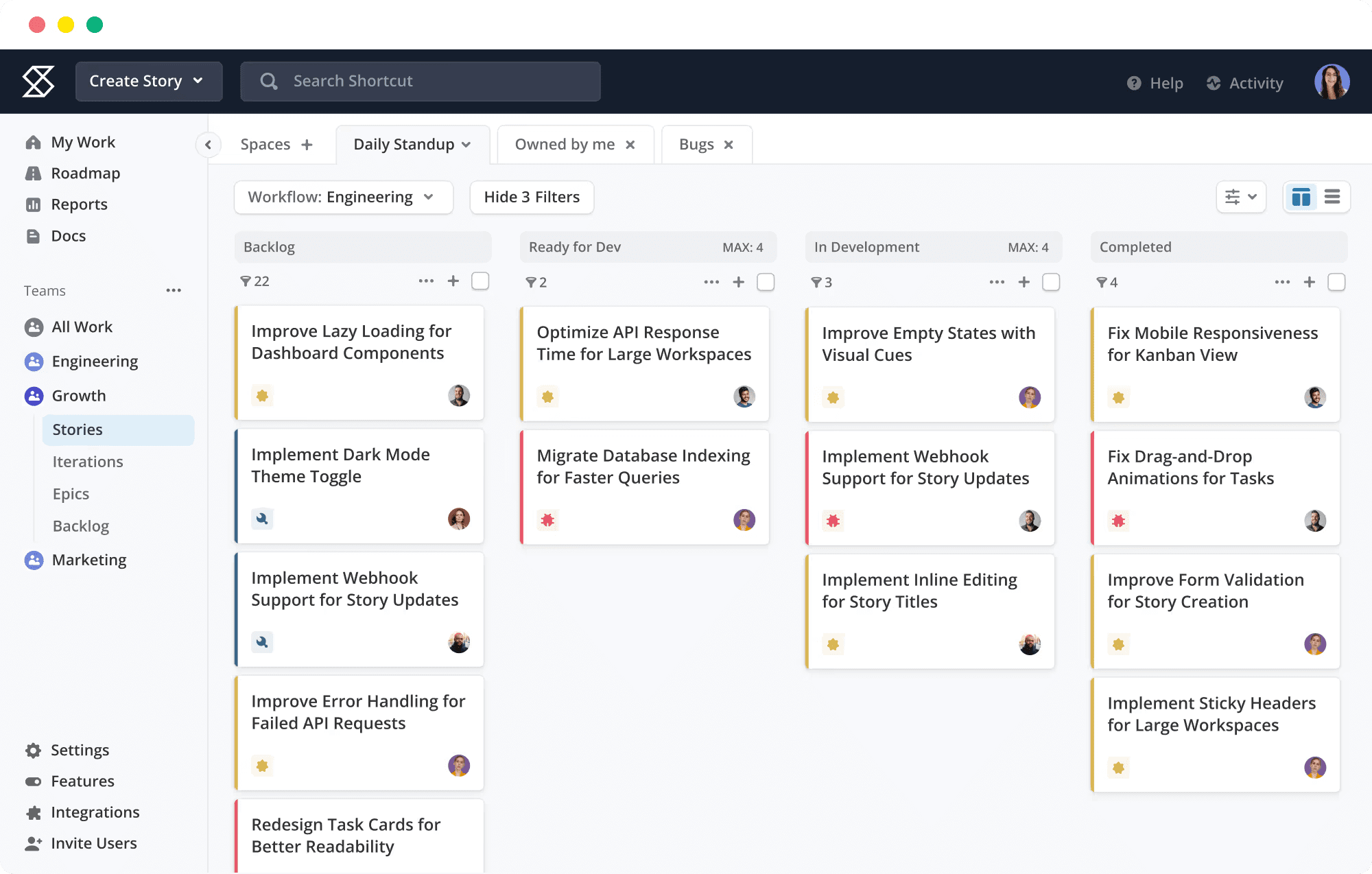
6. Shortcut — Best for Budget-Conscious Development Teams
Shortcut (formerly Clubhouse) positions between Linear’s minimalism and Jira’s configurability—agile-native yet approachable for smaller teams. Its story-based workflow, milestone tracking, and iteration planning provide sufficient structure without administrative complexity.
The platform particularly suits growing startups transitioning from spreadsheets or Trello into more disciplined development practices. The free tier accommodates 10 users with unlimited projects and stories, making it accessible for early-stage teams validating processes before committing to paid plans.
Shortcut’s constraints appear at scale. Advanced reporting, portfolio management, and enterprise security features lag behind Jira and ONES. Integration breadth, while covering essentials like GitHub and Slack, doesn’t match larger platforms. Teams anticipating rapid growth should evaluate whether Shortcut’s simplicity remains an asset or becomes a limitation.
Key capabilities:
- Story-centric workflow with epic and milestone organization
- Iteration planning with velocity and burndown tracking
- Team-based workflow customization
- GitHub, GitLab, Bitbucket, and Slack integrations
Strengths:
- Accessible free tier for small teams
- Lower learning curve than Jira while maintaining agile structure
- Competitive pricing for paid features
Limitations:
- Limited enterprise features and compliance certifications
- Reporting depth insufficient for complex organizations
- Smaller ecosystem and community than established alternatives
Pricing: Free for up to 10 users; Team at $8.50/user/month; Business at custom rates.
7. Notion — Best for Documentation-Centric Teams
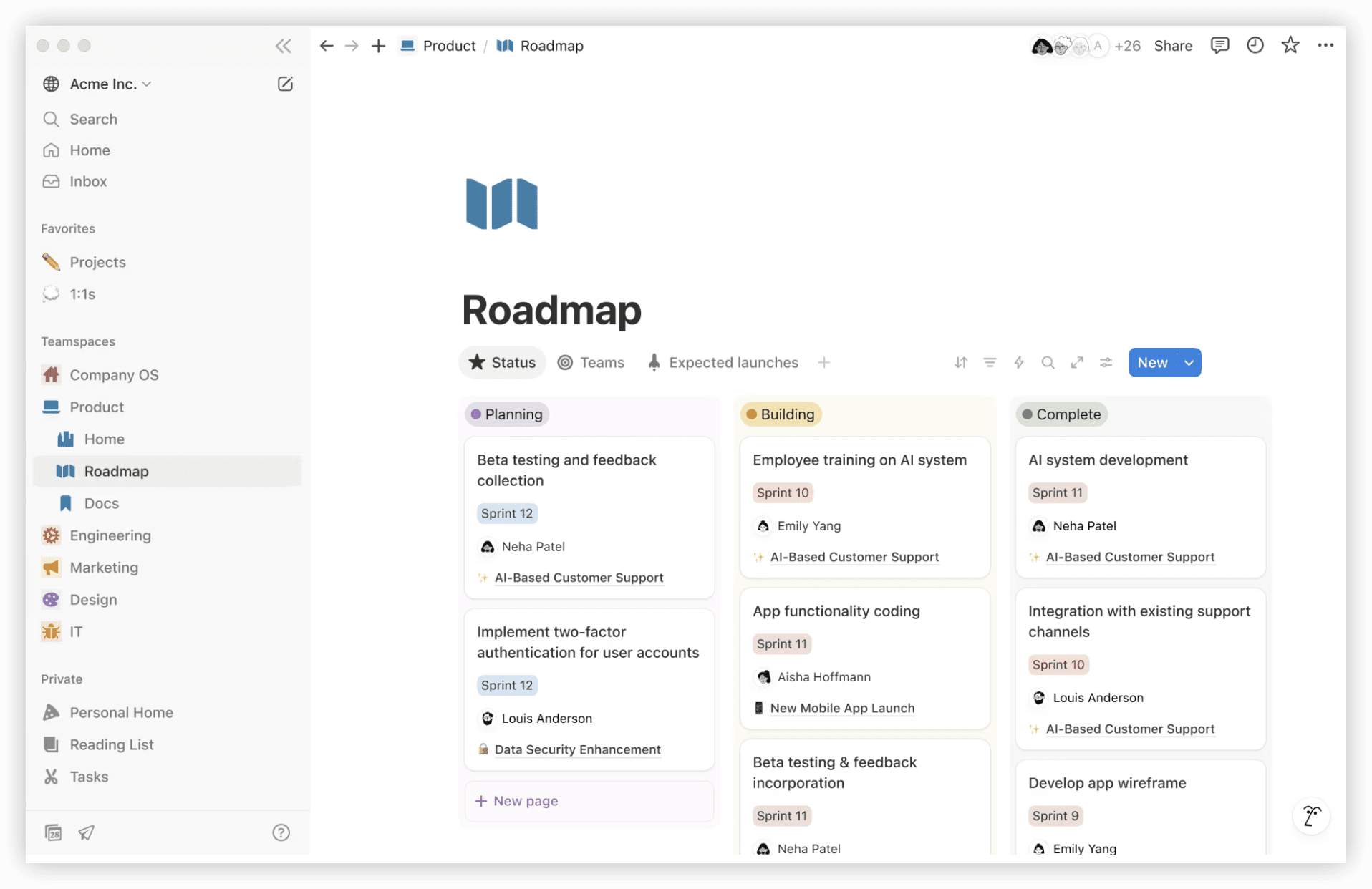
Notion represents a fundamentally different approach to work management—starting from documents and databases rather than tickets and sprints. Teams that organize work through living documents, wikis, and knowledge bases find Notion’s flexibility compelling, while acknowledging its project management features as secondary.
The platform’s database functionality enables sophisticated project tracking: kanban boards, calendars, and tables linked to contextual documentation. However, these constructs require deliberate design rather than arriving pre-configured. Teams without Notion expertise may invest significant setup time before achieving operational efficiency.
For organizations where documentation quality directly impacts execution—consultancies, agencies, research teams—Notion’s unified approach eliminates the Jira-Confluence friction. Engineering teams requiring rigorous sprint management typically supplement Notion with dedicated development tools.
Key capabilities:
- Flexible databases with multiple view types
- Nested pages and block-based editing
- Templates for common workflows and documentation patterns
- AI-powered writing assistance and content generation
- Extensive integration through API and embedded tools
Strengths:
- Unmatched flexibility for knowledge and project integration
- Strong free personal plan for individual use
- Active template community accelerates setup
Limitations:
- Project management features require substantial configuration
- Performance degrades with large, complex databases
- Mobile experience less refined than dedicated PM applications
Pricing: Free for individual use; Plus at $10/user/month; Business at $15/user/month; Enterprise at custom rates.
8. Trello — Best for Simple Kanban
Trello, also Atlassian-owned, offers the most accessible entry point for teams seeking basic kanban visualization. Its card-based interface requires virtually no training, making it suitable for teams with straightforward workflow needs or those transitioning from physical boards.
The platform’s simplicity becomes constraining for complex operations. Without native sprints, epics, or advanced reporting, teams outgrow Trello quickly as processes mature. Power-Ups (integrations) extend functionality but introduce the same cost accumulation patterns that drive teams from Jira toward all-in-one alternatives.
Trello persists as a viable option for non-technical departments, small projects, or teams prioritizing visual simplicity over feature depth. Its acquisition by Atlassian means native Jira integration, though this benefit diminishes for teams explicitly seeking to depart the Atlassian ecosystem.
Key capabilities:
- Intuitive card-based kanban boards
- Custom fields, labels, and checklists
- Automation through Butler (built-in) and Power-Ups
- Template gallery for common use cases
Strengths:
- Minimal learning curve—immediately usable
- Free tier accommodates small teams
- Atlassian ecosystem integration for existing users
Limitations:
- Insufficient for complex project management
- Power-Up costs accumulate for advanced features
- Limited reporting and analytics
Pricing: Free for up to 10 collaborators; Standard at $5/user/month; Premium at $10/user/month; Enterprise at $17.50/user/month.
9. Wrike — Best for Enterprise Resource Management
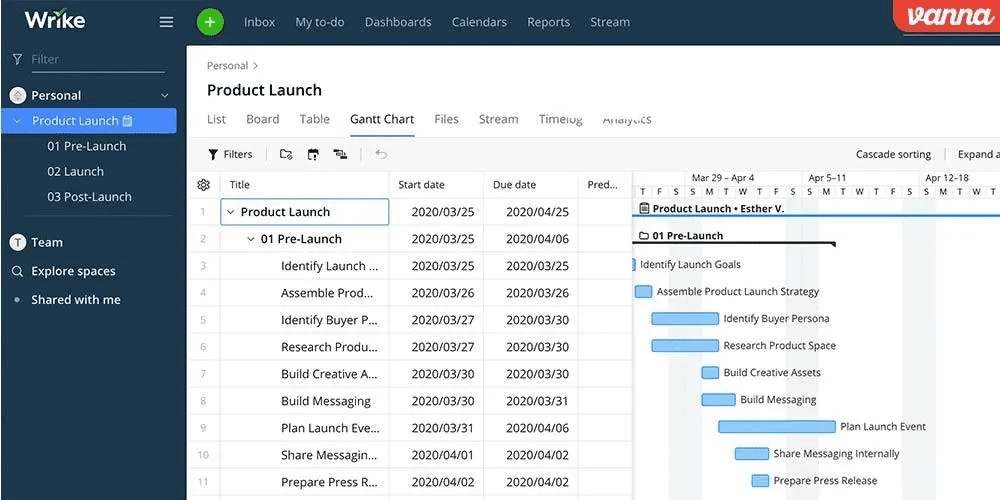
Wrike targets organizations requiring sophisticated resource allocation, capacity planning, and cross-project visibility. Its enterprise heritage shows in advanced features like workload balancing, time tracking, and custom request forms—capabilities that Jira achieves through multiple plugins.
The platform’s strength lies in managing complex portfolios across departments. Marketing, professional services, and product teams with shared resource pools benefit from Wrike’s allocation views and timeline dependencies. However, this sophistication introduces interface complexity that rivals Jira’s learning curve.
Development teams find Wrike’s agile support perfunctory. Sprint management exists but feels grafted onto a fundamentally waterfall-oriented architecture. Organizations with significant software development components typically deploy Wrike alongside specialized engineering tools rather than as a replacement.
Key capabilities:
- Advanced resource and workload management
- Custom request forms with automated routing
- Time tracking and project accounting
- Proofing and approval workflows
- Enterprise security and compliance certifications
Strengths:
- Superior resource visibility for complex organizations
- Mature enterprise features and support
- Robust reporting and dashboard customization
Limitations:
- Steep learning curve and implementation investment
- Aglie features less developed than dedicated alternatives
- Higher total cost for full feature utilization
Pricing: Free (limited to 200 active tasks); Team at $10/user/month; Business at $24.80/user/month; Enterprise and Pinnacle at custom rates.
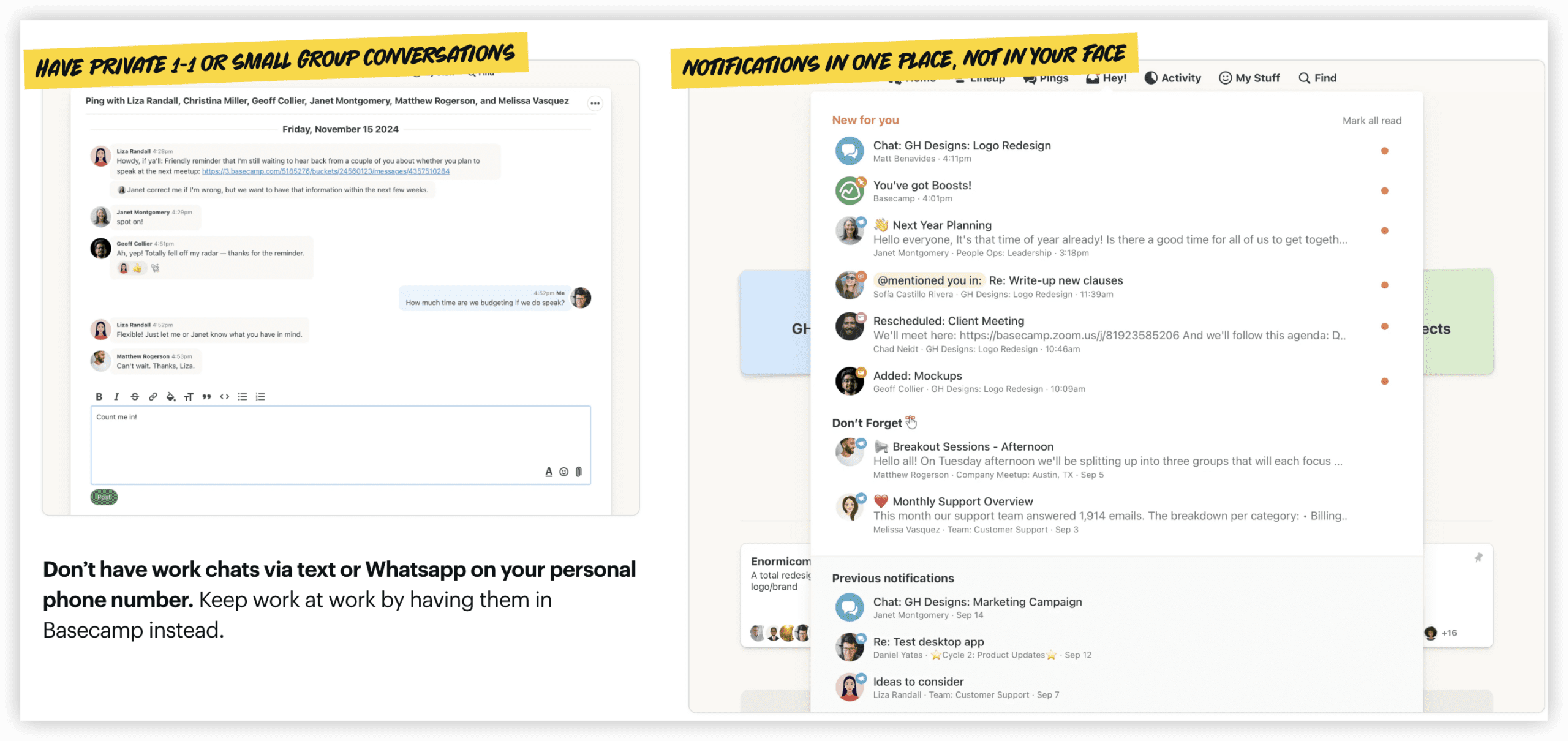
10. Basecamp — Best for Simplicity and Flat-Rate Pricing
Basecamp pursues radical simplicity in a market trending toward feature accumulation. Its flat-rate pricing ($299/month for unlimited users in Basecamp Pro Unlimited) eliminates per-seat calculations that complicate budgeting for growing teams.
The platform organizes work around projects, message boards, to-dos, and schedules—sufficient for straightforward collaboration but deliberately avoiding the complexity of sprint management, resource allocation, or advanced reporting. Teams accustomed to Jira’s granularity may find Basecamp’s approach refreshing or constraining depending on their needs.
Basecamp’s philosophy extends to its business model: no free tier, no feature tiers, no upsell pressure. This transparency appeals to organizations fatigued by pricing optimization tactics. The trade-off is clear functionality boundaries—what you see is what you get, with limited customization or extension.
Key capabilities:
- Project-based organization with message boards and to-do lists
- Automatic check-ins for status updates
- File sharing and document collaboration
- Hill Charts for visual progress tracking
Strengths:
- Predictable flat-rate pricing for large teams
- Minimal training requirements
- Strong company culture and transparent business practices
Limitations:
- No native agile or sprint management
- Limited integration ecosystem
- Insufficient for complex project management needs
Pricing: Basecamp at $15/user/month (minimum); Pro Unlimited at $299/month for unlimited users.
Selection Framework: Choosing Your Jira Alternative
The appropriate Jira replacement depends on organizational context rather than feature checklists. Consider these decision factors:
Team composition. Engineering-majority teams with sprint-based workflows should evaluate Linear, Shortcut, or ONES. Cross-functional teams with diverse technical skills benefit from ClickUp, Monday.com, or Asana. Non-technical teams find Monday.com or Trello most accessible.
Organizational scale. Small teams (under 10) often thrive with free tiers from ClickUp, Linear, or Shortcut. Mid-size organizations (10-200) should assess per-seat costs against growth projections. Enterprises (200+) require evaluation of ONES, Wrike, or Jira itself for governance and compliance requirements.
Tool consolidation priorities. Teams seeking to reduce vendor count should prioritize ClickUp (comprehensive workspace) or ONES (integrated R&D platform). Organizations comfortable with best-of-breed stacks may prefer Linear plus Notion, or Asana plus Confluence.
Total cost analysis. Calculate beyond list pricing to include ecosystem additions, administrative overhead, and training investment. Jira’s $7.91/user/month frequently becomes $20-30 when fully equipped. Similarly, Trello’s low entry price escalates with Power-Ups.
Migration readiness. Moving from Jira involves data export, workflow recreation, and user retraining. Platforms offering Jira import tools (ClickUp, Asana, Monday.com) reduce friction. Custom Jira configurations may resist clean translation—budget for professional services or internal migration projects.
Conclusion
Jira’s dominance in agile development reflects genuine capability, not universal suitability. The platforms examined here demonstrate viable alternatives for distinct operational contexts—whether prioritizing all-in-one consolidation (ClickUp), developer velocity (Linear), visual accessibility (Monday.com), structured automation (Asana), or enterprise R&D integration (ONES).
The most common migration mistake involves selecting tools based on feature parity rather than workflow fit. Teams should begin with honest assessment of current pain points—learning curve, cost structure, cross-functional friction, or missing capabilities—then match against alternatives addressing those specific constraints. Pilot programs with production-adjacent projects, rather than full-commitment migrations, validate assumptions before organizational commitment.
For organizations where software development represents strategic capability rather than support function, the investment in appropriate tooling yields measurable returns in delivery predictability, team satisfaction, and operational efficiency.
Frequently Asked Questions
What is the closest free alternative to Jira?
ClickUp offers the most generous free plan with unlimited users, though with feature limitations. Linear also provides unlimited free users with restricted functionality. For small development teams, Shortcut’s free tier for 10 users includes core agile features.
Can I migrate Jira data to these alternatives?
Most platforms offer CSV export/import capabilities. ClickUp, Asana, and Monday.com provide more structured Jira migration tools. Complex Jira configurations with custom workflows and extensive issue histories typically require manual mapping or professional services engagement.
Which alternative works best for non-technical teams?
Monday.com and Trello present the lowest barriers for non-technical users. Asana offers more structure for teams requiring workflow discipline. ClickUp provides comprehensive features with corresponding complexity.
Is Jira still the best choice for agile development?
For teams fully committed to Scrum or Kanban with complex customization needs, Jira retains advantages. However, Linear and Shortcut demonstrate that “best” depends on valuing configurability versus velocity. ONES serves enterprises requiring governance alongside agile practices.
How do I calculate true total cost of ownership?
Include: base subscription, required integrations or add-ons, administrative staffing (full-time or fractional), training and onboarding time, and migration costs. For Jira specifically, factor Confluence, essential Marketplace apps, and potential Atlassian Access or security add-ons.