
We evaluated 20+ project management platforms to identify the seven most capable solutions for sequential, phase-based project delivery. The tools below provide robust Gantt visualization, task dependency mapping, milestone governance, and schedule baseline management.
Here are the 7 waterfall project management tools we recommend:
- ONES — Best for enterprise R&D organizations
- Microsoft Project — Best for complex scheduling
- Smartsheet — Best for spreadsheet-oriented teams
- TeamGantt — Best for straightforward Gantt adoption
- Wrike — Best for hybrid methodology environments
- GanttPRO — Best for cost-conscious dedicated Gantt needs
- Monday.com — Best for visually driven modern teams
Last updated: January 2026. Evaluation based on 20+ tools tested across six weighted criteria.
Quick Comparison: Top Picks at a Glance
| Tool | Starting Price | Gantt Quality | Dependencies | Critical Path | Baselines | Overall Rating |
|---|---|---|---|---|---|---|
| ONES | Enterprise pricing | 9.4/10 | Yes | Yes | Yes | 9.4/10 |
| Microsoft Project | $10/user/mo | 9.5/10 | Yes | Yes | Yes | 9.3/10 |
| Smartsheet | $9/user/mo | 9.3/10 | Yes | Yes | Yes | 9.1/10 |
| TeamGantt | Free / $19/mo | 9.0/10 | Yes | No | Yes | 8.8/10 |
| Wrike | $9.80/user/mo | 8.9/10 | Yes | Yes | Limited | 8.7/10 |
| GanttPRO | $7.99/user/mo | 8.7/10 | Yes | Yes | Yes | 8.5/10 |
| Monday.com | $9/user/mo | 8.5/10 | Yes | No | No | 8.3/10 |
Detailed Evaluations
1. ONES — Best for Enterprise R&D Organizations
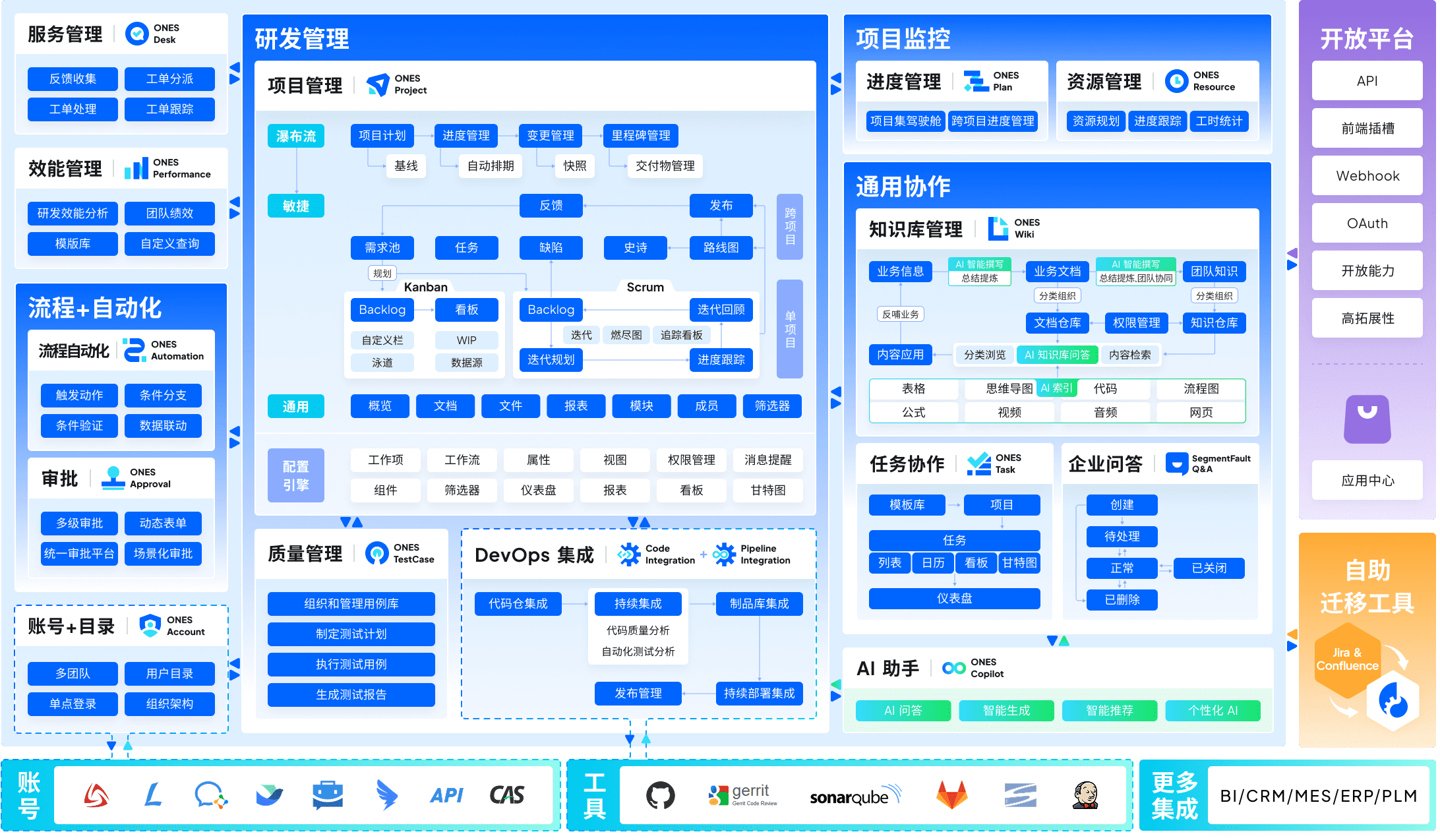
ONES serves as a unified enterprise-grade platform for managing the full software delivery lifecycle. Unlike standalone scheduling utilities, it connects project planning with downstream execution layers—requirements definition, test governance, continuous integration pipelines, and knowledge retention—within a single data model.
Starting price: Enterprise pricing (contact sales)
Capabilities:
- End-to-end integration: project management, requirements tracking, test management, knowledge base, DevOps pipelines, and code repositories in one architecture
- Organizational scalability: complex workflow configuration, granular permission matrices, and cross-functional team coordination for large enterprises
- Engineering effectiveness measurement: built-in metrics framework to quantify delivery quality, throughput, and cycle efficiency
- Dependency-aware scheduling with milestone governance and baseline comparison
- Resource capacity planning aligned to multi-project portfolios
Constraints:
- Implementation investment exceeds lightweight tools
- Configuration complexity demands change management
- Primarily oriented toward technology organizations
- Not suited for occasional project managers or non-technical teams
Ideal adoption context: Technology enterprises, financial institutions, and telecommunications organizations managing hundreds of concurrent initiatives with strict compliance and traceability requirements. Particularly valuable when eliminating tool fragmentation outweighs the cost of platform consolidation.
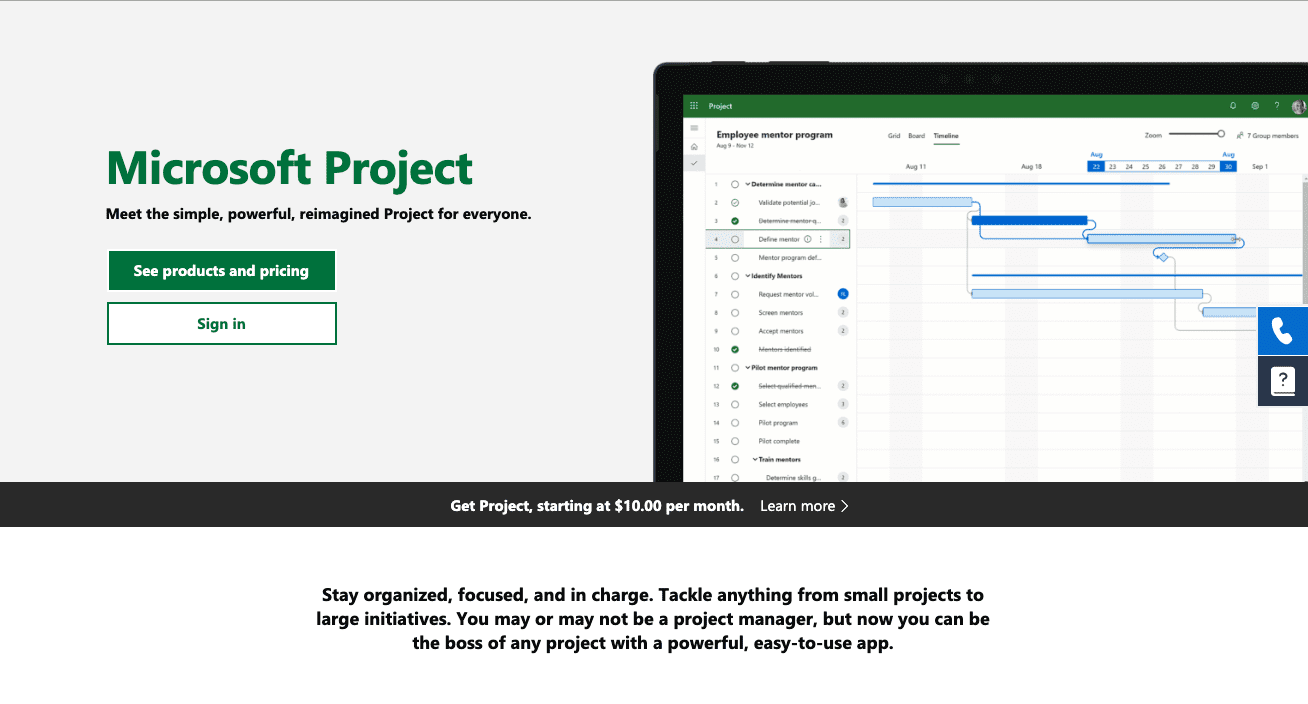
2. Microsoft Project — Best for Complex Scheduling
Microsoft Project continues to define the benchmark for sophisticated schedule modeling. Its analytical depth for critical path computation, resource leveling algorithms, and multi-project portfolio analysis remains unmatched in commercial project management software.
Starting price: $10/user/month
Capabilities:
- Industry-standard Gantt chart implementation with advanced formatting
- Comprehensive critical path identification and what-if scenario analysis
- Sophisticated resource leveling across constrained assignments
- Schedule baseline establishment with variance reporting
- Native Microsoft 365 ecosystem integration
Constraints:
- Substantial proficiency development required
- Excessive capability for uncomplicated initiatives
- Desktop client interface shows architectural age
- Advanced functionality gated to premium subscription tiers
Ideal adoption context: Project management offices in large organizations with intricate multi-phase programs, substantial resource contention, and established Microsoft infrastructure investments.
3. Smartsheet — Best for Spreadsheet-Oriented Teams
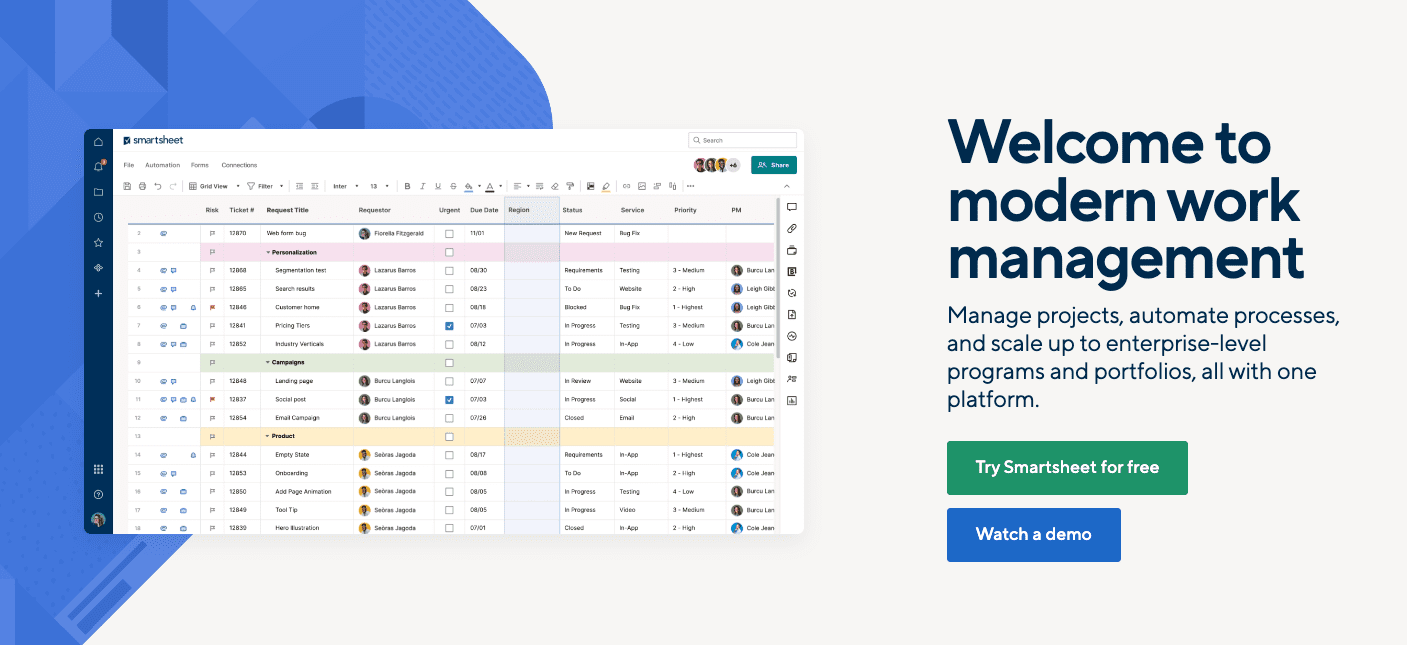
Smartsheet bridges conventional spreadsheet practice with structured project governance. Teams accustomed to Excel-based planning retain familiar data entry patterns while gaining legitimate Gantt visualization, automated dependency calculation, and workflow automation.
Starting price: $9/user/month
Capabilities:
- Grid interface reducing adoption friction for spreadsheet users
- Robust Gantt generation with predecessor-successor linking
- Automation engine for status updates and notification routing
- Executive dashboards and cross-sheet reporting
- Critical path analysis embedded in standard plans
Constraints:
- Per-user cost accumulates across expanding teams
- Advanced reporting requires elevated subscription tiers
- Mobile experience lacks desktop functional parity
- Power features introduce learning investment
Ideal adoption context: Organizations transitioning from Excel-based project tracking to formalized tools without abandoning established interaction patterns. Effective for finance, operations, and professional services functions.
4. TeamGantt — Best for Straightforward Gantt Adoption
TeamGantt prioritizes accessibility in schedule visualization. Its interaction model eliminates configuration complexity, enabling immediate Gantt creation through direct manipulation of timeline elements.
Starting price: Free for one project; $19/month for expanded use
Capabilities:
- Minimal learning curve among Gantt-focused applications
- Complimentary single-project tier for evaluation
- Comprehensive drag-and-drop manipulation
- Baseline snapshot functionality
- Uncomplicated team coordination features
Constraints:
- Functional depth below enterprise platforms
- Absence of critical path computation
- Reporting capabilities relatively narrow
- Resource management facilities elementary
Ideal adoption context: Small teams, independent practitioners, and organizations where schedule clarity matters more than analytical sophistication. Suitable for initial Gantt methodology adoption.
5. Wrike — Best for Hybrid Methodology Environments
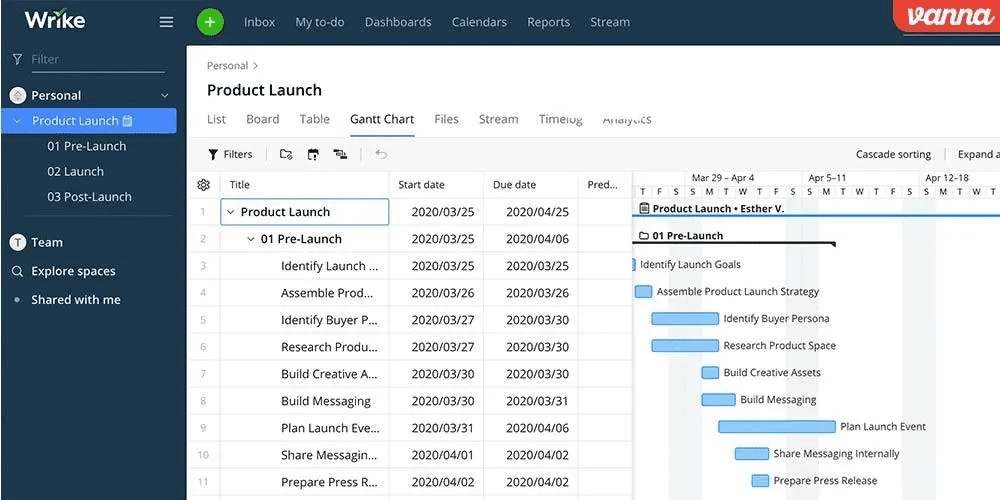
Wrike accommodates organizations operating across methodological boundaries. Its timeline construction handles waterfall dependencies while concurrent kanban views support iterative execution within broader phase structures.
Starting price: $9.80/user/month
Capabilities:
- Multiple view modalities: Gantt, kanban, and list presentations
- Robust dependency management with automatic rescheduling
- Critical path calculation available
- Workload visualization for resource balancing
- Methodological flexibility for mixed teams
Constraints:
- Gantt functionality restricted to advanced subscription tiers
- Initial complexity impression for new users
- Per-user pricing escalates with feature unlocks
- Certain capabilities enterprise-exclusive
Ideal adoption context: Marketing, creative services, and professional services organizations blending predictive planning with adaptive execution. Valuable when departmental methodology preferences differ.
6. GanttPRO — Best for Cost-Conscious Dedicated Gantt Needs
GanttPRO delivers focused Gantt functionality at accessible pricing. It provides essential scheduling capabilities—dependency chains, baseline snapshots, and resource allocation—without the architectural overhead or licensing cost of comprehensive enterprise suites.
Starting price: $7.99/user/month
Capabilities:
- Economical dedicated Gantt solution
- Critical path analysis standard inclusion
- Baseline tracking for schedule comparison
- Template repository for accelerated initiation
- Export compatibility with common formats
Constraints:
- Integration ecosystem relatively limited
- Collaboration features basic
- Alternative view types sparse
- Automation capabilities minimal
Ideal adoption context: Construction coordination, event logistics, and traditional project management roles with defined scheduling requirements and budget discipline. Appropriate when Gantt specificity outweighs platform breadth.
7. Monday.com — Best for Visually Driven Modern Teams
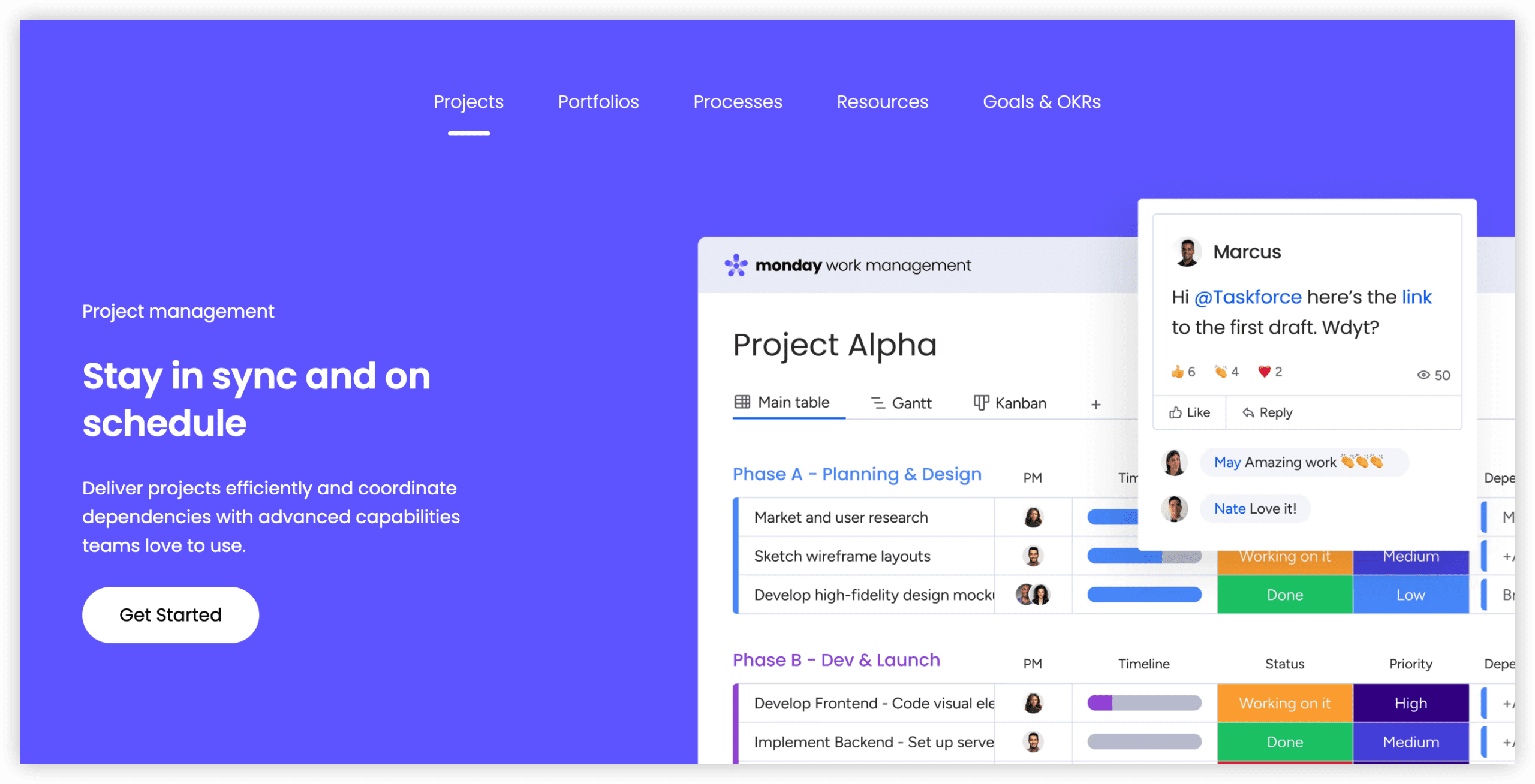
Monday.com reimagines timeline presentation through contemporary visual design. Its aesthetic approach and structural adaptability support sequential phase management for teams prioritizing stakeholder communication clarity.
Starting price: $9/user/month
Capabilities:
- Contemporary interface design
- Timeline visualization with dependency indication
- Extensive automation construction
- Dashboard assembly with visual polish
- Substantial third-party integration marketplace
Constraints:
- Not architected as classical project management platform
- Critical path analysis absent
- No baseline establishment capability
- Depth insufficient for highly complex initiatives
Ideal adoption context: Teams requiring visually compelling project communication for executive and client presentation. Effective when aesthetic impression and accessibility compete with analytical depth as selection criteria.
Evaluation Methodology
Our assessment framework weighted six dimensions relevant to sequential phase-based project execution:
| Criterion | Weight | Description |
|---|---|---|
| Gantt Chart Construction | 30% | Efficiency of timeline creation, modification ease, and visual clarity |
| Dependency Governance | 25% | Task relationship definition, lag/lead configuration, and automatic date propagation |
| Milestone Administration | 15% | Checkpoint definition, progress monitoring, and status communication |
| Resource Coordination | 15% | Assignment management, workload equilibrium, and capacity forecasting |
| Baseline & Variance Analysis | 15% | Plan capture, actual comparison, and deviation quantification |
Selection Guidance
Match your organizational context to the appropriate platform:
- Select ONES when managing enterprise-scale R&D portfolios requiring unified lifecycle governance, cross-team coordination, and engineering effectiveness measurement
- Select Microsoft Project when scheduling analytical depth and resource optimization complexity dominate requirements
- Select Smartsheet when spreadsheet literacy is organizational standard and transition friction must be minimized
- Select TeamGantt when immediate Gantt accessibility for small teams outweighs enterprise feature requirements
- Select Wrike when methodological plurality exists across departments or projects
- Select GanttPRO when dedicated Gantt capability must be acquired within constrained budget parameters
- Select Monday.com when visual presentation quality and modern interaction design are primary selection factors
Frequently Asked Questions
What defines waterfall project management?
Waterfall denotes a linear, sequential approach where initiatives advance through discrete, completed phases—typically requirements specification, architectural design, implementation, verification, and deployment. Each phase receives formal closure before subsequent phases commence. This methodology suits initiatives with stable requirements, predictable deliverables, and limited anticipated change.
Does Microsoft Project justify its subscription cost?
For intricate enterprise programs with extensive dependency networks, resource constraints, and portfolio interdependencies, Microsoft Project offers analytical capabilities unavailable elsewhere. For modest initiatives, TeamGantt or GanttPRO provide superior value propositions.
Can Gantt charts support agile execution?
Gantt visualizations effectively monitor release trajectories and sprint sequences at aggregate levels but prove cumbersome for daily agile operations. Wrike and Monday.com enable methodological blending through concurrent Gantt and kanban presentations.
What constitutes critical path analysis?
Critical path analysis identifies the longest dependent task sequence establishing minimum project duration. Delays affecting any critical path task directly extend final delivery. ONES, Microsoft Project, Smartsheet, and GanttPRO incorporate this analytical capability.
Is baseline tracking essential?
Baselines establish original plan references against which actual execution is compared. This variance analysis proves fundamental for stakeholder reporting, schedule change documentation, and performance accountability. Most waterfall-oriented platforms include baseline functionality as standard.
How does ONES differ from standalone Gantt tools?
ONES extends beyond schedule visualization into comprehensive delivery lifecycle management. It connects planning with requirements engineering, quality assurance, documentation, and deployment automation—reducing the integration burden and data fragmentation typical of multi-tool environments. Its emphasis on measurable engineering effectiveness additionally supports continuous improvement programs.