



Finding a replacement for Jira requires matching your team’s workflow patterns, not just feature checklists. This guide examines 10 alternatives evaluated across six dimensions: ease of use, feature depth, pricing transparency, integrations, mobile quality, and organizational scalability.
The tools covered: 1. ONES, 2. ClickUp, 3. Monday.com, 4. Asana, 5. Linear, 6. Shortcut, 7. Notion, 8. Trello, 9. Wrike, 10. Basecamp.
At-a-Glance Comparison
| Tool | Best For | Free Plan | Starting Price | G2 Rating |
|---|---|---|---|---|
| ONES | Enterprise R&D governance | Limited | Custom | 4.5/5 |
| ClickUp | All-in-one workspace | Unlimited users | $7/user/month | 4.7/5 |
| Monday.com | Visual non-dev teams | 2 users | $12/seat/month | 4.7/5 |
| Asana | Structured workflows | 10 users | $10.99/user/month | 4.4/5 |
| Linear | Speed-focused dev teams | Unlimited | $10/user/month | 4.6/5 |
| Shortcut | Budget-conscious small dev teams | 10 users | $8.50/user/month | 4.4/5 |
| Notion | Documentation-centric teams | 1 user | $10/user/month | 4.6/5 |
| Trello | Simple Kanban boards | 10 collaborators | $5/user/month | 4.4/5 |
| Wrike | Enterprise resource planning | Unlimited* | $10/user/month | 4.2/5 |
| Basecamp | Flat-rate simplicity | 1 project | $15/user/month | 4.1/5 |
*Wrike’s free plan limits active tasks to 200. G2 ratings sourced March 2026; review counts noted where below 200.
Why Teams Migrate Away from Jira
Jira dominates agile software development. Its sprint planning, backlog refinement, and Git integration serve engineering teams with precision. Yet specific friction points drive organizations to evaluate alternatives.
Learning curve impedes adoption. Jira’s interface presumes fluency in agile methodology—issue types, workflow schemes, screen configurations. New contributors often require multiple weeks before meaningful contribution. Alternatives such as ClickUp and Monday.com optimize for minutes-to-productivity rather than sprint-cycle onboarding.
Interface design excludes non-technical roles. Marketers, designers, and operations specialists frequently encounter Jira as opaque. Cross-functional teams consequently maintain parallel systems: Jira for engineering, separate tools for other departments. This fragments visibility and duplicates expenditure.
Ecosystem costs compound unpredictably. Jira Standard lists at $7.91/user/month, yet realistic deployment demands Confluence for documentation ($5.42/user/month), Marketplace applications for time tracking and advanced reporting, and potentially security compliance modules. A twenty-person team’s actual Atlassian investment frequently doubles or triples the headline figure.
Core capabilities require external products. Documentation resides in Confluence (separate subscription). Time tracking depends on Marketplace solutions like Tempo ($10/user/month). Communication requires Slack or Microsoft Teams. Competitors increasingly bundle these functions natively, reducing tool proliferation and total expenditure.
Administrative overhead scales with complexity. Custom workflows, permission schemes, notification configurations, and issue type hierarchies demand dedicated administration. The flexibility enabling Jira’s power simultaneously generates maintenance burden. Teams lacking specialized administrators often accumulate misconfigured instances that degrade experience.
Evaluation Methodology
Each alternative was assessed against six criteria:
- Ease of use: Time-to-value, onboarding experience, interface clarity for technical and non-technical users
- Feature depth: Agile capabilities, automation breadth, view diversity, project management sophistication relative to Jira
- Pricing structure: Free plan generosity, paid tier value, total cost including ecosystem extensions
- Integration ecosystem: Git hosting, CI/CD pipelines, design tools, API accessibility, workflow automation platform compatibility
- Mobile experience: iOS and Android application quality and functional parity
- Organizational scalability: Capacity for complex, multi-team workflows as structure expands
Evaluation incorporated free plan testing, cross-referencing of G2, Capterra, and community feedback, and direct pricing verification from official sources during March 2026.
1. ONES — Best for Enterprise R&D Management and Governance
ONES serves organizations requiring unified control over software delivery lifecycle without the fragmentation inherent in multi-tool stacks. The platform integrates project management, requirements management, knowledge repositories, test management, release pipelines, and code management within a single system.
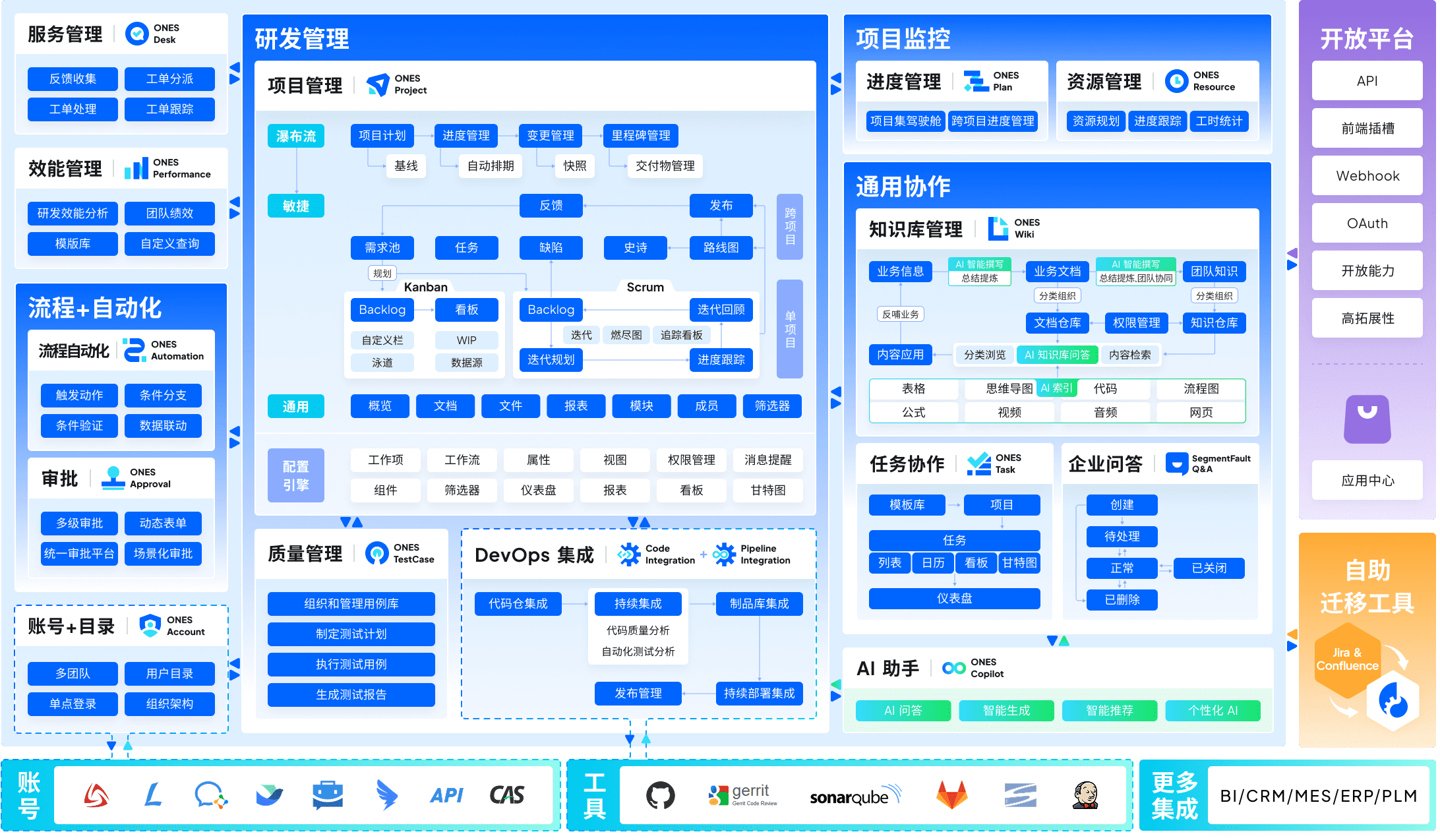
Where Jira necessitates Confluence for documentation, separate Marketplace applications for test management, and additional tools for CI/CD visibility, ONES consolidates these domains. This reduction in tool boundaries particularly benefits mid-to-large organizations where cross-team coordination complexity compounds with scale.
The platform’s architecture supports sophisticated workflow configuration, granular permission models, and governance structures spanning multiple organizational units. Teams operating under regulatory requirements or matrix management structures gain configurable approval chains and audit trails without external extensions.
A distinguishing emphasis is engineering effectiveness measurement. ONES provides metrics frameworks for delivery quality, cycle time analysis, and efficiency trends—enabling data-informed improvement rather than intuition-based process changes. This contrasts with Jira’s reporting, which frequently requires additional Marketplace applications for comparable analytical depth.
Considerations: ONES targets organizations with established engineering processes and administrative capacity to configure governance structures. Teams seeking immediate deployment with minimal setup may find the configuration surface substantial. Pricing follows custom quotation aligned with organizational scale and module requirements.
Key capabilities:
- Unified project, requirement, test, knowledge, pipeline, and code management
- Enterprise-grade permission models and cross-team workflow governance
- Built-in effectiveness metrics and delivery quality analytics
- Support for complex organizational hierarchies and regulatory compliance
Advantages:
- Eliminates tool fragmentation and associated integration maintenance
- Native governance capabilities reduce compliance tooling expenditure
- Measurement frameworks support continuous delivery improvement
Limitations:
- Configuration investment required before productive deployment
- Custom pricing lacks immediate transparency for budget planning
- Smaller teams may find capability depth exceeds operational requirements
2. ClickUp — Best All-in-One Workspace Replacement
ClickUp positions as a comprehensive Jira alternative for teams seeking project management, documentation, time tracking, and communication within unified subscription. At $7/user/month (Unlimited plan), the platform encompasses capabilities requiring Jira Standard ($7.91) plus Confluence ($5.42) plus Marketplace extensions—yielding substantially lower total ownership cost.
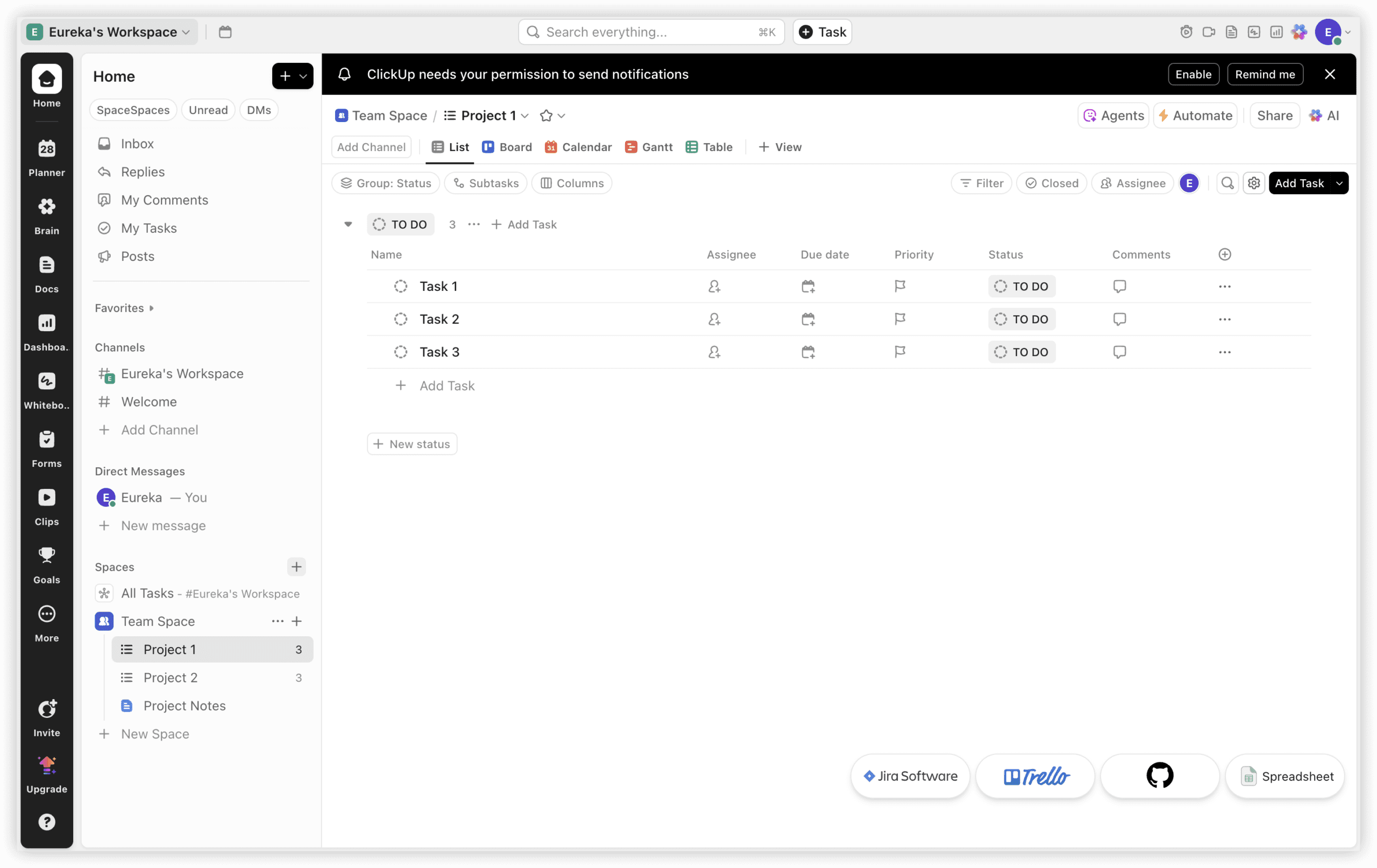
The fundamental distinction: ClickUp operates as workspace, Jira as tracker. ClickUp Docs supersedes Confluence, integrated time tracking replaces Tempo-equivalent applications, ClickUp Chat obviates separate messaging threads, and fifteen-plus view types span sprint boards, Gantt charts, and workload visualizations. For cross-functional contexts where engineers, designers, and product managers collaborate, ClickUp resolves the “Jira for engineering, alternative for others” dichotomy.
The corresponding compromise mirrors Jira’s but inverted: ClickUp emphasizes breadth over depth. Jira’s sprint velocity analysis, burndown reporting, and native Git integration refinement exceed ClickUp’s equivalents. Pure engineering teams centered on sprint execution and story point measurement may find ClickUp’s agile capabilities sufficient without excelling. Where project management extends beyond engineering, ClickUp’s comprehensiveness prevails.
Key capabilities:
- Fifteen-plus view types: list, board, Gantt, calendar, timeline, workload, mind map
- Integrated time tracking with billable hour support (Unlimited tier)
- ClickUp Docs with task linking and synchronous collaboration
- 1,000 monthly automations on Unlimited (versus Jira Standard’s 1,700)
- Seven-level hierarchy: Workspace → Space → Folder → List → Task → Subtask → Checklist
- Free tier with unlimited user accommodation (Jira free limits to 10 users)
Advantages:
- Consolidated workspace eliminates Confluence, time tracking, and messaging tool costs
- Superior feature-to-price ratio at $7/user/month versus Jira’s ecosystem accumulation
- Free tier unlimited user support exceeds Jira’s 10-user constraint
Limitations:
- Learning curve steeper than anticipated—one to two weeks configuration versus Jira’s familiar agile foundation
- Agile-specific features (burndown, velocity) less refined than Jira’s native implementation
- Interface density potentially overwhelming for teams requiring only sprint boards
Pricing:
| Plan | Annual Cost | Notable Inclusions |
|---|---|---|
| Free | $0 (unlimited users) | 100 monthly automations, 100MB storage |
| Unlimited | $7/user/month | Time tracking, docs, 1,000 automations |
| Business | $12/user/month | 10,000 automations, advanced permissions |
| Enterprise | Custom quotation | SSO, advanced security, dedicated customer success |
Source: clickup.com/pricing, verified March 2026.
3. Monday.com — Best for Visual, Non-Technical Teams
Monday.com addresses contexts where majority participants lack development backgrounds. Where Jira’s interface assumes agile methodology familiarity, Monday.com’s board-based visualization accommodates marketers, designers, operations managers, and spreadsheet-comfortable users immediately. Organizations where Jira functions for engineering while alienating other departments find Monday.com bridges this division.
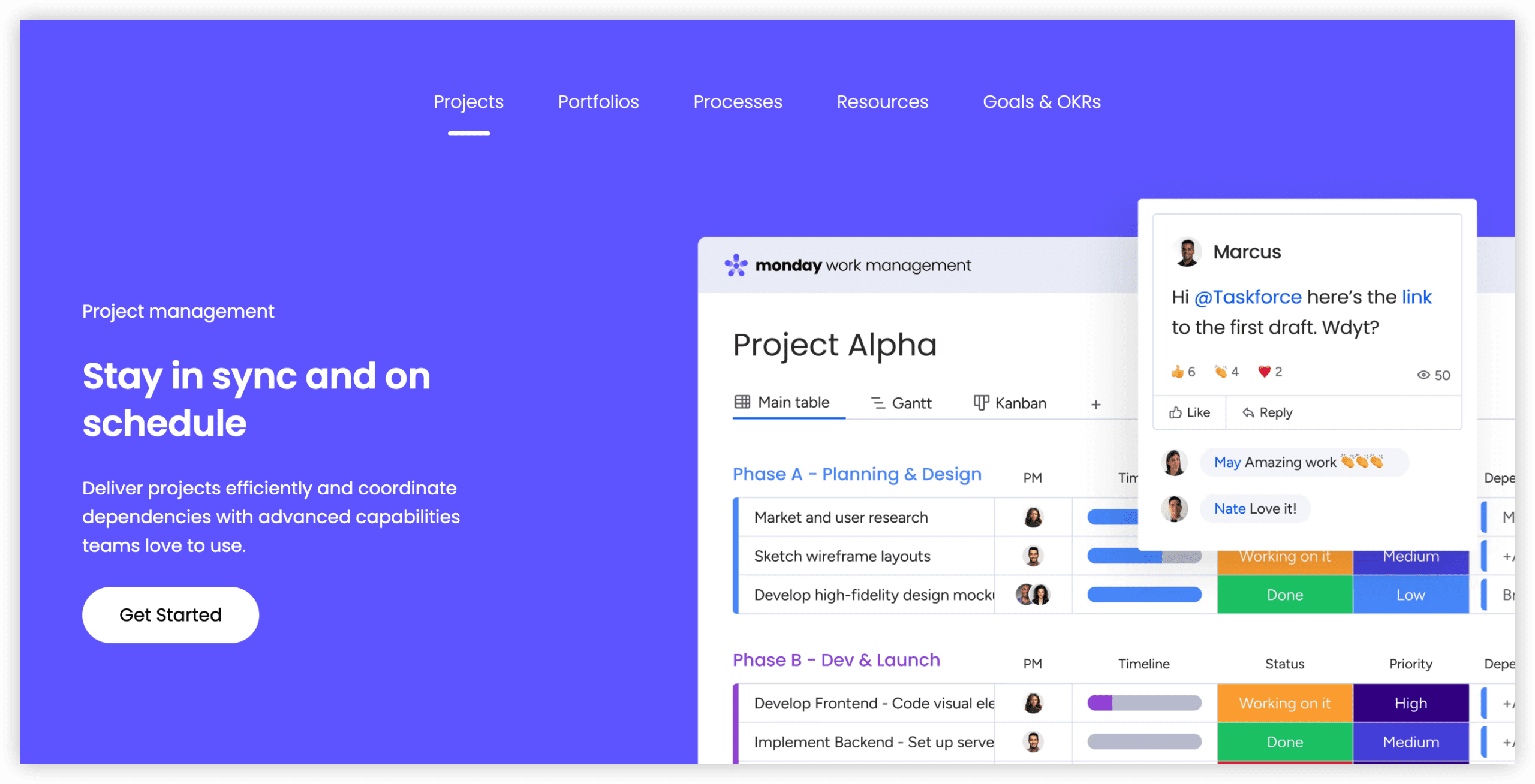
Standard tier ($12/seat/month, three-seat minimum) includes Timeline and Calendar views, Gantt charts, and 250 monthly automations. Visual interface genuine intuitiveness enables productivity within hours rather than weeks. Two-hundred-plus templates cover sprint planning through content calendars to client onboarding, facilitating workflow standardization across organizational functions.
The compromise: Monday.com lacks native sprint planning, backlog management, and story point tracking. Engineering teams can approximate agile workflows through custom boards and automations, yet this constitutes workaround rather than purpose-built capability. For pure engineering contexts, this gap proves significant. For mixed or non-technical teams frustrated by Jira’s complexity, Monday.com removes friction entirely.
Key capabilities:
- Eight-plus view types: board, Timeline, Gantt, Calendar, Workload, Chart
- 250 monthly automations on Standard, 25,000 on Pro
- 200-plus templates for rapid project initialization across functions
- Integrations with Slack, Google Workspace, Microsoft 365, GitHub, and 200-plus tools
- Monday AI for task suggestions, formula generation, content drafting (Pro tier)
- iOS and Android applications rated 4.7/5
Advantages:
- Most accessible interface in this comparison—productive in hours versus Jira’s weeks
- Excellent for cross-functional teams where non-technical users predominate
- Strong mobile application quality (4.7/5 Android, 42,600-plus reviews)
Limitations:
- Three-seat minimum on all paid tiers inflates cost for small teams
- Absence of native sprint planning, story points, or backlog management
- Standard tier’s 250 monthly automation cap restrictive for active teams
Pricing:
| Plan | Annual Cost | Notable Inclusions |
|---|---|---|
| Free | $0 (up to 2 users) | 3 boards, 200 items |
| Standard | $12/seat/month | Timeline, Gantt, 250 automations/month |
| Pro | $19/seat/month | Time tracking, 25,000 automations |
| Enterprise | Custom quotation | SSO, advanced security, audit logs |
Source: monday.com/pricing, verified March 2026. All paid tiers require three-seat minimum.
4. Asana — Best for Structured Workflows and Unlimited Automations
Asana suits teams requiring structured work management with powerful automation absent Jira’s developer-centric complexity. Distinctive advantage: unlimited automations on Starter tier ($10.99/user/month). Jira Standard’s 1,700 monthly automations appears generous until active team scaling consumes this allocation rapidly.
Asana’s workflow builder enables conditional logic, multi-step automations, and cross-project triggers without coding. The Timeline view provides Gantt-style planning, while Portfolios offer executive visibility across multiple initiatives. For teams managing complex, interdependent workstreams, Asana’s structure provides clarity without Jira’s configuration burden.
Engineering teams find Asana’s agile support adequate but not native—no built-in sprint planning, velocity tracking, or burndown charts. Workarounds through custom fields and automation exist, yet dedicated engineering teams typically prefer Linear, Shortcut, or ONES for pure development workflows. Where engineering collaborates closely with product, design, and marketing, Asana’s cross-functional structure excels.
Key capabilities:
- Unlimited automations on Starter tier ($10.99/user/month)
- Timeline, Calendar, Board, List, and Portfolio views
- Workflow builder with conditional logic and multi-step triggers
- Goals and reporting dashboards for progress tracking
- Integrations with 200-plus tools including GitHub, Slack, Figma
Advantages:
- Unlimited automation eliminates usage anxiety and unexpected tier upgrades
- Structured yet approachable for teams outgrowing simple task lists
- Strong cross-project visibility through Portfolios and Goals
Limitations:
- No native agile/sprint features—engineering teams need workarounds
- Advanced features (Portfolios, Workload, Proofing) require higher tiers
- Can feel rigid for teams preferring free-form Kanban or docs-first approaches
Pricing:
| Plan | Annual Cost | Notable Inclusions |
|---|---|---|
| Basic | $0 (up to 10 users) | Unlimited tasks, projects, messages |
| Starter | $10.99/user/month | Unlimited automations, Timeline, reporting |
| Advanced | $24.99/user/month | Portfolios, Workload, Proofing, advanced integrations |
| Enterprise | Custom quotation | Admin controls, data export, priority support |
Source: asana.com/pricing, verified March 2026.
5. Linear — Best for Developer Teams Prioritizing Velocity
Linear captures engineering teams seeking Jira’s core capabilities with minimal friction. The interface emphasizes speed—keyboard shortcuts, command palettes, and streamlined issue creation reduce context switching. For teams where Jira’s configuration complexity impedes actual work, Linear’s opinionated design removes decision fatigue.
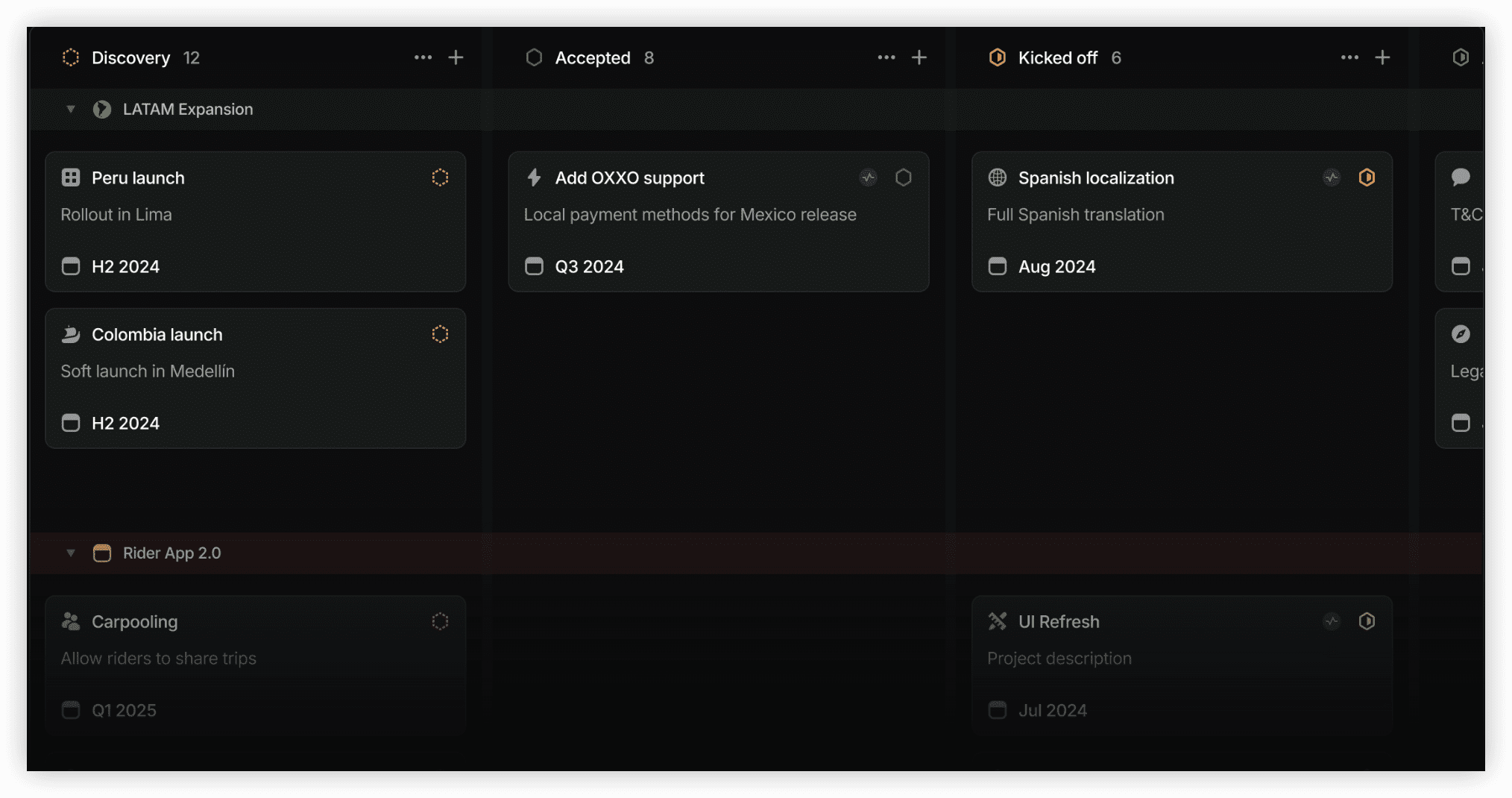
Native Git integration automatically links commits, branches, and pull requests to issues. Cycle-based planning (Linear’s sprint equivalent) provides lightweight iteration management without Jira’s scheme configuration. The design aesthetic and interaction patterns resonate with developers accustomed to modern tools.
Linear’s deliberate constraints limit applicability outside engineering. No native documentation, limited non-developer permissions, and absence of cross-functional project views restrict organizational deployment. For pure engineering teams, this focus constitutes strength. For contexts requiring broader participation, Linear proves insufficient.
Key capabilities:
- Keyboard-driven interface optimized for developer workflow speed
- Automatic Git integration with commit/branch/PR linking
- Cycle-based iteration planning with automatic scheduling
- Issue tracking with sub-issues, dependencies, and estimates
- Roadmap view for initiative-level planning
Advantages:
- Fastest issue creation and navigation in category
- Zero-configuration Git integration
- Clean, modern interface reduces cognitive load
Limitations:
- Engineering-only focus excludes cross-functional collaboration
- No native documentation or knowledge management
- Limited customization compared to Jira’s workflow flexibility
Pricing:
| Plan | Annual Cost | Notable Inclusions |
|---|---|---|
| Free | $0 (unlimited users) | Core issue tracking, Cycles, Roadmaps |
| Standard | $10/user/month | Initiatives, custom views, advanced analytics |
| Plus | $14/user/month | SLAs, audit logs, advanced security |
Source: linear.app/pricing, verified March 2026.
6. Shortcut — Best for Budget-Conscious Small Development Teams
Shortcut (formerly Clubhouse) occupies the intersection of Jira’s agile capabilities and Trello’s simplicity, priced accessibly for resource-constrained teams. At $8.50/user/month, it undercuts Jira Standard while providing native sprint planning, story points, and iteration reporting.
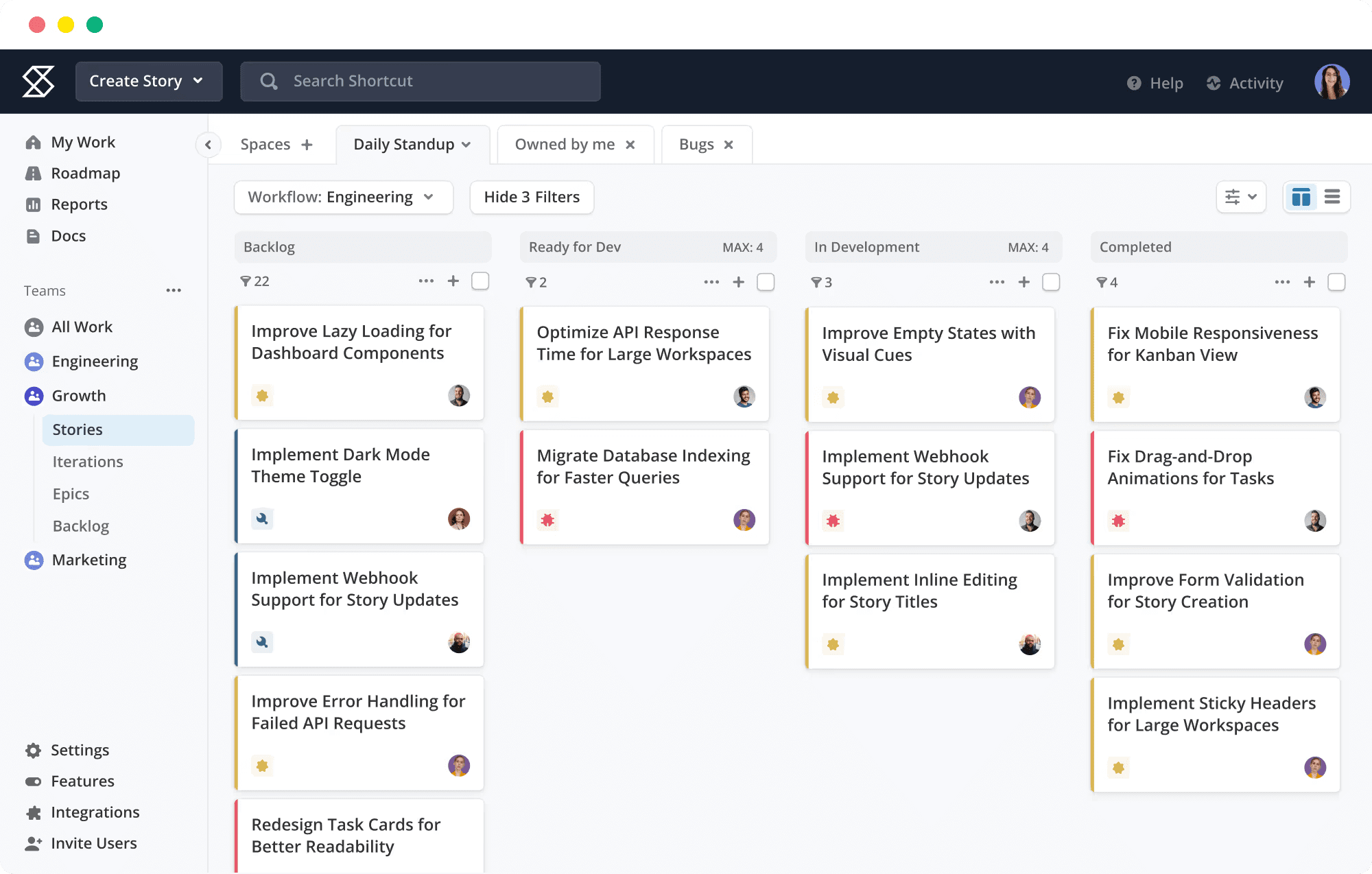
The interface balances structure with approachability—sufficient for agile ceremony execution without Jira’s administrative overhead. Epics, Stories, and Iterations map directly to Scrum concepts, reducing terminology translation for teams migrating from Jira.
Scale limitations emerge with organizational growth. Permission granularity, workflow customization, and cross-team visibility lack enterprise depth. For teams under twenty members with straightforward hierarchy, Shortcut suffices. For matrix structures or regulatory requirements, capability gaps appear.
Key capabilities:
- Native sprint planning with velocity and burndown reporting
- Epic/Story/Iteration hierarchy aligned with Scrum terminology
- Git integration with automatic branch/PR linking
- Document and discussion spaces per project
Advantages:
- Lower cost than Jira with comparable core agile features
- Shorter onboarding than Jira’s configuration-intensive setup
- Direct Scrum mapping reduces migration friction
Limitations:
- Limited customization compared to Jira’s workflow engine
- Enterprise governance and security features absent
- Mobile application less developed than competitors
Pricing:
| Plan | Annual Cost | Notable Inclusions |
|---|---|---|
| Free | $0 (up to 10 users) | Unlimited projects, core features |
| Standard | $8.50/user/month | Advanced reporting, integrations, priority support |
| Enterprise | Custom quotation | SSO, advanced security, dedicated support |
Source: shortcut.com/pricing, verified March 2026.
7. Notion — Best for Documentation-Centric Teams
Notion inverts the project management paradigm, anchoring in documents and databases rather than tasks and sprints. For teams where knowledge capture, specification writing, and collaborative editing constitute primary workflow, Notion’s flexibility surpasses Jira’s document-as-afterthought approach.
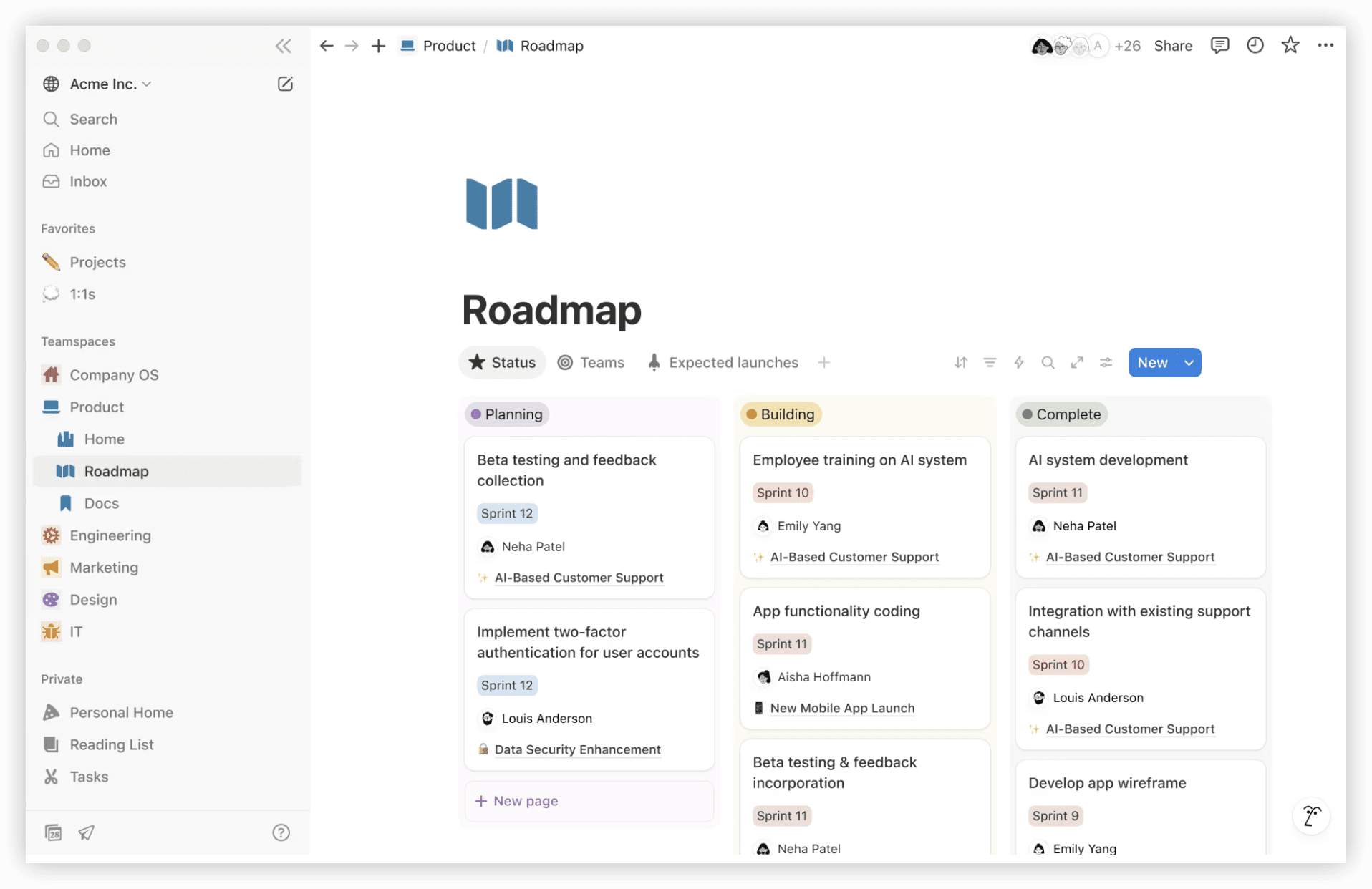
Database views enable Kanban boards, calendars, and tables derived from unified information stores. Relations and rollups connect projects across contexts. The template ecosystem enables rapid workspace construction for diverse use cases.
Project management depth remains secondary. No native time tracking, limited automation, and absence of structured sprint tools require external integrations or creative workarounds. Teams prioritizing delivery tracking over knowledge management find Notion’s project capabilities insufficient.
Key capabilities:
- Flexible documents and databases with multiple view types
- Relations and rollups connecting information across contexts
- Extensive template gallery for rapid workspace setup
- AI-assisted writing and content generation (paid add-on)
Advantages:
- Unmatched documentation and knowledge management
- Highly customizable without coding
- Strong free tier for individual and small team use
Limitations:
- Project management features require significant customization
- No native time tracking or advanced reporting
- Performance degradation with large, complex databases
Pricing:
| Plan | Annual Cost | Notable Inclusions |
|---|---|---|
| Free | $0 (1 user) | Unlimited pages, blocks, file uploads (5MB limit) |
| Plus | $10/user/month | Unlimited file uploads, 100 guests, version history |
| Business | $18/user/month | Private teamspaces, 250 guests, advanced analytics |
| Enterprise | Custom quotation | Advanced security, audit logs, SCIM |
Source: notion.so/pricing, verified March 2026.
8. Trello — Best for Simple Kanban Visualization
Trello represents minimal viable project management—Kanban boards with cards, lists, and basic automation. For teams overwhelmed by Jira’s complexity yet requiring visual task tracking, Trello’s simplicity constitutes deliberate advantage.
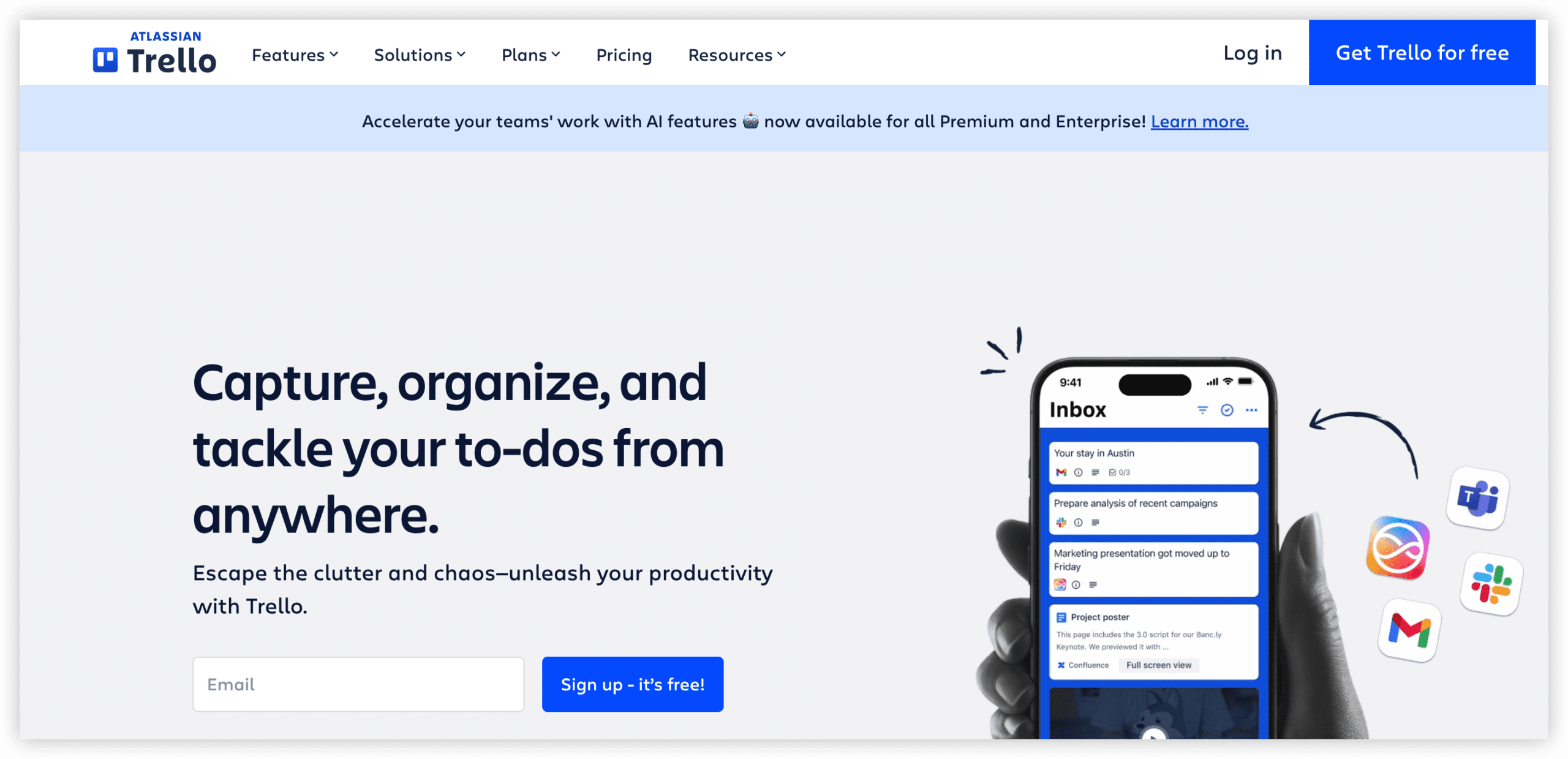
Atlassian ownership ensures Jira integration for teams maintaining hybrid environments. Power-Ups extend capability through integrations and automation, though core functionality remains intentionally constrained. Butler automation enables rule-based card operations without external tools.
Any requirement beyond basic Kanban—sprint planning, resource allocation, cross-project visibility, time tracking—demands Power-Ups or external tools, accumulating cost and complexity. Trello’s value proposition dissolves when teams attempt to construct Jira-equivalent functionality through extensions.
Key capabilities:
- Intuitive Kanban boards with drag-and-drop cards
- Butler automation for rule-based card operations
- Power-Ups for integrations and extended views
- Atlassian ecosystem connectivity (Jira, Confluence)
Advantages:
- Fastest setup and lowest learning curve in category
- Free tier accommodates small teams adequately
- Visual clarity for simple workflow tracking
Limitations:
- Power-Up dependency for capabilities competitors include natively
- No structured agile or sprint management
- Scaling friction as board complexity increases
Pricing:
| Plan | Annual Cost | Notable Inclusions |
|---|---|---|
| Free | $0 (10 collaborators) | Unlimited boards, cards, lists; 1 Power-Up per board |
| Standard | $5/user/month | Unlimited Power-Ups, advanced checklists, custom fields |
| Premium | $10/user/month | Multiple board views, reporting, admin security |
| Enterprise | $17.50/user/month | Organization-wide permissions, public board management |
Source: trello.com/pricing, verified March 2026.
9. Wrike — Best for Enterprise Resource Planning
Wrike addresses organizations requiring resource allocation visibility, workload balancing, and financial tracking alongside project execution. For professional services teams, marketing agencies, and consulting organizations, Wrike’s resource management depth exceeds Jira’s project-centric scope.
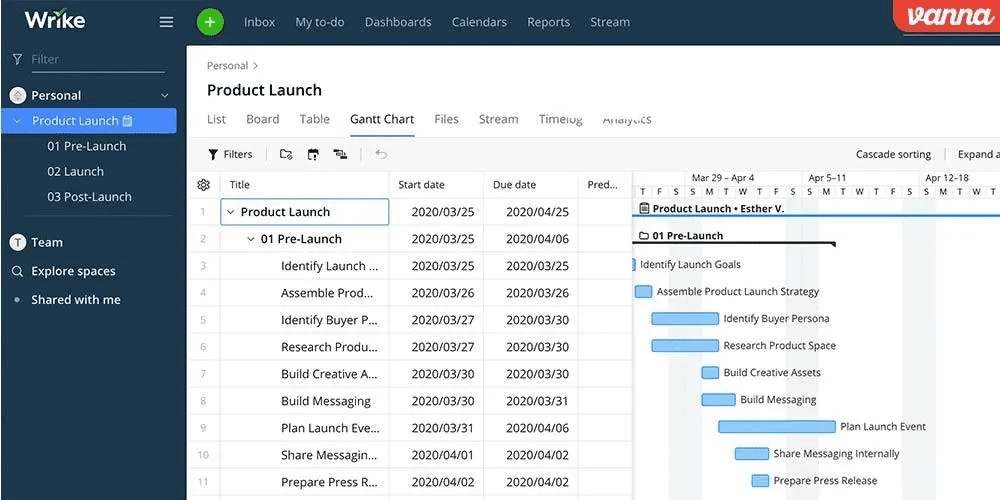
Custom item types, dynamic request forms, and advanced analytics support complex operational requirements. Time tracking, expense management, and budget allocation integrate within project structures. The platform accommodates waterfall, agile, and hybrid methodologies.
Interface complexity rivals Jira’s learning curve, undermining adoption for teams seeking simplicity. The free tier’s 200 active task limit constrains meaningful evaluation. Mobile application quality lags competitors, impacting field-based team engagement.
Key capabilities:
- Resource management with workload views and capacity planning
- Time tracking, expense management, and budget tracking
- Custom item types and dynamic request forms
- Advanced analytics and reporting dashboards
Advantages:
- Comprehensive resource and financial visibility
- Flexible methodology support (waterfall, agile, hybrid)
- Enterprise-grade security and administration
Limitations:
- Complex interface with substantial learning investment
- Free tier severely limited for evaluation
- Mobile experience below category standard
Pricing:
| Plan | Annual Cost | Notable Inclusions |
|---|---|---|
| Free | $0 (unlimited users, 200 tasks) | Core task management, basic integrations |
| Team | $9.80/user/month | Resource management, time tracking, Gantt charts |
| Business | $24.80/user/month | Custom fields, workflows, advanced analytics |
| Enterprise | Custom quotation | Advanced security, dedicated support, implementation |
Source: wrike.com/pricing, verified March 2026.
10. Basecamp — Best for Flat-Rate Pricing Simplicity
Basecamp rejects per-user pricing entirely, offering flat-rate subscription regardless of team size. For growing organizations where headcount expansion would escalate Jira costs unpredictably, this predictability provides budgetary certainty.
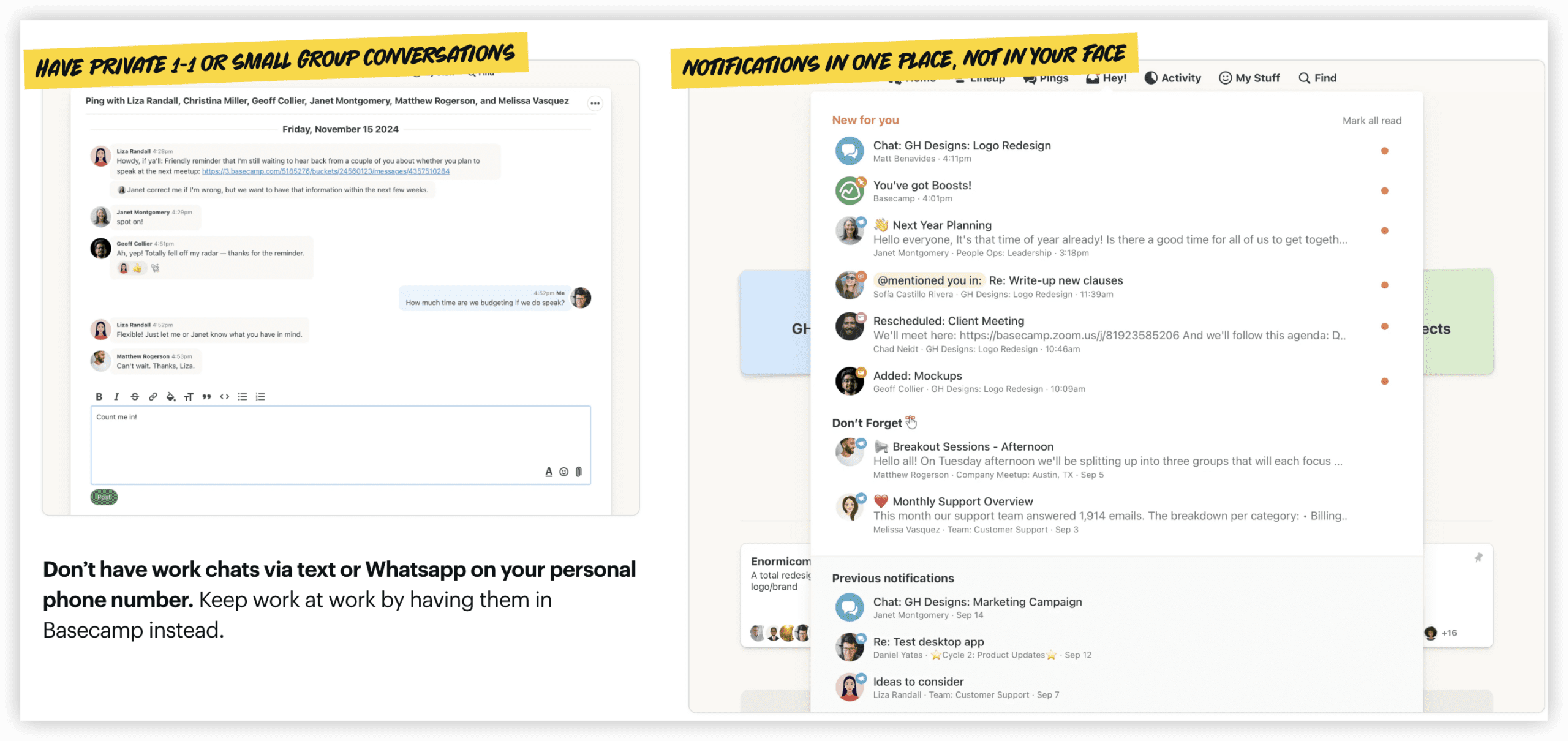
The philosophy emphasizes communication clarity over task complexity. Message boards, automatic check-ins, and centralized scheduling reduce meeting dependency. Hill Charts provide unique progress visualization distinct from traditional Gantt or burndown approaches.
Capability constraints are explicit and intentional. No native time tracking, limited customization, absence of agile features, and basic reporting reflect deliberate scope boundaries. Teams requiring structured project management find Basecamp’s approach insufficient; teams prioritizing communication and culture find it liberating.
Key capabilities:
- Flat-rate pricing regardless of user count
- Message boards, automatic check-ins, and centralized scheduling
- Hill Charts for unique progress visualization
- Document and file storage with version control
Advantages:
- Predictable costs independent of team growth
- Reduced meeting dependency through structured communication
- Clean, distraction-resistant interface
Limitations:
- No native time tracking or advanced reporting
- Absence of agile, Gantt, or resource management features
- Intentionally limited customization
Pricing:
| Plan | Annual Cost | Notable Inclusions |
|---|---|---|
| Free | $0 (1 project, 3 users) | Core features for small evaluation |
| Basecamp | $15/user/month or $299/month unlimited | Unlimited projects, users, 500GB storage |
| Basecamp Pro | $349/month unlimited | 10x storage, priority support, advanced features |
Source: basecamp.com/pricing, verified March 2026.
Selection Framework: Matching Tool to Organizational Context
Tool selection should derive from team composition, workflow maturity, and strategic priorities rather than feature comparison alone.
Prioritize ONES when: Your organization operates at scale with complex R&D governance requirements, needs unified lifecycle management without tool fragmentation, and values data-driven effectiveness improvement over intuitive simplicity.
Prioritize ClickUp when: Cross-functional collaboration predominates, consolidated tooling reduces total expenditure, and breadth across documentation, communication, and tracking outweighs deep agile specialization.
Prioritize Monday.com when: Non-technical participants constitute majority users, visual accessibility drives adoption, and engineering workflow depth is secondary.
Prioritize Asana when: Structured process execution matters, automation volume is unpredictable, and cross-functional project visibility enables strategic alignment.
Prioritize Linear when: Pure engineering velocity is paramount, minimal interface friction accelerates contribution, and non-developer participation is minimal.
Prioritize Shortcut when: Budget constraints are acute, agile fundamentals suffice, and team scale remains modest.
Prioritize Notion when: Knowledge creation and documentation constitute primary workflow, project tracking emerges from information structures rather than preceding them.
Prioritize Trello when: Visual simplicity is paramount, requirements are genuinely basic, and any complexity would impede adoption.
Prioritize Wrike when: Resource allocation, financial tracking, and capacity planning integrate with project execution.
Prioritize Basecamp when: Communication clarity and cost predictability outweigh structured project management requirements.
Conclusion
Jira’s dominance in agile software development reflects genuine capability depth for engineering contexts. Yet organizational diversity demands alternatives addressing different participant profiles, governance requirements, and operational models.
The evaluated tools span a spectrum from ONES’s enterprise R&D governance through Basecamp’s communication simplicity. No universal optimal choice exists—alignment between organizational context and tool design philosophy determines fit.
For 2026, the defining trend is consolidation: platforms increasingly absorb adjacent capabilities (documentation, communication, analytics) that previously required separate subscriptions. Teams evaluating alternatives should assess total ecosystem cost, not isolated product pricing, to capture genuine economic comparison.
Frequently Asked Questions
Which Jira alternative offers the lowest total cost for a 20-person team?
ClickUp’s Unlimited tier at $7/user/month ($140 monthly) includes documentation, time tracking, and communication that would require Jira Standard ($158), Confluence ($108), and additional Marketplace applications. For teams not requiring Jira’s agile depth, this consolidation yields substantial savings. Basecamp’s flat rate ($299 monthly) becomes competitive near 30 users.
Can any alternative fully replace Jira for Scrum teams?
ONES and Shortcut provide native sprint planning, velocity tracking, and burndown reporting comparable to Jira’s core agile capabilities. Linear offers speed-optimized alternatives with cycle-based planning. ClickUp and Monday.com approximate agile through customization but lack native refinement. Full equivalence depends on specific Scrum ceremony requirements and reporting granularity.
What migration challenges should teams anticipate?
Data export from Jira (CSV, JSON) imports variably across alternatives. Issue history, custom fields, and workflow states require mapping that often loses granularity. User permission reconstruction demands administrative attention. Plan two to four weeks for migration execution, with parallel operation period to validate data integrity. ONES and Shortcut offer migration assistance services; others rely on self-service import tools.
How do alternatives handle Jira’s integration ecosystem?
Git integration is now standard (GitHub, GitLab, Bitbucket). CI/CD connectivity varies: ONES, Linear, and ClickUp provide native or robust webhook support; others require Zapier/Make intermediation. Atlassian-specific integrations (Confluence, Bitbucket Pipelines, Bamboo) require replacement rather than continuation. Evaluate critical integration paths before migration commitment.
Is Jira ever the right choice despite these alternatives?
Organizations with established Atlassian administration, deep Jira workflow customization, or requirements for Marketplace-specific extensions may find migration cost exceeds benefit. Engineering teams with complex agile maturity, extensive automation investment, or regulatory compliance tied to Jira configuration may appropriately retain the platform. Alternatives excel where Jira’s assumptions misalign with actual team composition and workflow patterns.