



Finding the right replacement for Jira depends on your team structure, technical maturity, and budget constraints. This guide examines ten platforms that address common pain points with Atlassian’s flagship tracker: steep onboarding, developer-only usability, hidden integration costs, and administrative overhead at scale.
The ten tools covered here are:
- ONES — Best for enterprise R&D management and cross-functional governance
- ClickUp — Best all-in-one workspace for mixed teams
- Monday.com — Best visual platform for non-technical departments
- Asana — Best structured workflow automation
- Linear — Best velocity-focused developer experience
- Shortcut — Best budget option for small engineering teams
- Notion — Best documentation-centric collaboration
- Trello — Best lightweight Kanban implementation
- Wrike — Best enterprise resource planning
- Basecamp — Best flat-rate simplicity
Quick Comparison Table
| Platform | Ideal For | Free Tier | Starting Price | G2 Rating |
|---|---|---|---|---|
| ONES | Enterprise R&D, complex governance | Available | Custom | 4.5/5 |
| ClickUp | All-in-one replacement | Unlimited users | $7/user/month | 4.7/5 |
| Monday.com | Visual non-dev teams | 2 users | $12/seat/month | 4.7/5 |
| Asana | Workflow automation | 10 users | $10.99/user/month | 4.4/5 |
| Linear | Speed-oriented developers | Unlimited | $10/user/month | 4.6/5 |
| Shortcut | Budget-conscious small dev teams | 10 users | $8.50/user/month | 4.4/5 |
| Notion | Documentation-first culture | 1 user | $10/user/month | 4.6/5 |
| Trello | Simple Kanban boards | 10 collaborators | $5/user/month | 4.4/5 |
| Wrike | Enterprise resource management | Unlimited* | $10/user/month | 4.2/5 |
| Basecamp | Flat-rate predictability | 1 project | $15/user/month | 4.1/5 |
*Wrike free plan limited to 200 active tasks. G2 data sourced March 2026.
Why Organizations Move Beyond Jira
Jira maintains strong positioning for Scrum and Kanban practitioners. Its 4.3/5 G2 score from over 7,500 reviews indicates sustained satisfaction among dedicated engineering users. Yet departure patterns reveal consistent structural limitations.
Onboarding Friction
Jira assumes fluency in agile constructs—issue types, workflow schemes, screen configurations, and field mappings. New contributors typically require multiple sprint cycles before achieving full productivity. Platforms like Monday.com and ClickUp target minutes-to-value rather than weeks-to-competency.
Cross-Functional Barriers
The interface paradigm reflects its engineering origins. Marketing, design, operations, and generalist product managers frequently encounter unfamiliar terminology and navigation patterns. This creates a common organizational pattern: Jira for engineering, supplemented by secondary tools for other departments, inflating both cost and coordination complexity.
Total Cost Escalation
Base pricing presents an incomplete picture. Jira Standard at $7.91/user/month expands rapidly with Confluence for documentation ($5.42/user/month), Marketplace applications for time tracking and advanced reporting, and compliance modules. A twenty-person team’s realistic Atlassian expenditure frequently doubles or triples the headline figure.
Capability Fragmentation
Jira functions as a project tracker rather than an integrated workspace. Documentation requires Confluence. Time tracking depends on third-party Marketplace solutions like Tempo. Synchronous communication requires separate Slack or Teams licenses. Competing platforms increasingly consolidate these functions, reducing tool sprawl.
Administrative Burden
Scaled deployments demand dedicated administrative resources for workflow customization, permission architecture, notification management, and hierarchy configuration. The same flexibility that enables power-user scenarios creates ongoing maintenance overhead that smaller organizations struggle to sustain.
Evaluation Framework
Each platform was assessed across six dimensions:
- Accessibility: Time-to-value, onboarding design, and interface clarity for technical and non-technical users
- Capability depth: Agile support, automation breadth, view variety, and project management sophistication
- Economics: Free tier provisions, paid plan value, and full ecosystem cost
- Connectivity: Version control integration, CI/CD compatibility, design tool links, API availability, and no-code automation platform support
- Mobility: iOS and Android application quality
- Growth accommodation: Multi-team and multi-project scalability
Analysis incorporated free tier testing, G2 and Capterra review synthesis, Reddit community feedback, and direct pricing verification from official sources in March 2026.
Detailed Platform Analysis
1. ONES — Enterprise R&D Management with Unified Governance
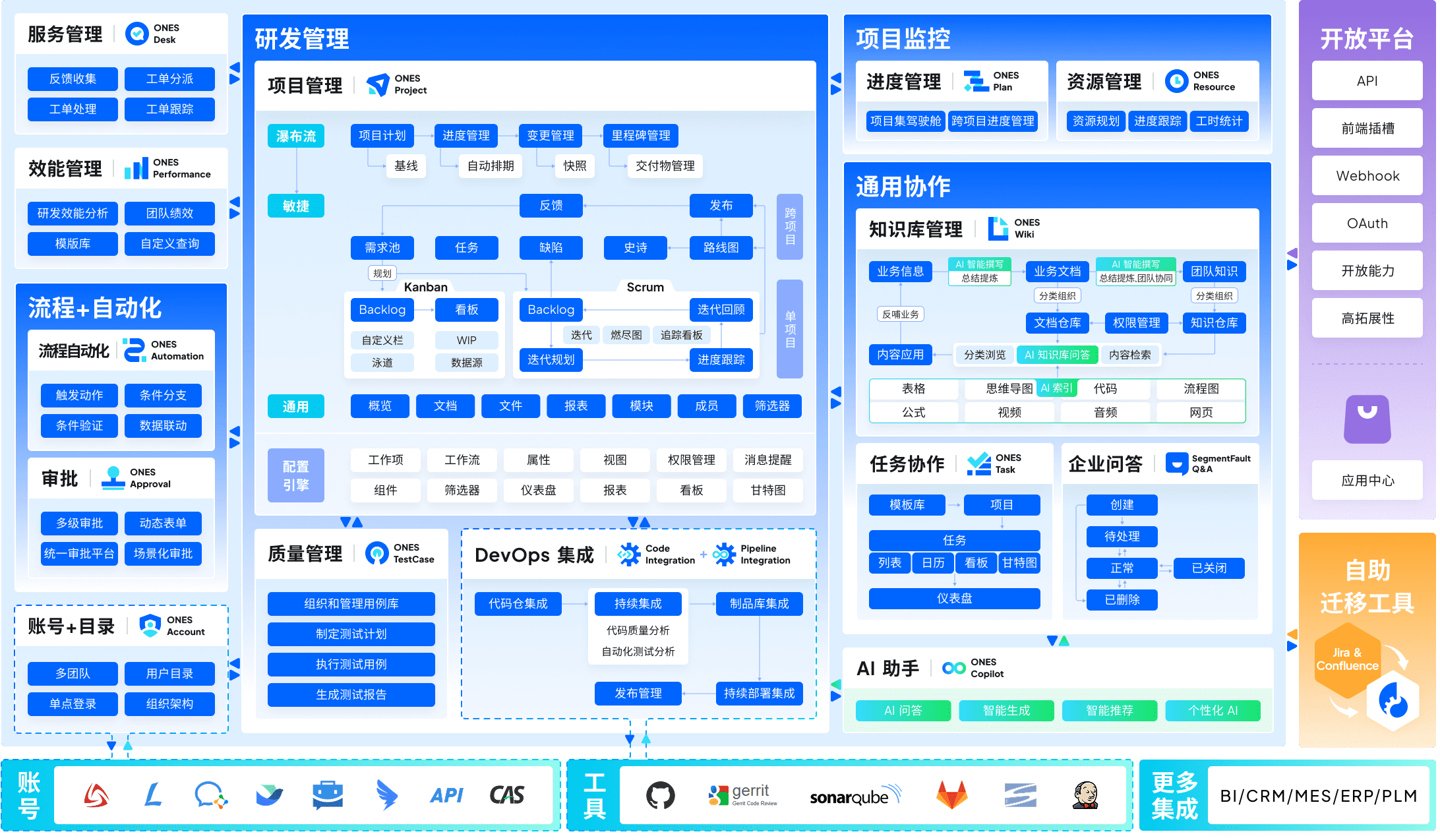
ONES occupies a distinct position in this landscape as an enterprise-grade R&D management platform engineered for organizations where software delivery involves multiple business units, complex approval chains, and rigorous compliance requirements.
The platform’s architecture emphasizes consolidation. Project management, requirements traceability, knowledge management, quality assurance, release pipelines, and source code administration operate within a single system rather than requiring separate procurement and integration. This integration reduces the data fragmentation and context switching that plague multi-tool environments.
For leadership, ONES provides particular value in governance and measurement. The platform supports configurable workflow engines, granular permission models, and cross-organizational collaboration structures that accommodate matrixed reporting and shared service teams. Its analytics capabilities focus on engineering effectiveness indicators—delivery velocity, defect rates, cycle time distributions—enabling evidence-based process improvement rather than intuition-driven decisions.
The platform specifically targets mid-to-large enterprises. Smaller teams or those with straightforward delivery pipelines may find the configuration options excessive for their needs. Implementation investment correlates with organizational complexity; the return manifests in reduced tool licensing proliferation and improved cross-functional visibility.
Core capabilities:
- End-to-end R&D lifecycle coverage from ideation through release
- Advanced workflow and permission configuration for regulated industries
- Cross-team dependency mapping and portfolio-level progress tracking
- Integrated metrics for delivery quality and throughput optimization
- Knowledge base with structured information architecture
Advantages:
- Eliminates tool fragmentation for complex technical organizations
- Enterprise-grade security and compliance architecture
- Data-driven improvement frameworks built into platform design
Limitations:
- Implementation timeline extends beyond simpler alternatives
- Pricing structure oriented toward organizational licensing rather than individual seats
- Feature depth may exceed requirements for small, homogeneous teams
2. ClickUp — Comprehensive Workspace Consolidation
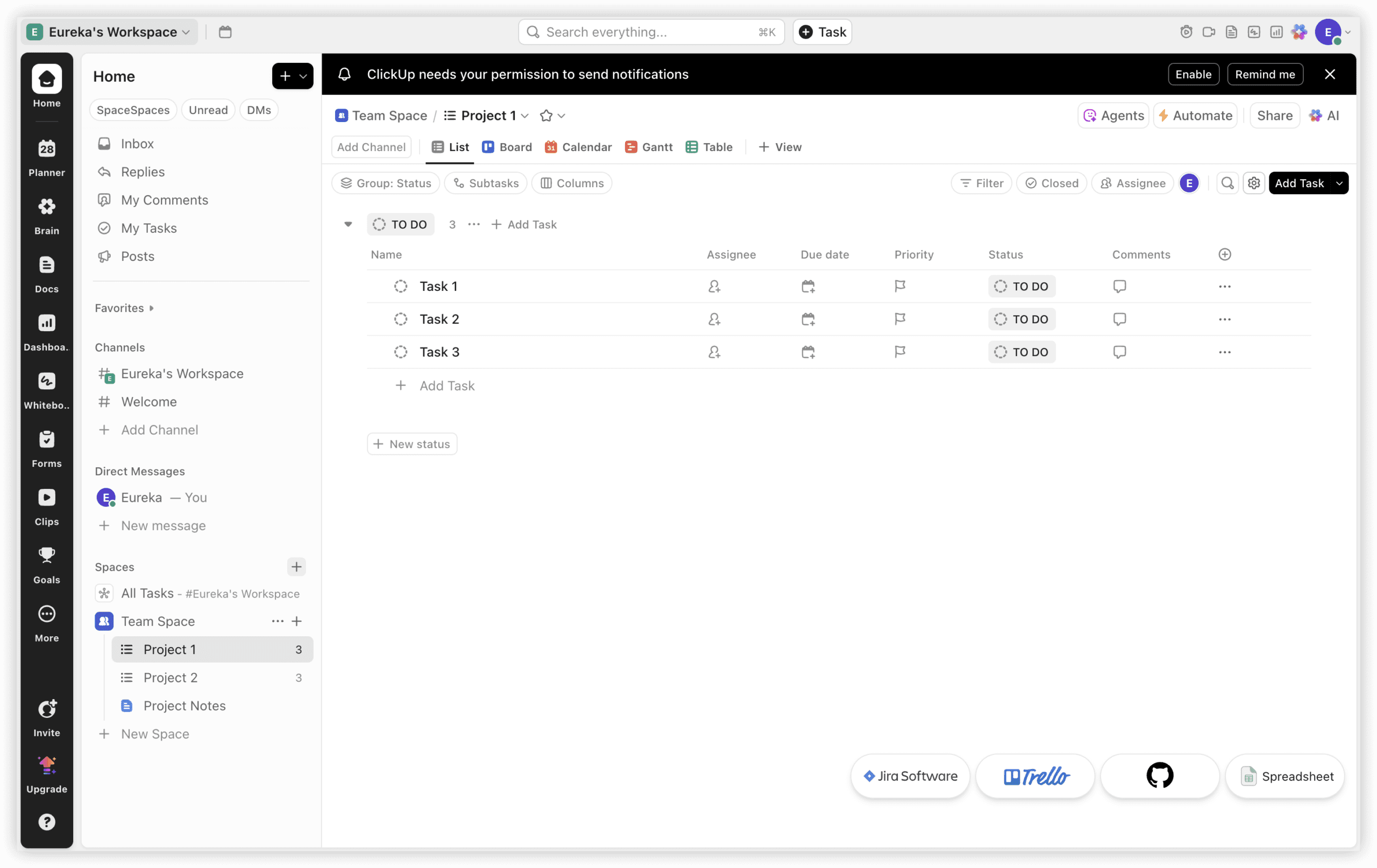
ClickUp approaches the Jira replacement question through breadth rather than specialization. At $7/user/month, its Unlimited tier encompasses documentation, time tracking, and team communication—capabilities that Jira addresses through separate products and additional licensing.
The fundamental distinction: ClickUp constructs a workspace, while Jira constructs a tracker. ClickUp Docs serves documentation needs without Confluence licensing. Native time tracking removes Tempo or equivalent Marketplace purchases. Built-in chat reduces Slack dependency for task-adjacent conversation. Fifteen-plus view types span sprint boards, Gantt representations, and workload visualizations.
This breadth serves cross-functional environments where engineers, designers, product managers, and operational staff require shared context. The historical pattern of “Jira for engineering, alternative for everyone else” dissolves when a single platform accommodates varied working styles.
The corresponding compromise involves depth. Jira’s sprint velocity analytics, burndown visualizations, and native Git integrations reflect years of refinement for specific engineering workflows. ClickUp’s equivalents satisfy general requirements without matching that specialization. Pure engineering teams measuring story points and analyzing iteration performance may find the tooling adequate but not optimized.
Notable capabilities:
- 15+ view configurations including list, board, Gantt, calendar, timeline, workload, and mind map
- Built-in time tracking with billable hour designation (Unlimited tier)
- Documentation with bidirectional task linking and real-time editing
- 1,000 monthly automations on Unlimited tier
- Seven-level content hierarchy for nested project organization
- Unlimited-user free tier (versus Jira’s ten-user limitation)
Economic comparison: ClickUp Unlimited at $7/user/month versus Jira Standard ($7.91) plus Confluence ($5.42) plus time tracking applications frequently yields 40-60% total cost reduction for equivalent capability.
3. Monday.com — Visual Accessibility for Mixed Proficiency Teams
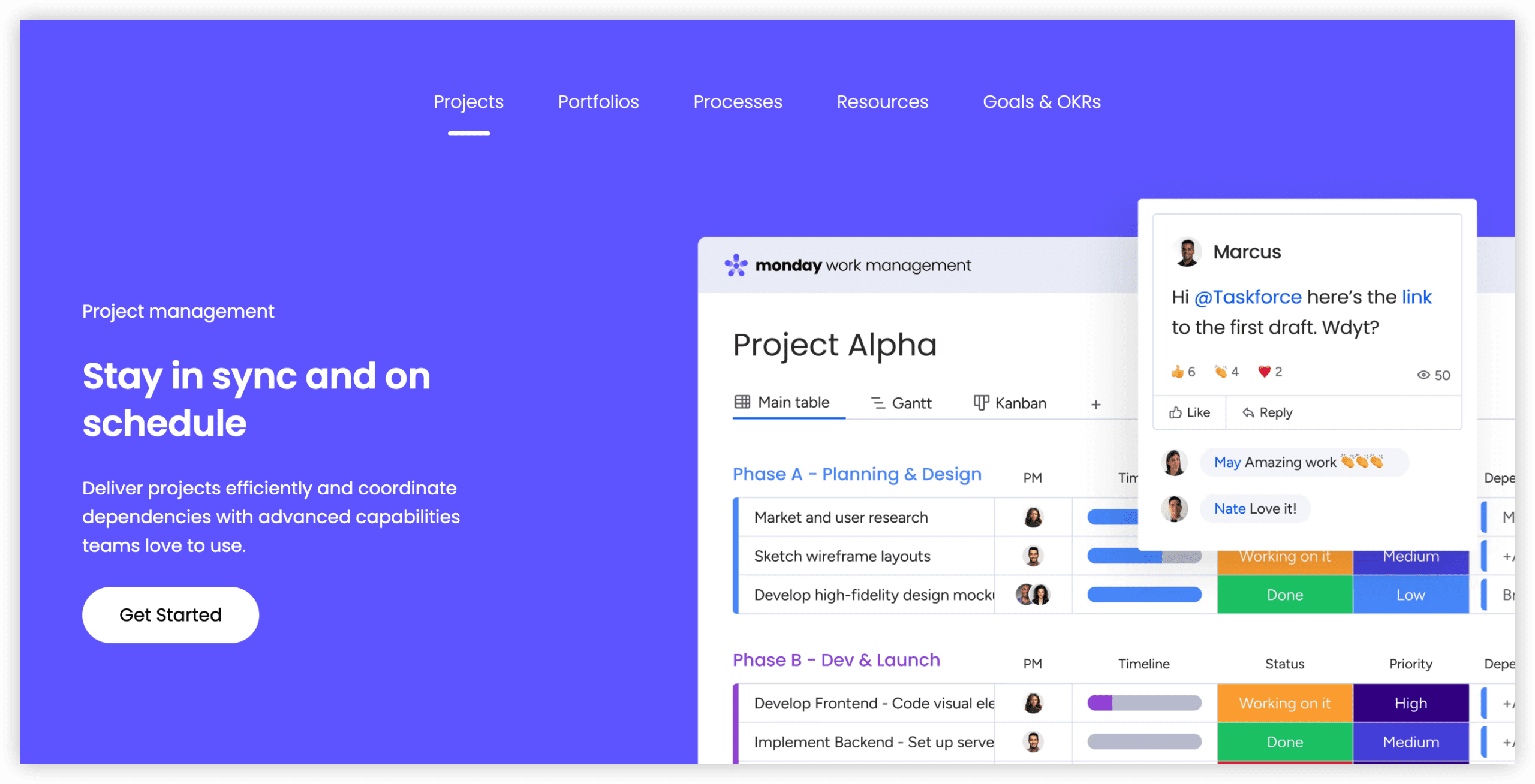
Monday.com prioritizes immediate comprehensibility. Its board-based interface employs color coding, progress indicators, and drag-and-drop interactions familiar from spreadsheet applications. For organizations where Jira’s technical vocabulary creates adoption resistance among marketing, design, or operations personnel, Monday.com removes that friction.
The Standard plan ($12/seat/month, three-seat minimum) includes Timeline and Calendar views, Gantt charts, and 250 monthly automations. The template library exceeds 200 options spanning sprint planning, content calendar management, client onboarding, and equipment tracking—enabling rapid standardization without custom construction.
The limitation is deliberate: Monday.com does not natively implement sprint planning, backlog prioritization, or story point estimation. Engineering teams can approximate agile practice through custom board configurations, but these remain approximations rather than purpose-built functionality. For pure development organizations, this gap is consequential. For mixed or non-technical teams, the eliminated complexity represents net value.
4. Asana — Automation-First Structured Management
Asana differentiates through automation generosity. Its Starter plan ($10.99/user/month) provides unlimited automations—a threshold Jira Standard’s 1,700 monthly limit can constrain for active twenty-person teams. This matters for organizations where workflow automation drives consistency and reduces manual status updating.
The platform emphasizes project structure without requiring technical fluency. Timeline, board, list, and calendar views accommodate different planning preferences. Portfolio views aggregate multiple projects for executive visibility. Workload views prevent overallocation across team members.
Asana’s design philosophy assumes that project management fundamentals—dependency tracking, milestone definition, approval routing—should be accessible without specialized training. The interface organizes information hierarchically while maintaining visual clarity.
Engineering-specific features remain secondary. Native Git integration is limited compared to Jira or Linear. Sprint-oriented reporting requires construction through custom fields and dashboards rather than first-class implementation. Asana serves organizations where engineering is one function among several rather than the dominant culture.

5. Linear — Velocity-Optimized Developer Experience
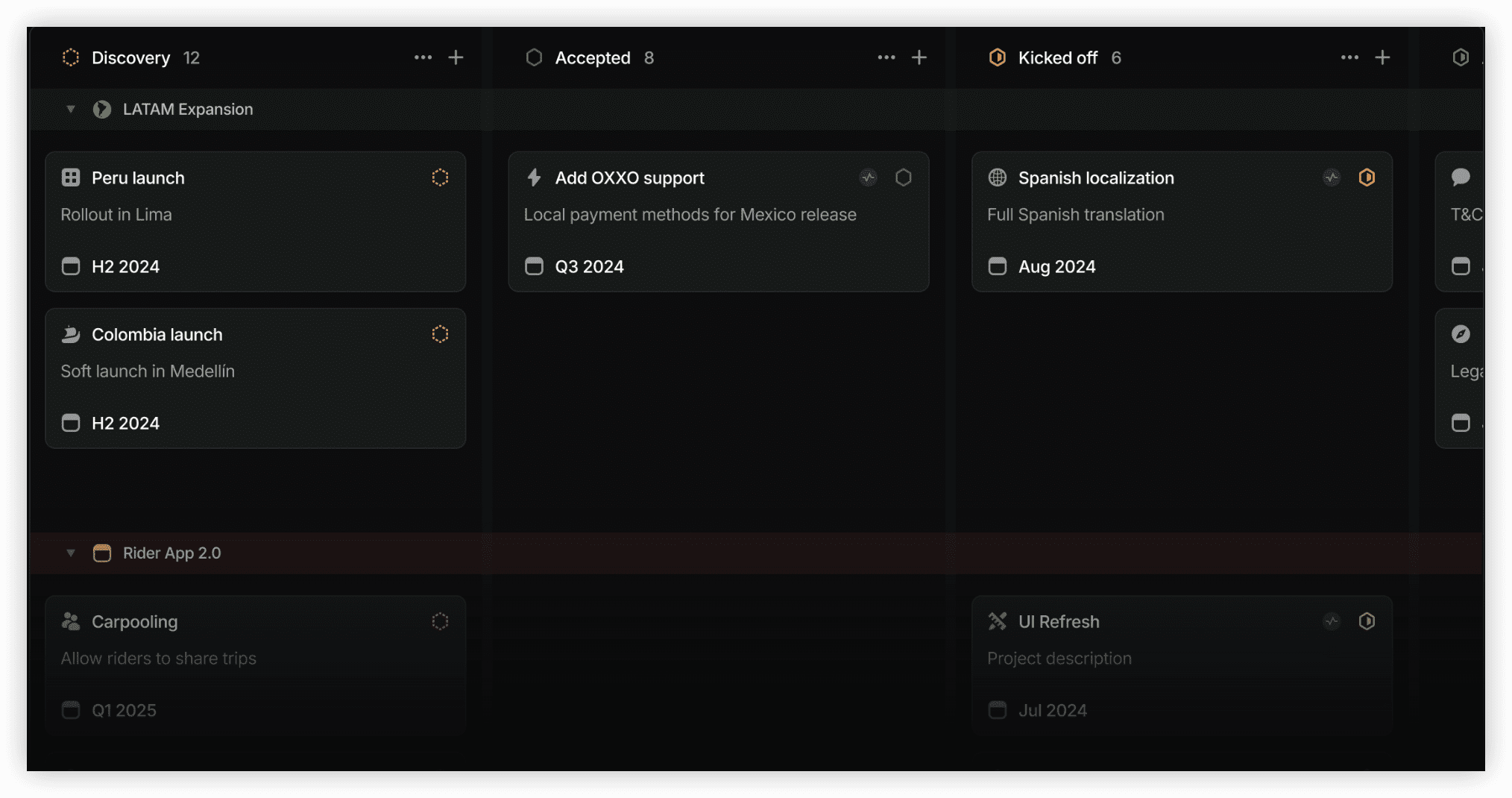
Linear targets engineering teams for whom Jira feels sluggish. The interface prioritizes keyboard navigation, rapid issue creation, and minimal state transition friction. Performance benchmarks emphasize sub-second response times for common operations—a deliberate contrast to Jira’s occasional loading latency.
The platform implements opinionated workflow design. Cycles replace sprints with automatic start and end dates. Issues progress through configurable states with built-in automation for common transitions. Git integration enables branch and pull request correlation without manual linking.
Linear’s aesthetic minimalism extends to its feature set. Roadmap visualization, customer feedback aggregation, and document collaboration receive lighter treatment than in comprehensive alternatives. The platform assumes that engineering teams already maintain separate systems for these functions or simply require less elaborate tooling.
Pricing at $10/user/month positions Linear between budget and premium tiers. The free tier supports unlimited users with core functionality, making it accessible for evaluation and small team adoption.
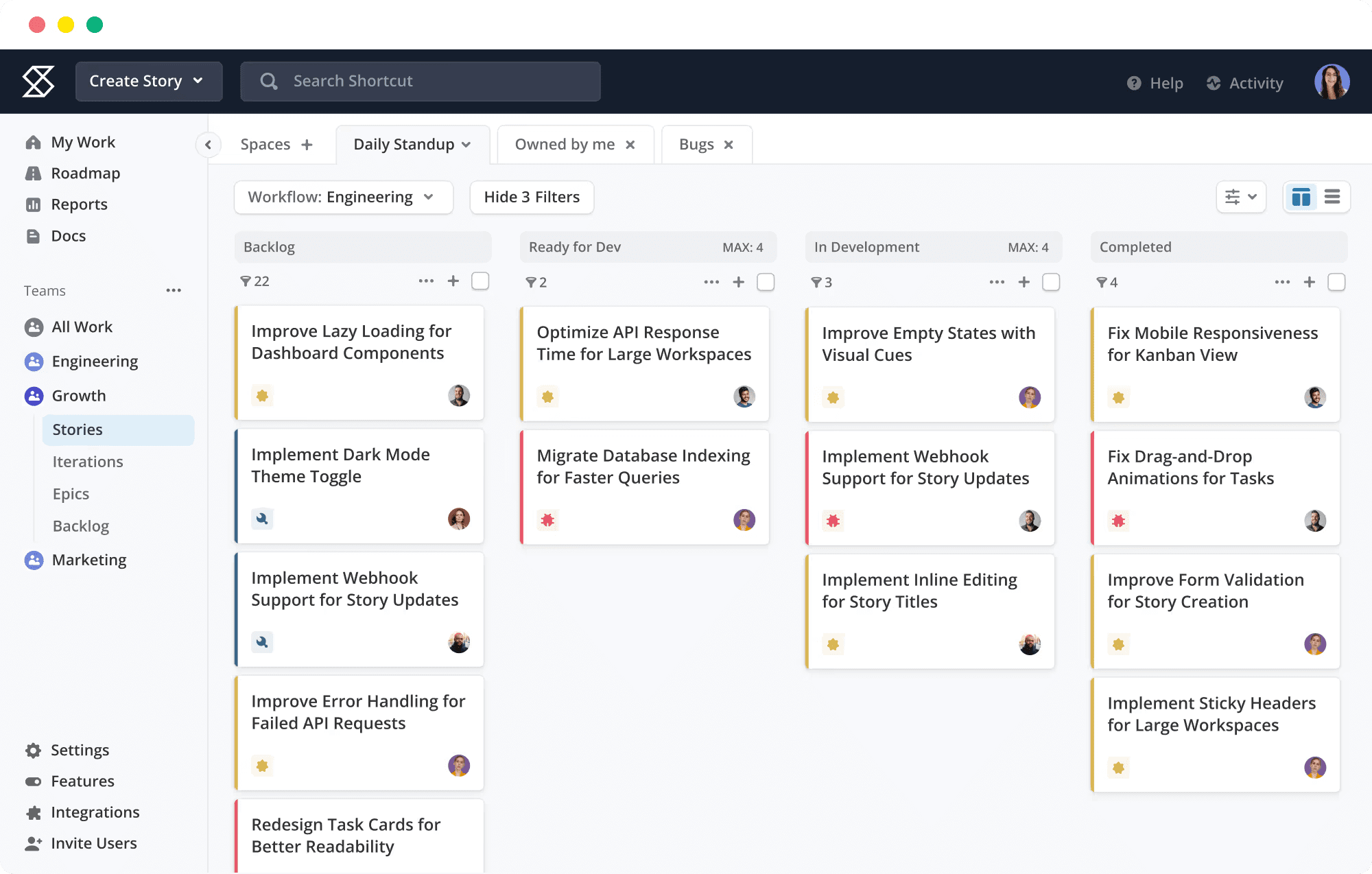
6. Shortcut — Economical Engineering Focus
Shortcut (formerly Clubhouse) occupies the intersection of agile specificity and cost consciousness. At $8.50/user/month with a ten-user free tier, it undercuts most competitors while maintaining purpose-built development features: story points, epics, iterations, and burndown tracking.
The platform deliberately constrains scope to avoid complexity inflation. Documentation is present but lightweight. Automation exists but with narrower trigger variety. The interface emphasizes the core development workflow—backlog refinement, sprint execution, release tracking—without adjacent capability expansion.
Shortcut suits small engineering teams (five to twenty members) with straightforward delivery pipelines and limited cross-functional integration requirements. Growth beyond this scale frequently encounters feature or performance limitations that motivate platform migration.
7. Notion — Documentation-Centric Collaboration
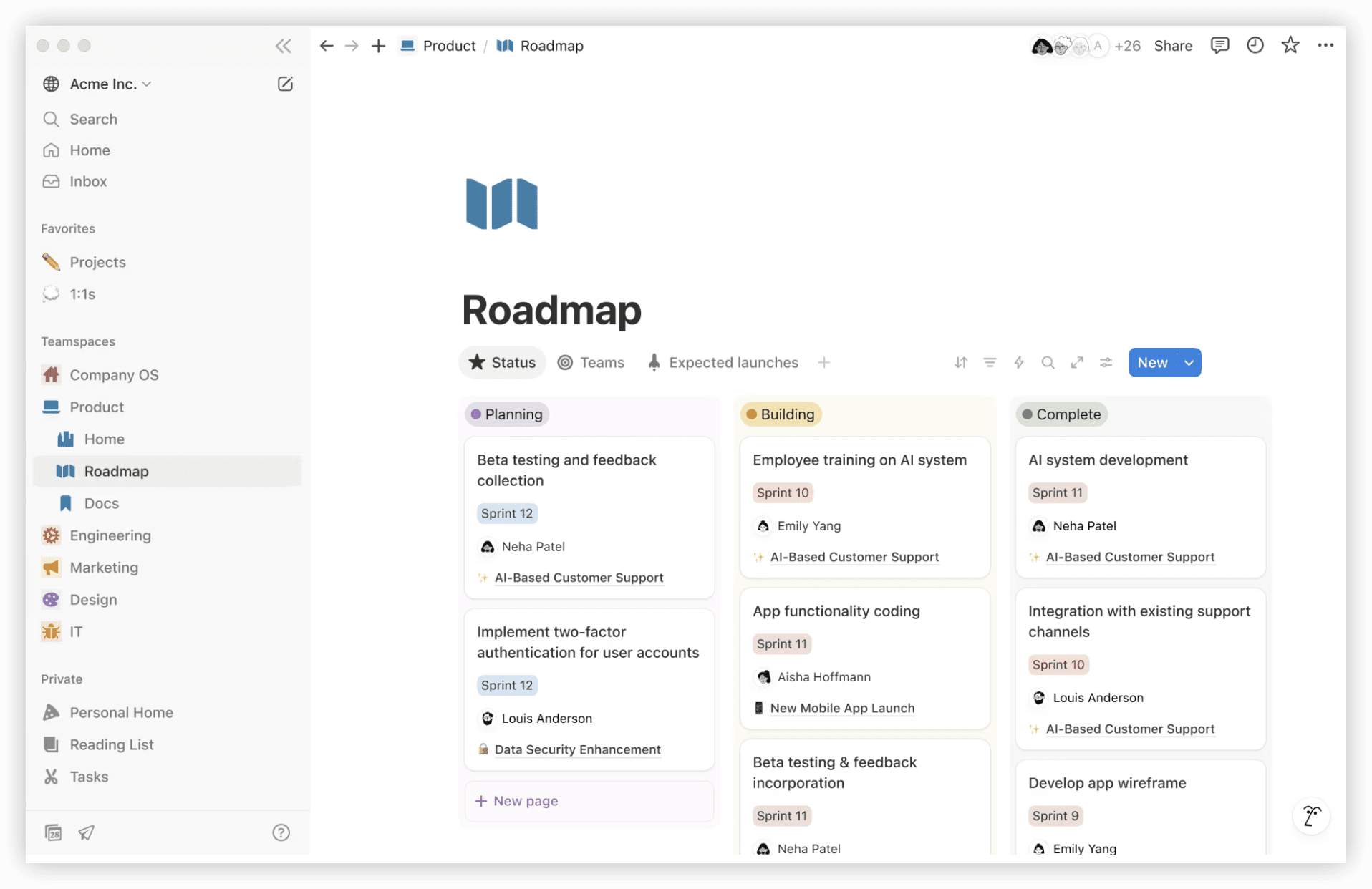
Notion inverts the typical project management hierarchy. Documents and databases constitute the foundational layer; task tracking emerges through database views and relations rather than native project management constructs.
This architecture suits teams where knowledge preservation, decision documentation, and reference material organization precede execution tracking in importance. Engineering teams using Notion typically construct sprint databases, bug trackers, and release notes through customizable templates rather than preconfigured modules.
The flexibility enables highly tailored workflows but requires construction investment. Unlike Jira’s ready-made agile templates, Notion demands initial configuration that can span days for sophisticated implementations. The payoff is alignment with exact team practice rather than adaptation to platform convention.
At $10/user/month, Notion competes on consolidation value rather than project management depth. Teams already using it for documentation and considering Jira addition may find that database and automation features suffice, eliminating separate tool procurement.
8. Trello — Minimal Kanban Implementation
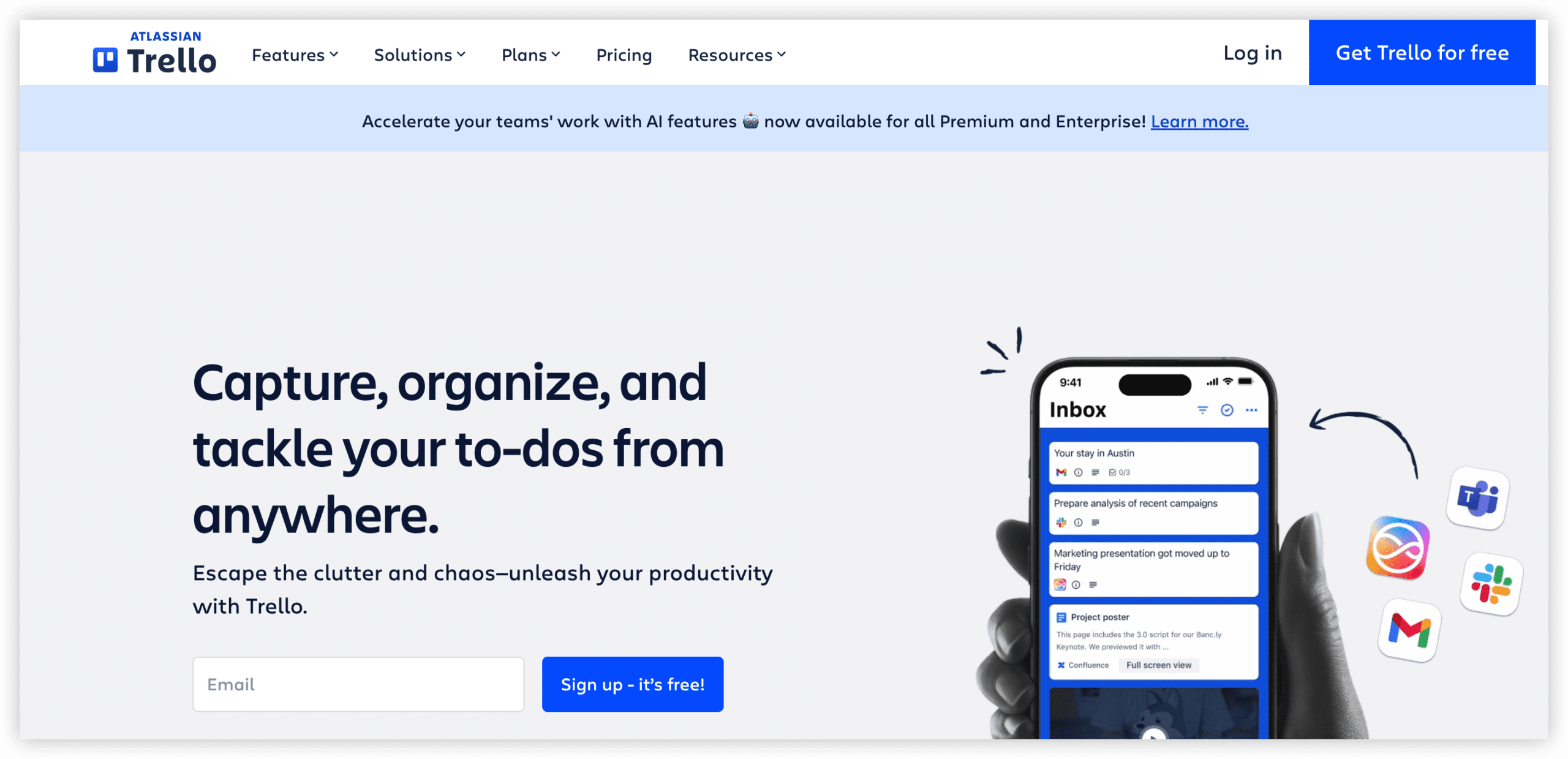
Trello represents the reductionist extreme. Boards, lists, and cards provide visual task state tracking without hierarchy, automation complexity, or reporting depth. The $5/user/month Standard tier adds unlimited boards, advanced checklists, and calendar views.
The platform serves teams whose process genuinely requires only Kanban visualization—small maintenance groups, editorial calendars, simple approval workflows. Attempts to scale Trello into sophisticated project management typically encounter friction from its intentional simplicity.
Atlassian’s ownership of Trello creates an ironic positioning: it represents the accessible, lightweight complement to Jira’s complexity, yet teams outgrowing Trello frequently migrate to Jira rather than vice versa. For Jira departure scenarios, Trello suits only the most basic requirements.
9. Wrike — Enterprise Resource Planning
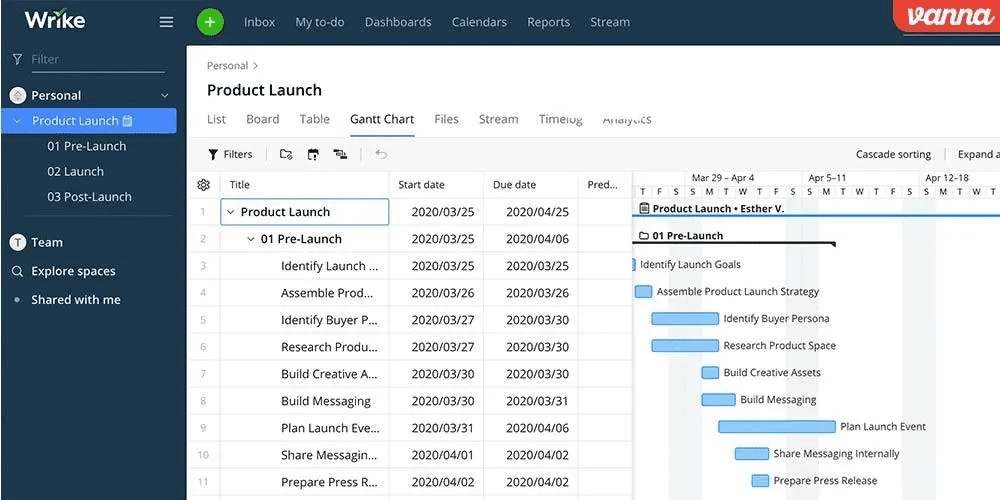
Wrike emphasizes resource allocation visibility and cross-project capacity planning. Its Gantt charts, time tracking, and workload views target portfolio managers balancing competing demands across multiple initiatives.
The platform’s free tier supports unlimited users but caps active tasks at 200—a limitation that prompts rapid paid conversion for operational teams. Professional tier at $10/user/month unlocks Gantt charts, shareable dashboards, and cross-tagging for multi-project visibility.
Wrike’s engineering features remain peripheral. Native agile support exists but lacks the refinement of purpose-built development platforms. The platform serves organizations where project management spans engineering, professional services, marketing, and other functions with resource planning as the unifying concern.
10. Basecamp — Predictable Simplicity
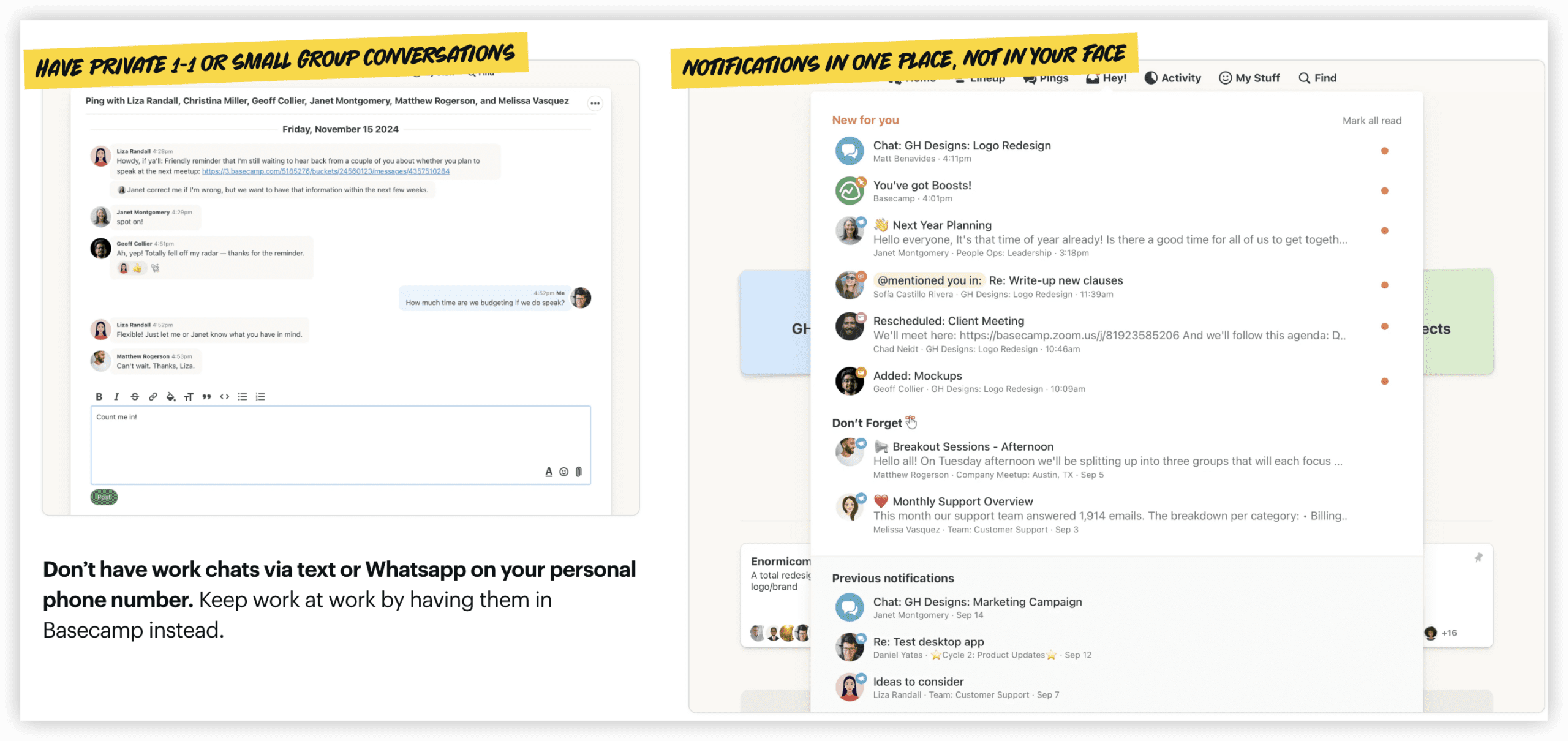
Basecamp rejects feature accumulation entirely. Hill charts replace Gantt views. Message boards replace chat threads. Automatic check-ins replace status meetings. The $15/user/month pricing (or $299/month unlimited for larger teams) purchases philosophical consistency rather than capability breadth.
The platform suits teams disillusioned with project management complexity rather than seeking Jira equivalence. Basecamp deliberately omits Kanban boards, Gantt charts, and time tracking—features considered essential elsewhere. Adoption requires alignment with its specific methodology.
For Jira alternatives evaluation, Basecamp represents a categorical boundary: it addresses the same organizational need (coordinating work) through radically different means. Teams valuing predictability and simplicity over configurability may find this trade compelling.
Selection Guidance
Platform selection should follow capability requirement mapping rather than feature checklist comparison.
Prioritize ONES when: Your organization operates at enterprise scale with multiple R&D teams, requires unified governance across complex workflows, and needs integrated measurement of delivery effectiveness. The consolidation of requirements, testing, release, and knowledge management justifies implementation investment.
Prioritize ClickUp when: Cross-functional consolidation outweighs engineering depth. The all-in-one architecture eliminates separate documentation, time tracking, and communication licensing.
Prioritize Monday.com when: Non-technical adoption is the critical constraint. Visual immediacy enables broad organizational deployment without specialized training.
Prioritize Linear when: Engineering velocity is paramount and team members value interface responsiveness. The opinionated workflow reduces configuration decision fatigue.
Prioritize Notion when: Documentation and knowledge management precede task tracking in organizational priority. The database flexibility enables custom construction matched to exact practice.
Prioritize Basecamp when: Methodological simplicity itself is the objective. The platform’s constraints become features for teams seeking reduced management overhead.
Conclusion
Jira’s dominance in engineering project management reflects genuine capability depth for agile practice. Its limitations—onboarding friction, cross-functional exclusion, cost opacity, and administrative burden—create legitimate departure motivation for specific organizational profiles.
The alternatives examined here represent distinct philosophical responses to these limitations. ONES addresses enterprise complexity through unified R&D governance. ClickUp and Monday.com broaden accessibility through interface design and capability consolidation. Linear and Shortcut preserve engineering focus while reducing friction. Notion and Basecamp reframe the fundamental activity from project tracking to knowledge work or simplified coordination.
No platform universally dominates; each optimizes for particular team compositions, technical maturity levels, and economic constraints. The appropriate selection emerges from honest assessment of which Jira limitations most constrain your current operation, and which alternative’s strengths most directly relieve those constraints.
Frequently Asked Questions
What factors most commonly drive Jira replacement?
Recurring motivations include excessive onboarding duration for new contributors, poor accessibility for non-engineering colleagues, cumulative licensing costs across the Atlassian ecosystem, absence of native documentation and time tracking, and administrative overhead that demands dedicated personnel.
How does ONES differ from other Jira alternatives?
ONES specifically targets enterprise R&D organizations requiring integrated governance across multiple teams and complex workflows. Unlike tools that optimize for single-team velocity or cross-functional simplicity, ONES emphasizes portfolio visibility, compliance configuration, and measurement-driven improvement at organizational scale.
Which alternative best serves mixed technical and non-technical teams?
ClickUp and Monday.com most directly address this requirement. ClickUp through comprehensive capability breadth that eliminates secondary tools; Monday.com through visual interface design that reduces technical fluency prerequisites.
Are free tiers sufficient for production team use?
Most free tiers support evaluation and very small team operation with meaningful limitations—user caps, storage restrictions, or feature gating. Production adoption for teams exceeding five members typically requires paid conversion. Exceptions include Linear’s genuinely unlimited free tier for core functionality and ClickUp’s unlimited-user free plan with storage and automation constraints.
How should total cost comparison account for ecosystem requirements?
Jira’s base pricing requires supplementation with Confluence for documentation, Marketplace applications for time tracking and advanced reporting, and potentially separate communication licensing. Alternatives with native consolidation—ClickUp, ONES, and to varying degrees Monday.com and Notion—reduce this multiplication effect. Accurate comparison should model complete capability requirements rather than headline per-seat rates.