


Remote teams in 2026 need platforms that unify communication, project tracking, and document sharing across distributed locations. After evaluating dozens of solutions, we identified seven tools that consistently deliver measurable improvements in alignment and delivery speed.
Here are the seven remote team collaboration tools covered in this guide:
- ONES — Best for enterprise-grade R&D and cross-functional program management
- monday.com — Best for visual project management with automation
- Asana — Best for structured task tracking across departments
- Jira — Best for Agile software development teams
- Trello — Best for lightweight Kanban-style coordination
- Notion — Best for knowledge-centric team workspaces
- Microsoft Teams — Best for organizations embedded in the Microsoft ecosystem
Key Insights: Selecting Collaboration Software for Distributed Teams
Before examining each platform, consider these validated patterns from our evaluation process:
- Centralization reduces context switching: Teams using unified platforms report fewer status meetings and faster decision cycles compared to those stitching together multiple point solutions.
- Automation compounds time savings: Workflow automation eliminates repetitive manual updates, with research indicating substantial weekly time recovery for typical knowledge workers.
- Shared visibility strengthens accountability: When progress data is accessible to all stakeholders, deadline adherence and block escalation improve measurably.
Comprehensive Comparison Table
| Platform | Free Tier | Starting Paid Plan | Primary Strength | Ideal Team Profile |
|---|---|---|---|---|
| ONES | Limited trial available | Custom enterprise pricing | End-to-end R&D lifecycle governance | Mid-to-large engineering organizations |
| monday.com | Up to 2 users | $12/user/month (annual) | Visual boards with automation rules | Growing teams needing workflow clarity |
| Asana | Up to 2 users | $10.99/user/month (annual) | Task dependency mapping and timelines | Cross-functional operations teams |
| Jira | Up to 10 users | $9.05/user/month | Agile sprint and issue management | Software and technical product teams |
| Trello | Unlimited personal boards | $5/user/month (annual) | Minimalist Kanban with Butler automation | Small teams with straightforward workflows |
| Notion | Personal use | $10/user/month (annual) | Flexible docs, databases, and wikis | Documentation-heavy startups |
| Microsoft Teams | Freemium | $4/user/month (annual) | Native Office integration and video | Enterprise Microsoft 365 environments |
Feature Comparison: Views, Tracking, and Collaboration Depth
| Platform | Primary View Types | Native Time Tracking | Custom Field Support | Dashboard Sophistication |
|---|---|---|---|---|
| ONES | Gantt, list, Kanban, pipeline, matrix | Built-in with effort estimation | Extensive, with formula support | Advanced: cycle time, throughput, quality metrics |
| monday.com | Table, Gantt, calendar, Kanban, chart | Available on paid tiers | 15+ field types | Widget-based, highly configurable |
| Asana | List, board, calendar, timeline, portfolio | Native on paid plans | 15+ field types | Customizable with project health indicators |
| Jira | Kanban, Scrum board, list, roadmap | Advanced work logging | Extensive issue field configuration | Sprint velocity, burndown, release forecasting |
| Trello | Board, calendar, timeline, map | Requires Power-Up integration | Limited without add-ons | Basic reporting via Power-Ups |
| Notion | Table, board, gallery, list, calendar | Manual entry only | 20+ property types | Formula-driven custom views |
| Microsoft Teams | Channel-based lists, Planner integration | Via Microsoft Planner or third-party | Limited native fields | Usage and activity admin reports |
Platform Administration and Data Governance
| Platform | Mobile Application | Storage Model | Permission Granularity |
|---|---|---|---|
| ONES | iOS and Android with offline support | Enterprise-managed, unlimited scaling | Project, iteration, role, field-level controls |
| monday.com | Full-featured iOS/Android | 500MB–1TB tier-dependent | Account, board, column, item-level |
| Asana | Robust mobile experience | 100MB–unlimited tier-dependent | Workspace, team, project, task-level |
| Jira | Functional with push notifications | 2GB–unlimited tier-dependent | Project, issue, field, transition-level |
| Trello | Streamlined card-focused app | 10MB–250MB attachment limits | Board, card, checklist-level |
| Notion | Good parity with desktop | Unlimited for paid workspaces | Page, database, block-level |
| Microsoft Teams | Deep Office mobile integration | OneDrive/SharePoint backed | Organization, team, channel, file-level |
Integration Ecosystem and Automation Capabilities
| Platform | Integration Count | Notable Connections | Automation Architecture |
|---|---|---|---|
| ONES | 200+ enterprise connectors | GitLab, GitHub, Jenkins, SonarQube, Lark, Slack | Native pipeline triggers, custom webhooks, workflow engine |
| monday.com | 200+ | Slack, Adobe, Salesforce, Google Workspace | Visual rules engine with form triggers |
| Asana | 300+ | Zoom, HubSpot, Tableau, Figma | Multi-step rules with conditional logic |
| Jira | 3,000+ | Confluence, Bitbucket, Jenkins, GitHub | Atlassian-native workflows plus third-party apps |
| Trello | 100+ Power-Ups | Slack, Google Drive, Dropbox, Jira | Butler natural-language automation |
| Notion | 50+ direct integrations | Slack, GitHub, Figma, Typeform | Database automations and API access |
| Microsoft Teams | 700+ connectors | Power Platform, Trello, Asana, ServiceNow | Power Automate flows, message rules |
Learning Curve and Support Quality
| Platform | Initial Onboarding | Interface Character | Mobile Feature Parity | Support Channels |
|---|---|---|---|---|
| ONES | Moderate; guided implementation for enterprise | Structured, information-dense | Strong with offline capabilities | Dedicated customer success, documentation, community |
| monday.com | Easy to moderate | Bright, intuitive, color-coded | ~95% feature parity | 24/7 live chat, knowledge base, video tutorials |
| Asana | Moderate | Clean, modern, approachable | ~90% feature parity | Email, chat, phone for paid tiers |
| Jira | Steep for non-technical users | Dense, enterprise-oriented | ~70% feature parity | Extensive documentation, community, paid support |
| Trello | Minimal | Minimalist, card-centric | ~95% feature parity | Community forums, paid priority support |
| Notion | Moderate to steep | Flexible but conceptually unique | ~80% feature parity | Email, community, template gallery |
| Microsoft Teams | Moderate for Office users | Functional, desktop-app feel | ~90% feature parity | Phone, chat, web, enterprise account management |
Detailed Platform Evaluations
1. ONES — Best for Enterprise R&D Lifecycle Management
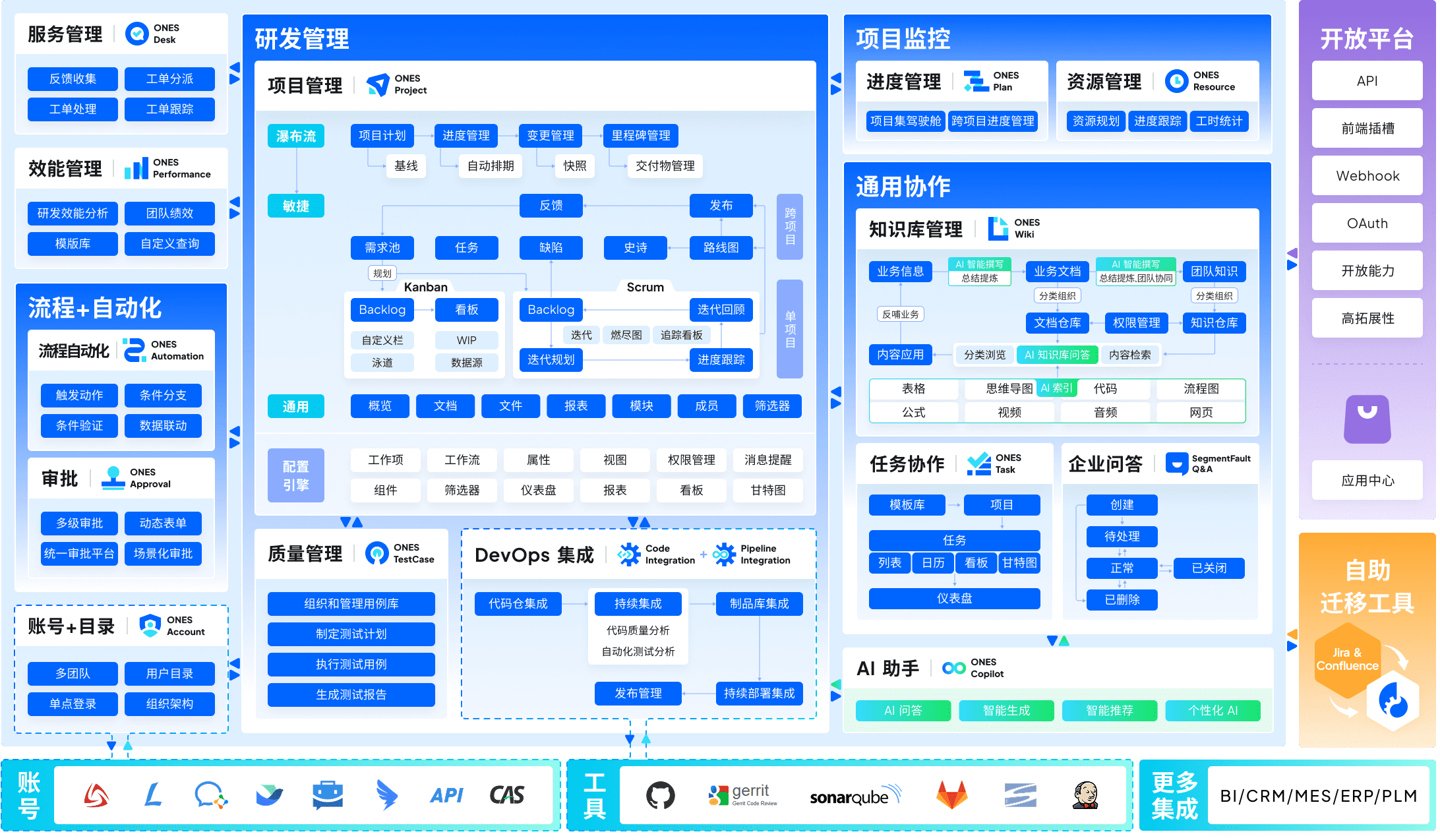
ONES serves as a unified platform for organizations requiring rigorous control over software delivery from conception to deployment. Unlike tools that focus narrowly on task boards or chat channels, ONES integrates project planning, requirements traceability, knowledge repositories, quality assurance protocols, and continuous integration pipelines within a single governance layer.
The platform distinguishes itself through three architectural commitments. First, it eliminates tool fragmentation by housing traditionally separate functions—backlog management, test case design, documentation, and build orchestration—under consistent data models. Second, it accommodates sophisticated organizational structures through configurable workflow engines, granular permission matrices, and cross-departmental visibility controls. Third, it embeds analytics directly into operational workflows, enabling teams to monitor cycle duration, defect escape rates, and throughput without exporting data to external business intelligence tools.
For engineering leaders managing multiple product lines or navigating compliance requirements, ONES provides the structural depth that simpler alternatives lack. Implementation typically involves dedicated onboarding support to align the platform with existing development methodologies.
Strengths:
- Consolidated R&D toolchain reduces integration maintenance
- Enterprise-grade access controls and audit trails
- Built-in metrics for data-driven process refinement
Considerations:
- Requires investment in configuration and change management
- Pricing oriented toward organizational commitments rather than individual adoption
Recommended for: Mid-to-large technology organizations, regulated industries, and teams prioritizing delivery predictability over minimal setup friction.
2. monday.com — Best for Visual Project Management and Automation
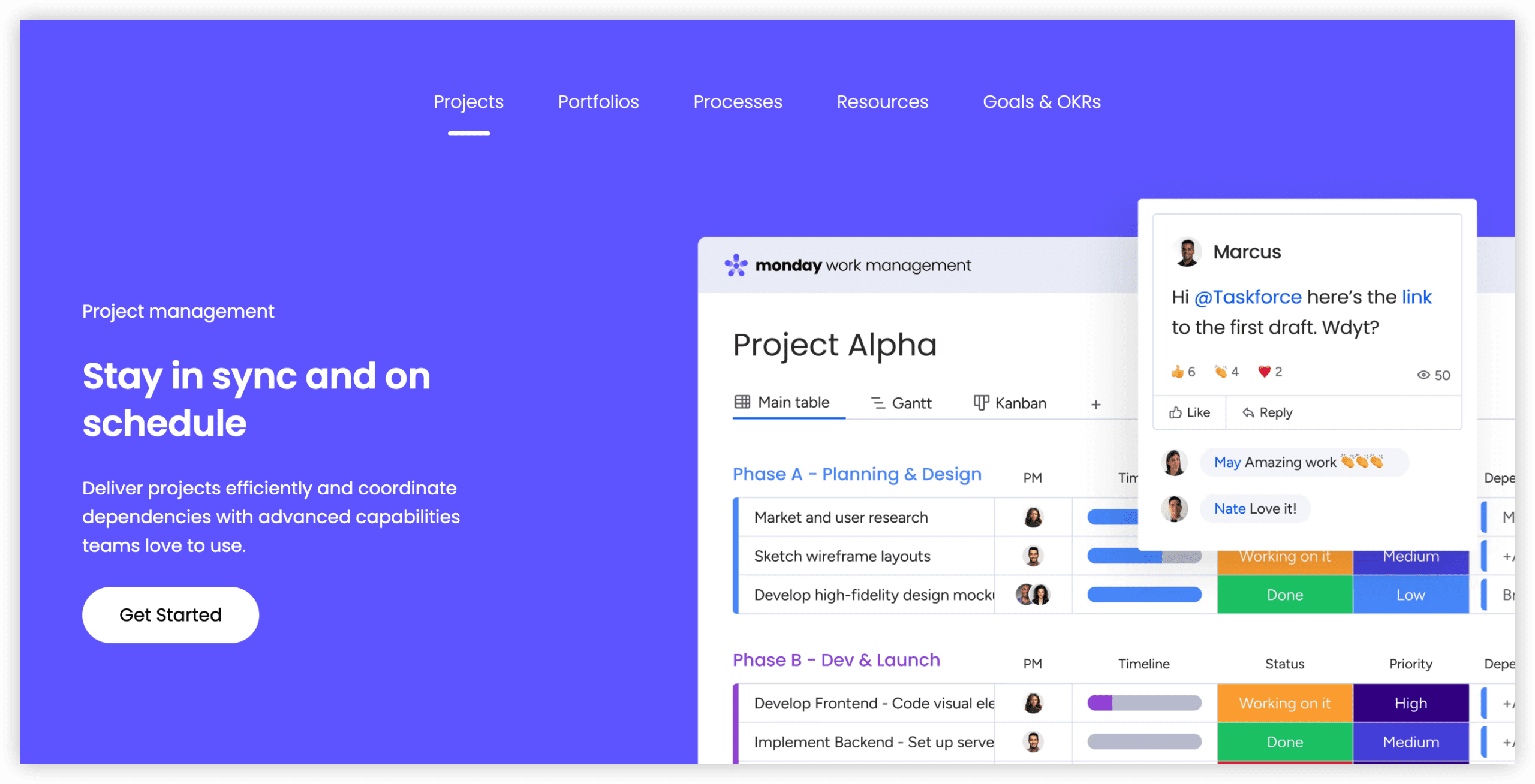
monday.com translates project data into highly visual board structures that reduce the cognitive load of tracking parallel workstreams. Color-coded status columns, timeline overlays, and dependency lines make progress interpretation immediate rather than analytical.
The automation layer allows non-technical users to construct conditional rules—when a status changes to “blocked,” notify the project lead and create a risk log entry—without scripting knowledge. This accessibility democratizes workflow optimization beyond engineering specialists.
Internal communication features including updates threads and @mentions keep contextual discussion attached to relevant work items, reducing channel proliferation in separate messaging applications.
Strengths:
- Immediate visual comprehension of project health
- No-code automation with extensive trigger libraries
- Strong template marketplace for rapid workspace creation
Considerations:
- Free tier restricted to two seats with limited functionality
- Advanced reporting and time tracking require premium subscriptions
Recommended for: Growing organizations seeking visibility without technical administration overhead. The Standard plan at $12 per user monthly (annual commitment) unlocks most automation capabilities.
3. Asana — Best for Structured Task Coordination
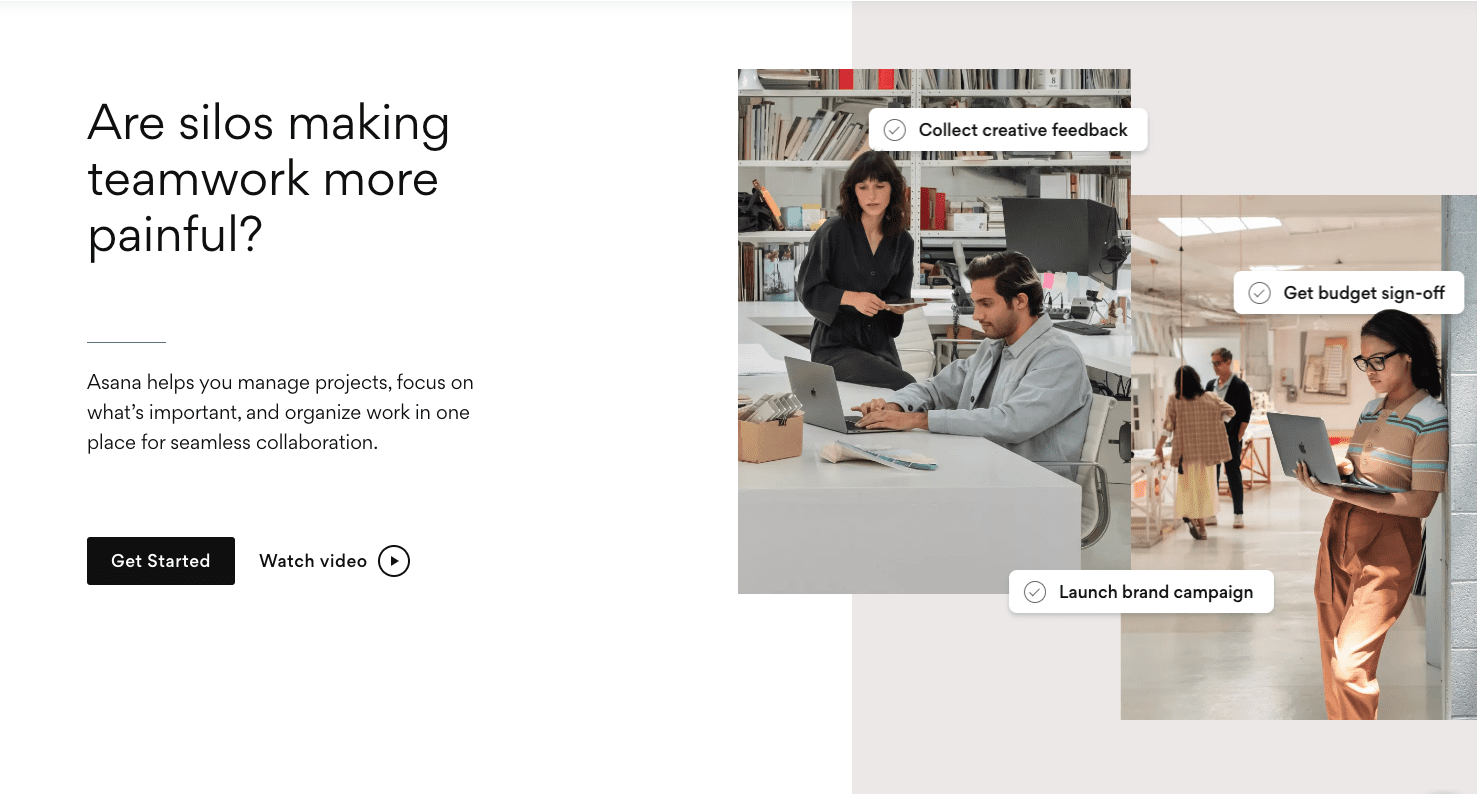
Asana emphasizes clarity in task relationships, offering timeline views that expose how delays in one workstream cascade to dependent deliverables. This structural transparency proves particularly valuable for operations teams managing cross-functional initiatives with multiple handoff points.
The platform’s free tier accommodates small teams with basic list and board views, while paid tiers introduce portfolio-level rollup reporting, workload balancing, and advanced search and reporting.
Strengths:
- Intuitive visualization of task dependencies and critical paths
- Portfolio management for multi-project oversight
- Respectable free tier for initial evaluation
Considerations:
- Reporting depth lags behind specialized project intelligence tools
- Large workspace navigation can become unwieldy without disciplined folder structure
Recommended for: Teams where task accountability and deadline clarity outweigh the need for integrated development tooling. The Starter plan begins at $10.99 per user monthly with annual billing.
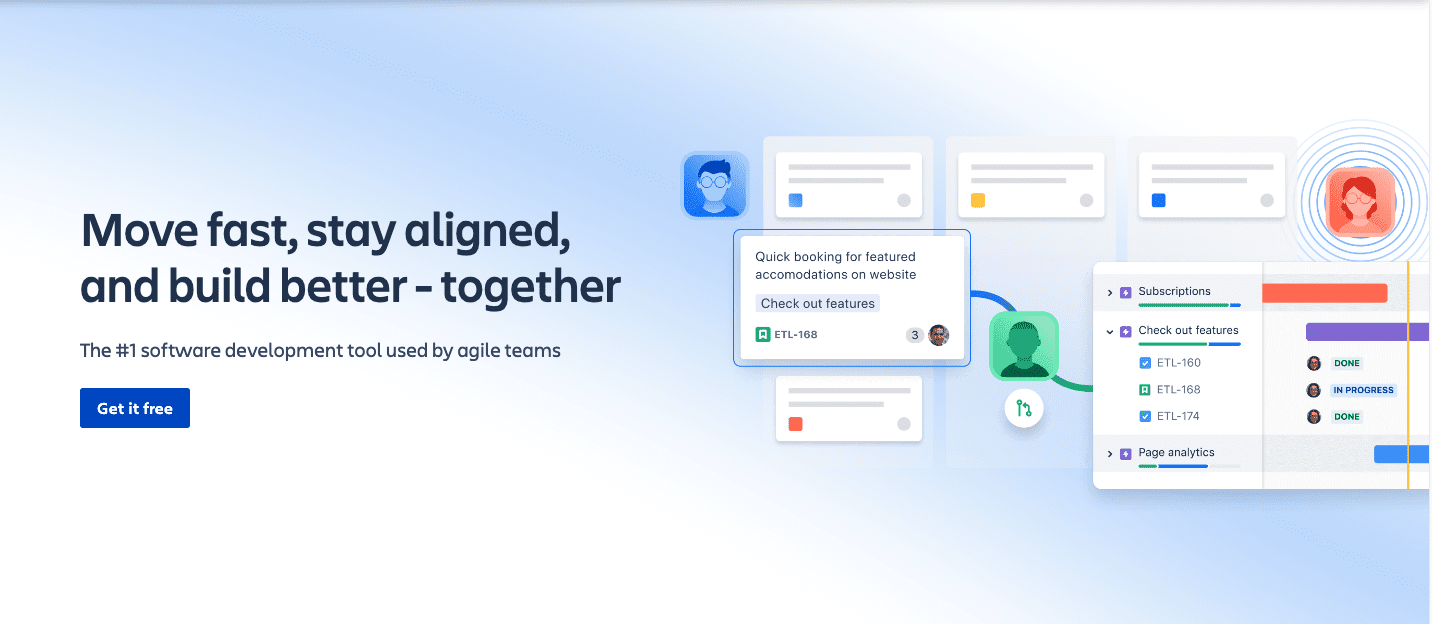
4. Jira — Best for Agile Software Development
Jira remains the reference implementation for Scrum and Kanban practitioners, offering sprint planning interfaces, backlog refinement tools, and release forecasting based on historical velocity data. Its issue taxonomy—epics, stories, bugs, tasks—maps directly to standard Agile ceremonies.
The Atlassian marketplace extends functionality through thousands of plugins, though this extensibility introduces maintenance complexity. Teams frequently require dedicated administrators to manage workflow customizations and integration health.
Strengths:
- Comprehensive Agile ceremony support
- Deep integration with developer tools (repository managers, CI/CD platforms)
- Flexible issue type and field configuration
Considerations:
- Significant configuration investment before productive use
- Pricing structure becomes opaque beyond small team tiers
- Interface density intimidates non-technical stakeholders
Recommended for: Technical teams committed to Agile frameworks and willing to accept administrative overhead for methodological precision. Free for up to ten users; Standard tier at $9.05 per user monthly.
5. Trello — Best for Lightweight Visual Tracking
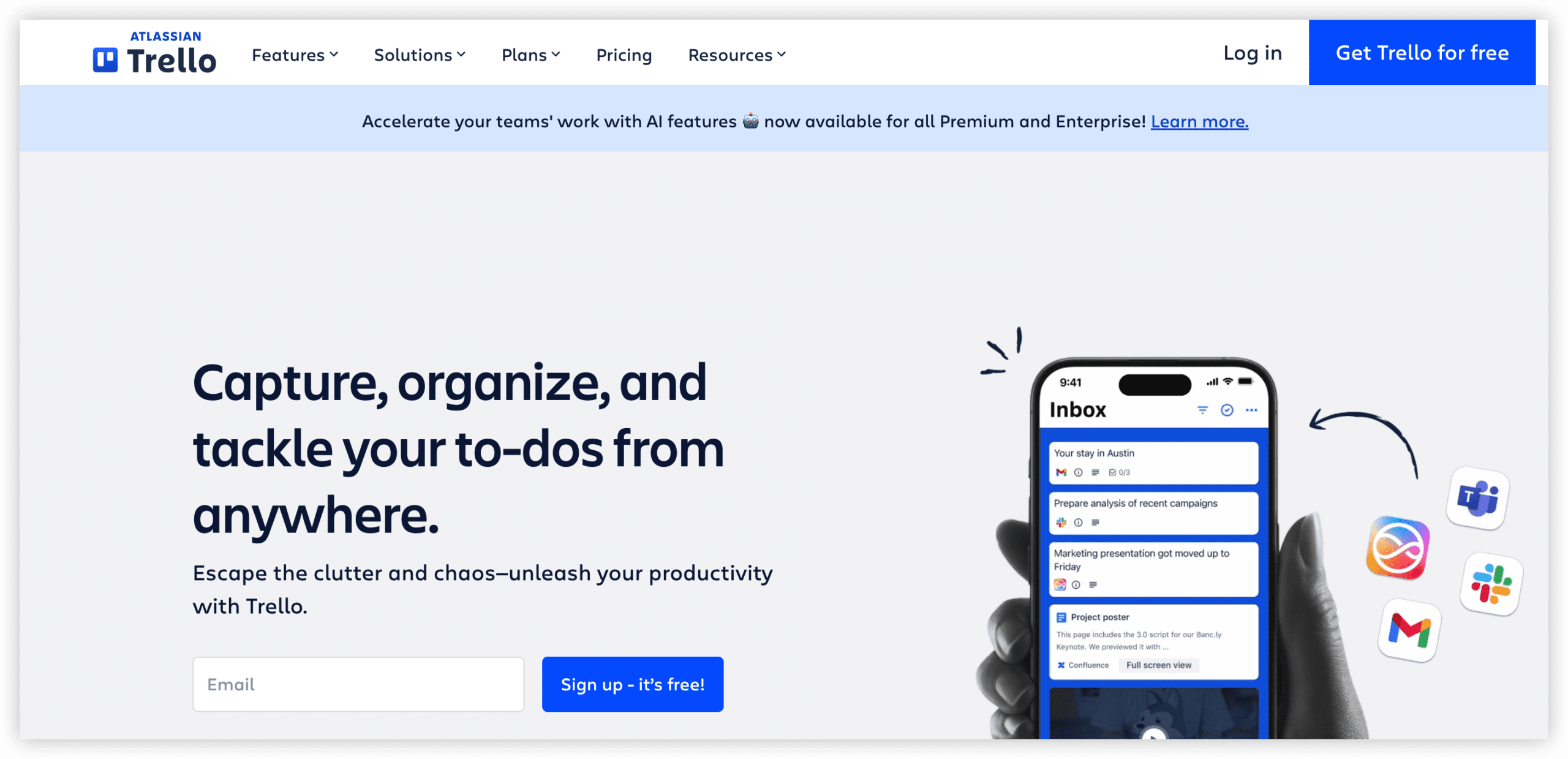
Trello preserves the simplicity of physical Kanban boards in digital form, with cards representing work items that flow across status columns. The Butler automation assistant accepts natural language instructions—”when a card is moved to Done, archive it after seven days”—lowering the automation barrier further than rule-builder interfaces.
This simplicity becomes constraining when projects require hierarchical decomposition, resource allocation, or cross-project reporting. Trello deliberately sacrifices structural depth for immediate usability.
Strengths:
- Near-zero learning curve
- Intuitive card-based mental model
- Generous free tier for personal and small team use
Considerations:
- Limited native support for complex project structures
- Power-Up dependencies for functionality standard in competing platforms
Recommended for: Individuals and small groups with straightforward workflows and minimal reporting requirements. Standard plan at $5 per user monthly with annual billing.
6. Notion — Best for Knowledge-Integrated Workspaces
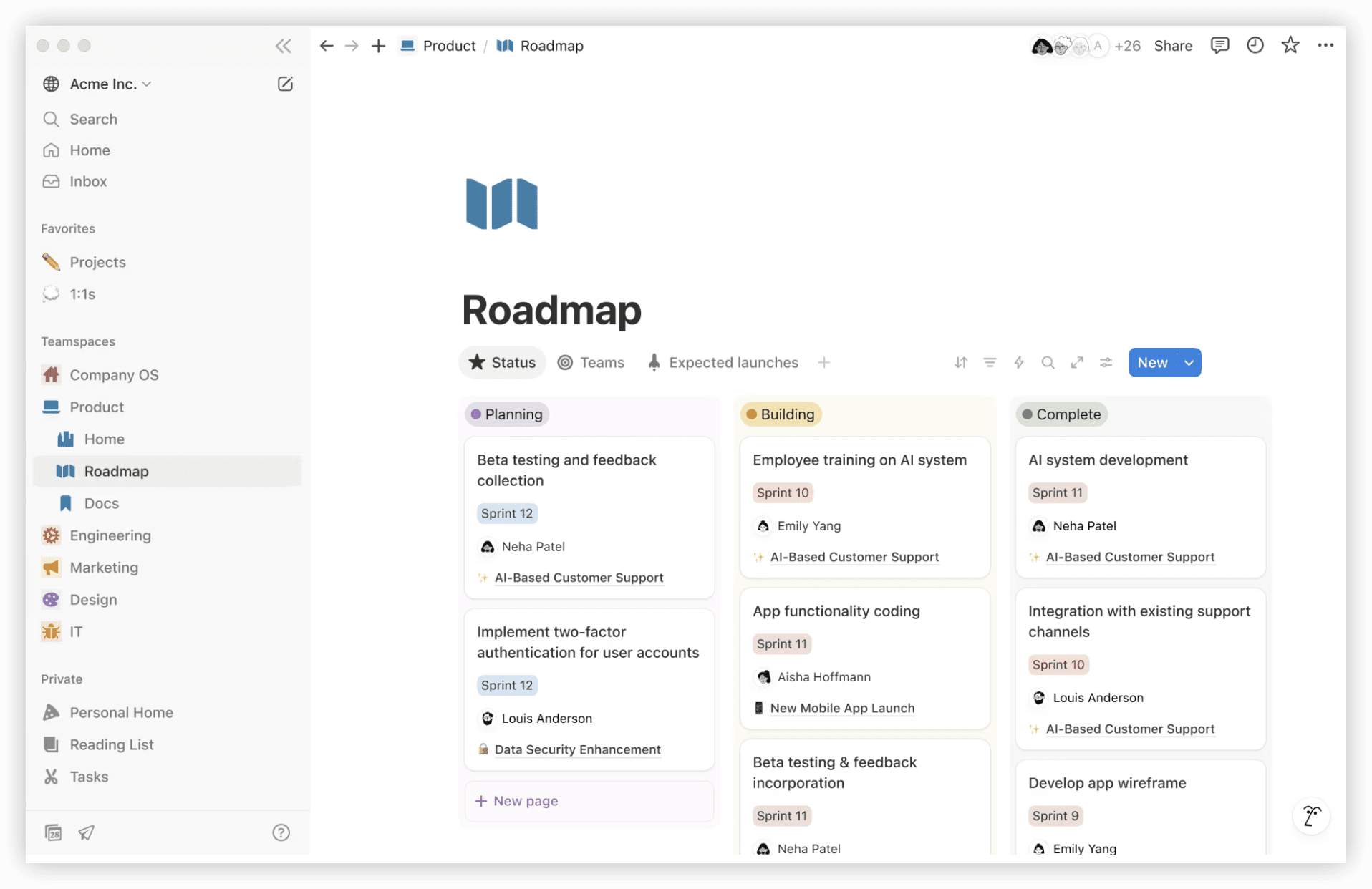
Notion collapses the boundary between documents, databases, and project trackers, enabling teams to construct custom operational systems within a flexible canvas. A product requirements document can embed a live database of related tasks, which in turn feeds a roadmap visualization.
This flexibility demands intentional design. Teams without dedicated workspace architects often produce fragmented, inconsistent structures that degrade findability. Performance also degrades noticeably in large, heavily interlinked workspaces.
Strengths:
- Unparalleled flexibility in information architecture
- Powerful database relations and formula capabilities
- Strong for documentation-centric cultures
Considerations:
- Steep conceptual learning curve
- Performance limitations at enterprise scale
- No native time tracking or advanced project scheduling
Recommended for: Startups and creative teams valuing adaptive information structures over prescribed workflows. Plus plan at $10 per user monthly with annual commitment.
7. Microsoft Teams — Best for Microsoft-Centric Organizations
Microsoft Teams functions as the communication and coordination layer atop Microsoft 365, embedding chat, video conferencing, file collaboration, and third-party app notifications within a unified interface. For organizations already standardized on Exchange, SharePoint, and OneDrive, it minimizes context switching between productivity domains.
Native task management remains basic compared to dedicated project platforms; Teams typically serves as the aggregation point rather than the primary planning tool, with Planner or Project handling structured work tracking.
Strengths:
- Seamless Office document co-authoring and version control
- Enterprise-grade security and compliance certifications
- Extensive meeting and webinar capabilities
Considerations:
- Can feel ponderous for small teams without existing Microsoft investment
- Task management requires companion tools for non-trivial projects
Recommended for: Established enterprises with Microsoft licensing and IT infrastructure. Essentials plan at $4 per user monthly with annual billing.
Selection Framework: Matching Tools to Organizational Context
The optimal collaboration platform depends on team maturity, technical composition, and integration context rather than feature count alone.
Prioritize ONES when: Your organization manages complex software delivery with multiple stakeholder layers, requires auditable development processes, and seeks to consolidate fragmented R&D tooling into a governed platform.
Prioritize monday.com when: Visual clarity and accessible automation matter more than deep development integration, and your team spans technical and non-technical functions.
Prioritize Asana when: Task dependency management and cross-functional deadline coordination dominate your operational challenges.
Prioritize Jira when: Your team practices formal Agile methodologies and requires granular issue tracking linked to code repositories.
Prioritize Trello when: Simplicity and immediate adoption outweigh structural requirements.
Prioritize Notion when: Your work is inherently knowledge-intensive and you value adaptive information structures over predefined workflows.
Prioritize Microsoft Teams when: Your productivity infrastructure is already Microsoft-aligned and you need a communication hub with acceptable task visibility.
Frequently Asked Questions
What distinguishes enterprise collaboration platforms from lightweight alternatives?
Enterprise platforms provide administrative controls, audit capabilities, and integration depth that support compliance requirements and complex organizational hierarchies. Lightweight tools optimize for individual or small-team productivity with minimal configuration.
How should distributed teams evaluate automation capabilities?
Assess whether automation addresses your specific repetition patterns—status notifications, assignment routing, deadline adjustments—rather than counting available triggers. Test critical workflows during trial periods with realistic data volumes.
When does consolidating tools improve outcomes versus creating single points of failure?
Consolidation benefits multiply when data flows naturally between functions (requirements to tests to deployments) without manual transfer. Risks emerge when platform outages would paralyze multiple operational dimensions simultaneously; evaluate vendor reliability and export options.
What indicators suggest a team has outgrown its initial collaboration tool?
Escalating manual workarounds, proliferating shadow tools for unmet needs, and declining data trust typically signal platform limitations. Quantify time spent on status reconciliation and cross-tool data entry to build migration cases.
How important is mobile feature parity for remote team tools?
Parity significance correlates with team mobility patterns. Field-enabled or travel-heavy teams require robust mobile experiences; desk-bound knowledge workers may tolerate desktop-optimized interfaces with notification-only mobile complements.